

Creating a Database Visually
Now Press F8 to open the Object Browser in SQL Server Management Studio and expend it.
Database -> right-click-> select New database
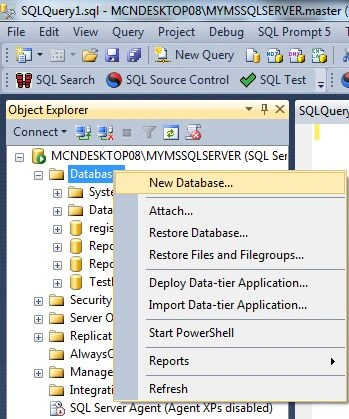
This would open the "New database" window:
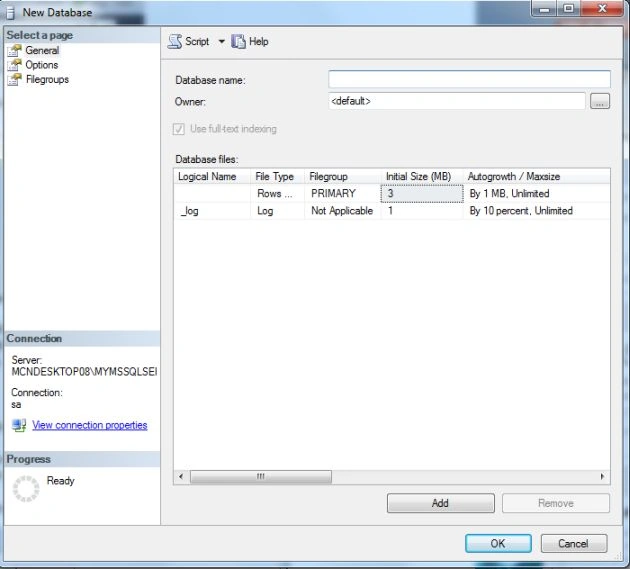
Now enter the database name to create the database.
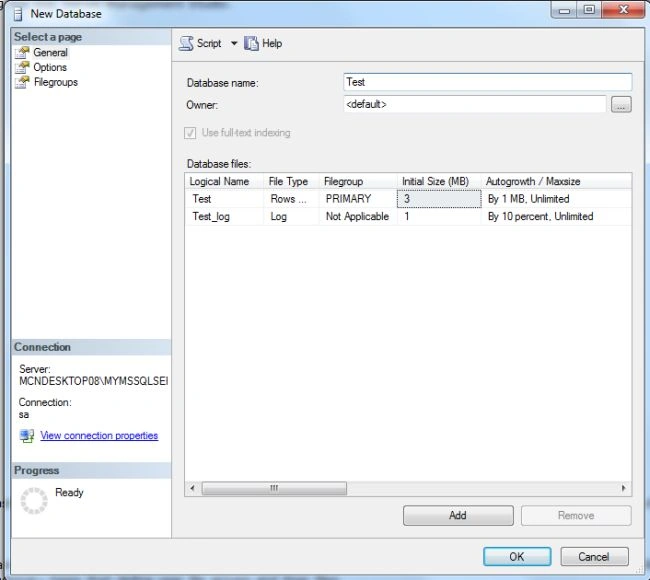
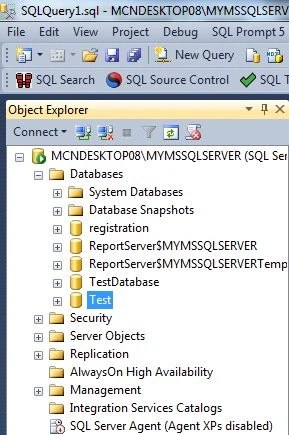
Now click on the OK button to create the database. The new database will be displayed in the Object Explorer:
Deleting a Database
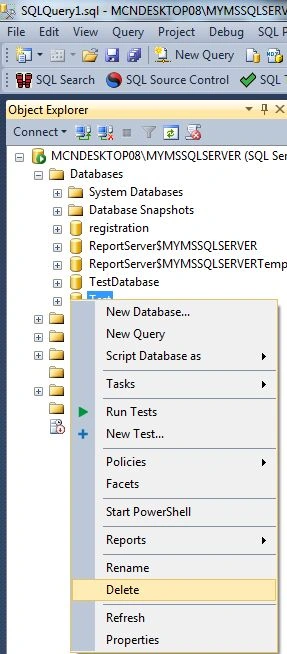
To delete a database Press F8 to open the Object Browser in SQL Server Management Studio and expend it. Select a database and right-click on it.
Database -> right-click-> select delete
Create a Database programmatically
This statement has the following form:
CREATE DATABASE database_name
    [ ON
        { [ PRIMARY ] [ <filespec> [ ,...n ]
        [ , <filegroup> [ ,...n ] ]
    [ LOG ON { <filespec> [ ,...n ] } ] }
          [FOR RESTORE]
Arguments
Database name
Database is the name of the new database. Database names must be unique within an instance of SQL Server and comply with the rules for identifiers. A database_name can be a maximum of 128 characters.
ON
Specifies that the disk files used to store the data sections of the database, data files, are explicitly defined. ON is required when followed by a comma-separated list of <filespec> items that define the data files for the primary filegroup. The list of files in the primary filegroup can be followed by an optional, comma-separated list of <filegroup> items that define user file groups and their files.
PRIMARY
Specifies that the associated <filespec> list defines the primary file. If PRIMARY is not specified, the first file listed in the CREATE DATABASE statement becomes the primary file.
LOG ON
Specifies the disk files used to store the database log, Log files, are explicitly defined. LOG ON is followed by a comma-separated list of <filespec> items that define the log files. If LOG ON is not specified then one log file is automatically created
that has a size that is 25 percent of the sum of the sizes of all the data files for the database.
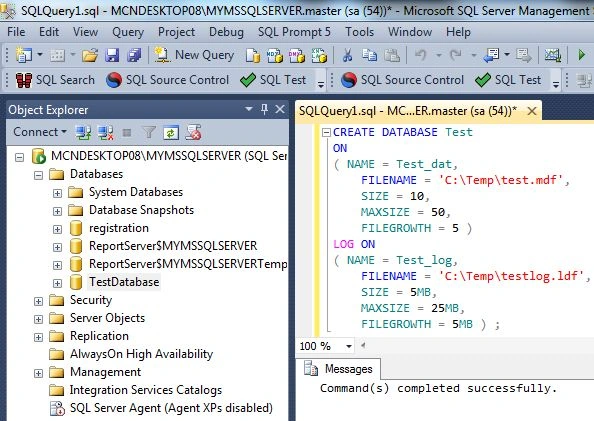
Example showing creation of a database
The following code is used to create a database:
CREATE DATABASE Test
ON
Join the conversation! Your thoughts help the community grow.