

Introduction
These are simple steps to create your first Outlook add-in from the SharePoint framework 1.10 version. The integration of SharePoint Framework lets you use all of the tools of SPFx, including access to Graph APIs, along with the rich, native JavaScript APIs that are available across applications. Please note that it is still in Preview mode.
Prerequisites
- Node version 10 LTS
- Latest Yeoman and gulp
- Visual studio code
For more details, Please check Microsoft docs for Setting up your SharePoint Framework development environment.
Development Steps
- Run the following command.
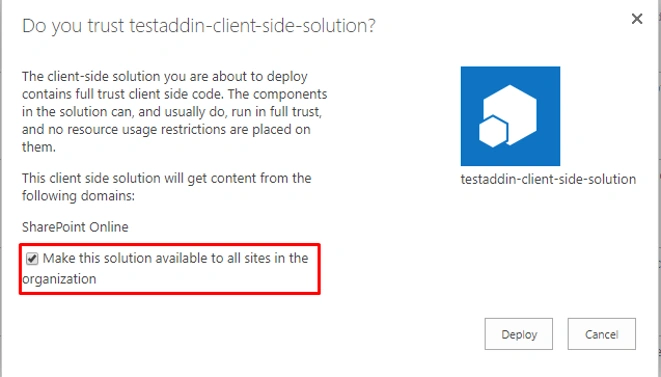
yo @microsoft/sharepoint --plusbeta - For the below question, select yes, as the solution needs to be deployed, and tenant-scoped.
Do you want to allow the tenant admin the choice of being able to deploy the solution to all sites immediately without running any feature deployment or adding apps to sites? Y - Select the framework you would want to use. I preferred to React in this example.
- Post-installation, open your code in the Visual Studio code. You can see the OfficeAddin folder with the default manifest file inside as shown in the screenshot.

- When I ran the gulp serve command, I got the following error. This might not happen to you. But if you get the same error - Cannot find module '@microsoft/sp-build-web', the solution is easy.
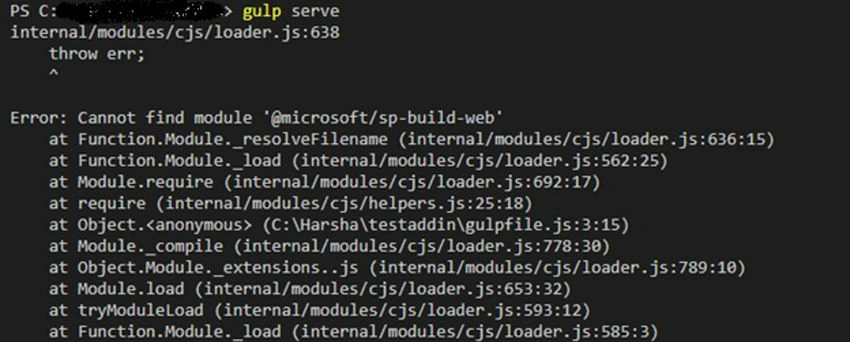
- Run the command
npm install @microsoft/sp-build-web - Delete your node modules and install all the packages again by running npm install –save.
- Run the command
- After solving all the issues, Run the gulp serve command again and check if your web part is working in the local workbench.
- To access Office.js, install the following package.
npm install @types/office-js - To access the current email, initialize the mailbox item in the constructor as below.
let mailboxItem: any; Office.initialize = (reason) => { mailboxItem = Office.context.mailbox.item; } - You can get the subject, body, attachment, to, cc, dateTimeCreated, dateTimeModified, etc from mailboxes.
Example: mailboxItem.body Or: Office.context.mailbox.item.body - Check the properties you can access from Office.context.mailbox.item in this link here.
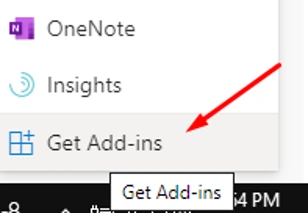
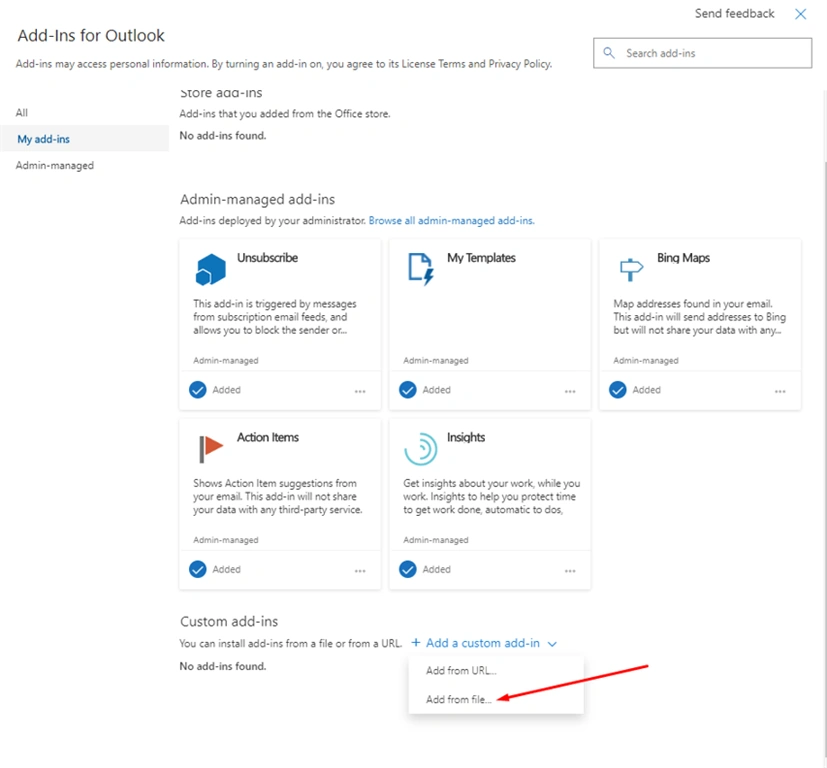

Madhan ThuraiPosted Feb 5, 2020, 6:15 AM
I found mistake "yo @microsoft/sharepoint –plusbeta" instead "yo @microsoft/sharepoint --plusbeta" for double hyphen you have marked as single hyphen in all attributes,mistakenly i forget to watch that...now its working https://docs.microsoft.com/en-us/sharepoint/dev/spfx/office-addins-create
Madhan ThuraiPosted Feb 5, 2020, 5:44 AM
PS D:\myoffice> npm list -g --depth 0C:\Users\madhanthurai\AppData\Roaming\npm +-- @microsoft/[email protected] +-- @pnp/[email protected] +-- @pnp/[email protected] +-- [email protected] +-- [email protected] +-- [email protected] +-- [email protected] `-- [email protected]
Madhan ThuraiPosted Feb 5, 2020, 5:42 AM
But Office Add-ins folder doesn't appears in the solution,did i do anymore config
Madhan ThuraiPosted Feb 5, 2020, 5:41 AM
Https://www.youtube.com/watch?v=QtGjTAjbIKU
Madhan ThuraiPosted Feb 5, 2020, 5:41 AM
I have using spfx 1.10 i scalfolded as same using "yo @microsoft/sharepoint –plusbeta"