

Introduction
This article explains how to create a simple product in a Magento site using PHP. I will create a simple product, like books and describe step-by-step how to manage the product. Magento is CMS and using Magento you can develop an e-commerce site and Magento provides the best way to develop an e-commerce website like a plugin and modules for you. You can easily manage any functionality of a related product but in this section I will describe only how to create a simple product in Magento.
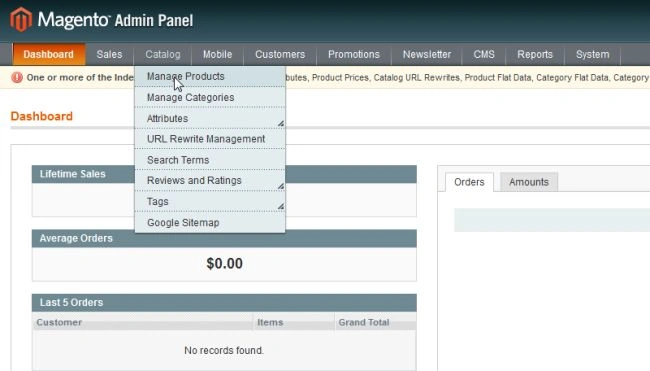
First, click on "Catalog" and select "Manage product".
And next step is to select "Add product" in the top right of the page.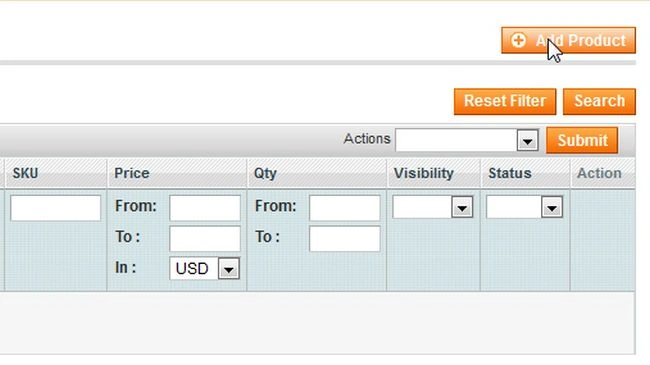
And next select the attribute set as the default and select a product type as simple product.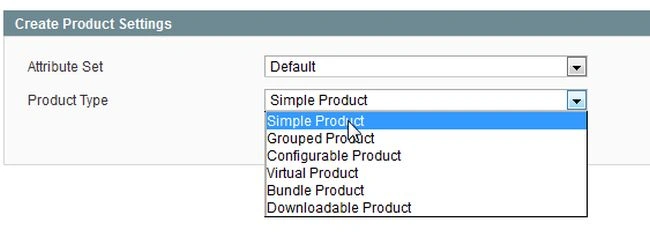
And press "Continue".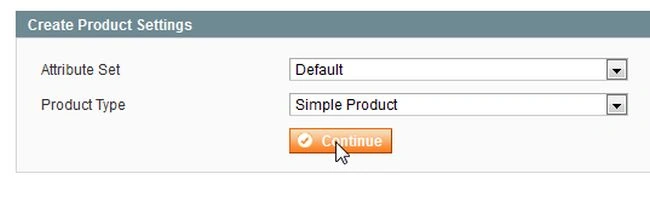
Product detail
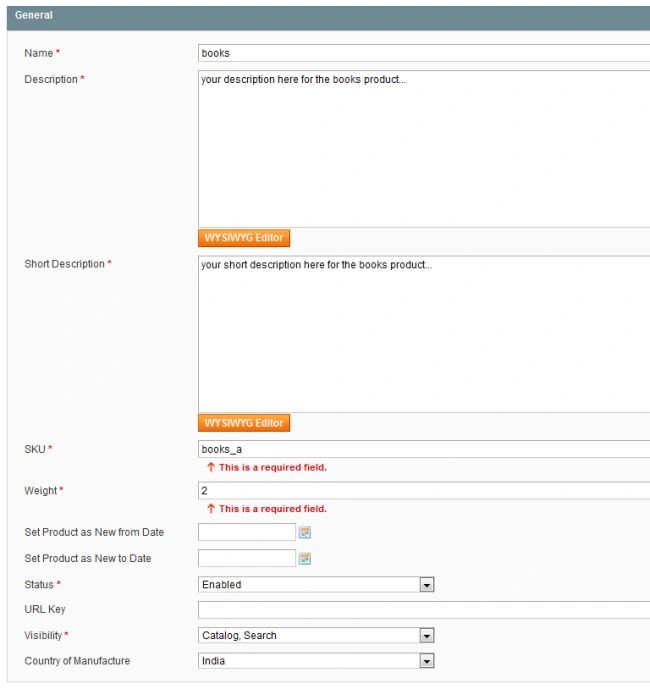
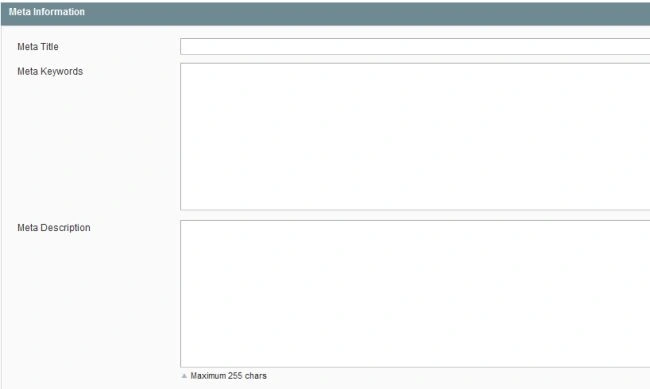
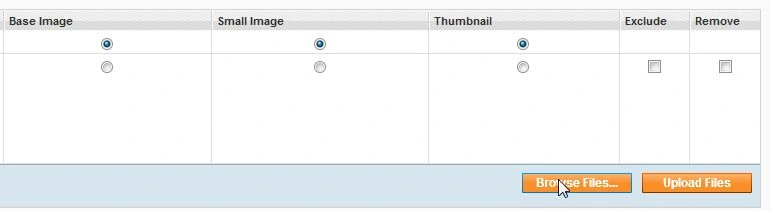
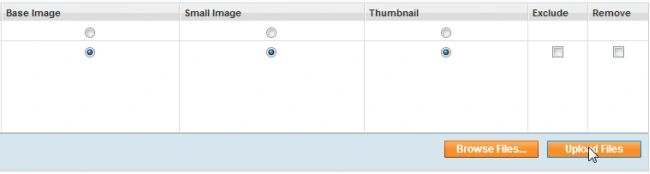
You can manage all the product information from this page.
|
Title |
Description |
| Name | Product name as it will appear in the front page. |
| Description | Provide the description of your product and this description is shown in the center of the page. |
| Short description | This description is shown in the top of the page. |
| SKU | SKU is a unique identifier for your product name. |
| Product Weight | Product weight is used for a shipping calculation. |
| Product from date to date | Date range promoted as a new product. |
| URL key | Make URL key for searching of the product. |



Webiators TechnologyPosted Jul 28, 2023, 10:08 AM
Creating a simple product in Magento 2 using involves several steps, including setting up the necessary environment, connecting to the database, and using Magento's API to create the product. Below is a forum comment providing an example of how to achieve this.
Priscila AD GuerreroPosted Aug 26, 2014, 8:42 AM
NIce Article. Magento looks powerfull. Thank you.