

Introduction
In this article, we are going to learn CRUD operations in Xamarin.Forms using SQLite. So, starting with implementation, first we will discuss SQLite.
Defining SQLite
SQLite is a light weight transaction database with zero configuration which is built for all three platforms that we are targeting in Xamarin.forms application.
Setting up SQLite
First, we need to setup SQLite for development. To set SQLite three main steps are needed which are:
- Install sqlite-net-pcl from NuGet package manager for solution.
- Declare Interface in PCL
- Implement interface in all projects.
These steps are explained in detail in the article named - Setting Up SQLite In Xamarin.Forms
You have to complete setting up SQLite for your project. Then, move towards CRUD operations.
CRUD Operations
In this example, we are going to make a UI of Notes. Here, you can save notes and their description in your application. And, you can also read, update, and delete these.
- Creating and reading a data
Let’s make user interface for our application, in which we create data, and then read it.
XAML
- <StackLayout>
- <Label Text="Save Your Notes:"></Label>
- <Entry Placeholder="Enter Notes Title" x:Name="Title"></Entry>
- <Entry Placeholder="Enter Notes Description" x:Name="Description"></Entry>
- <Button Text="ADD NOTE" Clicked="OnAdd"></Button>
- <Label Text="Saved Notes" VerticalOptions="End"></Label>
- <ListView VerticalOptions="EndAndExpand" x:Name="mylistview">
- <ListView.ItemTemplate>
- <DataTemplate>
- <TextCell Text="{Binding Title}" Detail="{Binding Desc}">
- </TextCell>
- </DataTemplate>
- </ListView.ItemTemplate>
- </ListView>
- </StackLayout>
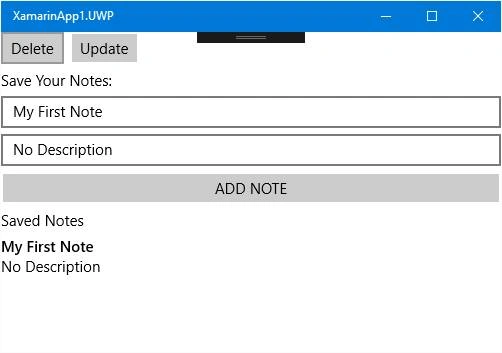
Output
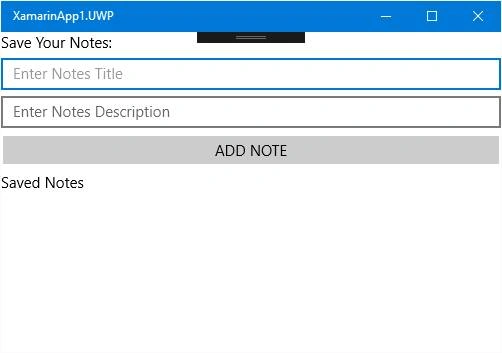
Now, make a test class in which we will save our data.
Test Class
- public class test
- {
- [PrimaryKey, AutoIncrement]
- public int id { get; set; }
- [MaxLength(255)]
- public string Title { get; set; }
- [MaxLength(1000)]
- public string Desc { get; set; }
- }
And make some code to save data in our application. And when data is saved, it is shown in the list view which is already made in the UI of our application.
Code
- private SQLiteAsyncConnection _connection;
- private ObservableCollection<test> _test;
- public SQLiteDbTest()
- {
- InitializeComponent();
- _connection = DependencyService.Get<ISQLiteDb>().GetConnection();
- }
- protected async override void OnAppearing()
- {
- await _connection.CreateTableAsync<test>();
- var abc = await _connection.Table<test>().ToListAsync();
- _test = new ObservableCollection<test>(abc);
- mylistview.ItemsSource = _test;
- base.OnAppearing();
- }
- void OnAdd(object sender, System.EventArgs e)
- {
- var test = new test { Title = Title.Text, Desc = Description.Text };
- _connection.InsertAsync(test);
- _test.Add(test);
- }
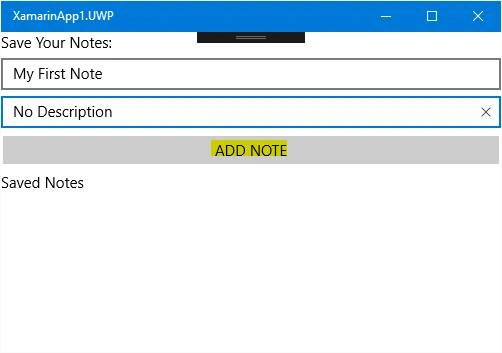
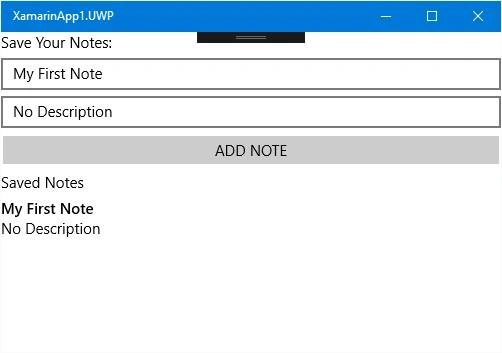
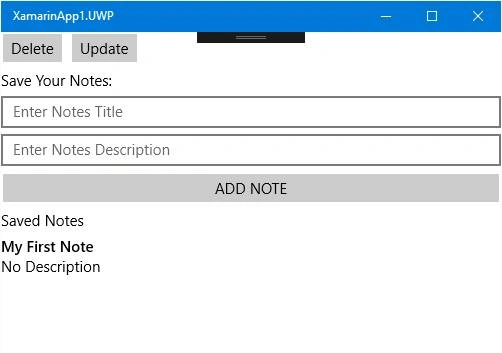
T MPosted Jun 7, 2018, 10:48 PM
Where are from SQLiteDbTest ???