

Introduction
Many times, while working with JavaScript, we need to display the result to html controls. The data may be single text, or multiple values, or list, or anything.
Now, we are using AJAX and jQuery. So, it makes it very easy to show the data on html controls, like label, div, partial view etc.
Many times, while working with JavaScript, we need to display the result to html controls. The data may be single text, or multiple values, or list, or anything.
Now, we are using AJAX and jQuery. So, it makes it very easy to show the data on html controls, like label, div, partial view etc.
- JSON result returns a single list from the action of controller and binds it to the label. It creates one controller with two actions, and creates a list of employees and initializes the data using constructor.Create View for the action method, Index, as shown below.
- public class TestController: Controller {
- List < string > employee = new List < string > ();
- public TestController() {
- employee.Add("Vithal Wadje");
- employee.Add("Pankaj Bajaj");
- employee.Add("Jeetendra Gund");
- }
- public ActionResult Index() {
- return View();
- }
- public ActionResult ActionName() {
- return Json(new {
- emp = employee, JsonRequestBehavior.AllowGet
- });
- }
- }
Here is the result after clicking on the button:- @ {
- Layout = null;
- } < !DOCTYPE html > < html > < head > < meta name = "viewport"
- content = "width=device-width" / > < title > Index < /title> < script src = "http://ajax.aspnetcdn.com/ajax/jQuery/jquery-1.12.4.min.js" > < /script> < /head> < body > < div > < button onclick = "testClick()" > Click here < /button> < /div> < br / > < br / > < label id = "Content" > < /label> < /body> < /html> < script type = "text/javascript" > function testClick() {
- $.ajax({
- url: "/Test/ActionName",
- type: "POST",
- data: JSON.stringify(),
- dataType: "json",
- traditional: true,
- contentType: "application/json; charset=utf-8",
- success: function(result) {
- var name;
- $.each(result.emp, function(index, record) {
- name = ' <label>' + record.toString() + '</label> <br/>';
- $("#Content").append(name);
- });
- },
- error: function() {
- alert("An error has occured!!!");
- }
- });
- } < /script>
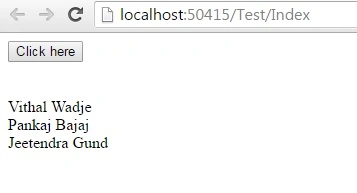
- JSON result returns multiple lists from action of controller and binds them to two different labels.Add View with JavaScript as,
- public class HomeController: Controller {
- List < string > employee = new List < string > ();
- List < string > designation = new List < string > ();
- public HomeController() {
- employee.Add("Vithal W.");
- employee.Add("Pankaj B");
- employee.Add("Jeetendra G.");
- employee.Add("Rupesh K.");
- designation.Add("Manager");
- designation.Add("Tech Lead");
- designation.Add("Sr. Soft Dev");
- designation.Add("Software Dev");
- }
- public ActionResult Index() {
- return View();
- }
- public ActionResult GetAllInformation() {
- var myResult = new {
- Name = employee,
- Information = designation
- };
- return Json(new {
- myResult,
- JsonRequestBehavior.AllowGet
- });
- }
- }
- @ {
- Layout = null;
- } < !DOCTYPE html > < html > < head > < meta name = "viewport"
- content = "width=device-width" / > < title > Index < /title> < script src = "http://ajax.aspnetcdn.com/ajax/jQuery/jquery-1.12.4.min.js" > < /script> < /head> < body > < div > < button onclick = "testClick()" > Click here < /button> < /div> < br / > < br / > < div style = "width:30%; margin-left:5%;" > < div style = "width:23%; float:left;" > < label id = "Names" > < /label> < /div> < div style = "width:25%; float:left;" > < label id = "Possition" > < /label> < /div> < /div> < /body> < /html> < script type = "text/javascript" > function testClick() {
- $.ajax({
- url: "/Home/GetAllInformation",
- type: "POST",
- data: JSON.stringify(),
- dataType: "json",
- traditional: true,
- contentType: "application/json; charset=utf-8",
- success: function(result) {
- debugger;
- var name = result.myResult.Name;
- var designamtion = result.myResult.Information;
- $.each(name, function(index, record) {
- name = ' <label>' + record.toString() + '</label> <br/>';
- $("#Names").append(name);
- });
- $.each(designamtion, function(index, record) {
- designamtion = ' <label>' + record.toString() + '</label> <br/>';
- $("#Possition").append(designamtion);
- });
- },
- error: function() {
- alert("An error has occured!!!");
- }
- });
- } < /script>
Again, here is the result after clicking on button.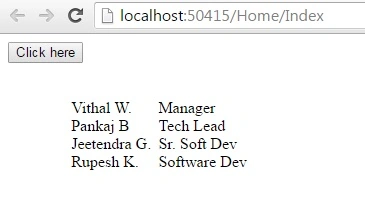
- JSON result returns the html data and binds that data to a partial View.
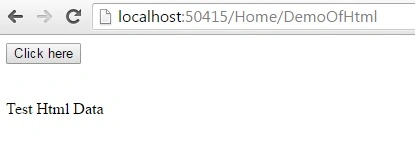
Create two actions. In one action method, add ViewData. This action method returns a partial View with this ViewData,Here is the result after clicking on button.- @ {
- Layout = null;
- } < !DOCTYPE html > < html > < head > < meta name = "viewport"
- content = "width=device-width" / > < title > DemoOfHtml < /title> < script src = "http://ajax.aspnetcdn.com/ajax/jQuery/jquery-1.12.4.min.js" > < /script> < /head> < body > < div > < button onclick = "testClick()" > Click here < /button> < /div> < br / > < br / > < div id = "htmlData"
- style = "width:50%" > @Html.Partial("_HomePartial") < /div> < /body> < /html> < script type = "text/javascript" > function testClick() {
- $.ajax({
- url: "/Home/GetData",
- type: "POST",
- data: JSON.stringify(),
- dataType: "html",
- traditional: true,
- contentType: "application/json; charset=utf-8",
- success: function(data) {
- $("#htmlData").html(data);
- },
- error: function() {
- alert("An error has occured!!!");
- }
- });
- } < /script>
Rupesh KahanePosted Aug 7, 2016, 2:38 AM
Thanks to Vignesh Mani, Prasanna M and Joginder Banger - need to try this one
Rupesh KahanePosted Aug 7, 2016, 2:36 AM
Afzaal Ahmad Zeeshan Sir thanks for good suggestion.. will try this one also
Joginder BangerPosted Aug 6, 2016, 6:28 AM
Hello dear....in below code you are run two times loops is that possible can we get the all data in single looping. Thanks for sharing valuable information......................... $.each(name, function(index, record) { name = ' <label>' + record.toString() + '</label> <br/>'; $("#Names").append(name); }); $.each(designamtion, function(index, record) { designamtion = ' <label>' + record.toString() + '</label> <br/>'; $("#Possition").append(designamtion); });
Prasanna MuraliPosted Aug 5, 2016, 11:44 AM
Nice one...
Afzaal Ahmad ZeeshanPosted Aug 5, 2016, 8:10 AM
Nice write up Rupesh, but my recommendation in these cases is to consider using a special type, such as Employee, Person etc. And then add the values to that class, instead of having to create the schema yourself. Newtonsoft.Json would take care of the rest for you!
Vignesh ManiPosted Aug 5, 2016, 6:51 AM
Good One
Rupesh KahanePosted Aug 5, 2016, 6:17 AM
Thanks to Bikesh Srivastava and Pankaj Kumar Choudhary also
Pankaj Kumar ChoudharyPosted Aug 5, 2016, 4:10 AM
Useful Information Rupesh.....
Bikesh SrivastavaPosted Aug 5, 2016, 3:34 AM
Nice article
Rupesh KahanePosted Aug 5, 2016, 3:32 AM
Thanks Bhavik Patel and Shamim Uddin also
Shamim UddinPosted Aug 4, 2016, 10:51 PM
Nice
Bhavik PatelPosted Aug 4, 2016, 7:51 PM
Nice