

Introduction
A recursive function is a function that calls itself, in other words, multiple times. The advantage of using recursion is code reusability. A recursive function must have at least one exit condition that can be satisfied.
In the following example, we will display 100 numbers without a loop but using a recursive function instead.
Complete Program
app.ts
- class Number_Without_Loop
- {
- Display_Number(num: number)
- {
- if (num <= 100)
- {
- var span = document.createElement("span");
- span.style.color = "blue";
- span.innerText = num + ",";
- document.body.appendChild(span);
- this.Display_Number(num + 1);
- }
- }
- }
- window.onload = () =>
- {
- var obj = new Number_Without_Loop();
- obj.Display_Number(1);
- };
default.htm
- <!DOCTYPE html>
- <html lang="en"
- xmlns="http://www.w3.org/1999/xhtml">
- <head>
- <meta charset="utf-8" />
- <title>TypeScript HTML App</title>
- <link rel="stylesheet" href="app.css" type="text/css" />
- <script src="app.js"></script>
- <style type="text/css"></style>
- </head>
- <body>
- <h3>Display 100 Number Without Loop In TypeScript</h3>
- <p></p>
- </body>
- </html>
app.js
- var Number_Without_Loop = (function() {
- function Number_Without_Loop() {}
- Number_Without_Loop.prototype.Display_Number = function(num) {
- if (num <= 100) {
- var span = document.createElement("span");
- span.style.color = "blue";
- span.innerText = num + ",";
- document.body.appendChild(span);
- this.Display_Number(num + 1);
- }
- };
- return Number_Without_Loop;
- })();
- window.onload = function() {
- var obj = new Number_Without_Loop();
- obj.Display_Number(1);
- };
Output
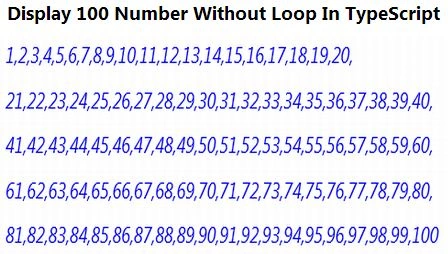
For more information, download the attached sample application.
Prabhakar MauryaPosted Feb 15, 2013, 4:48 AM
Nice Article.....
Sam HobbsPosted Feb 9, 2013, 5:35 PM
Anyone using recursion needs to understand the possibility of getting stack overflow from recursion. Also, I am interested in understanding how recursive functions can be reused in ways that iteration (looping) cannot be. That sounds interesting.