

Introduction
In this article I explain how to draw basic shapes in PHP. PHP shapes are a very simple. You can easily draw in your application, but before creating a shape program you should install the GD library. The PHP GD library is very helpful for creating an image program in PHP, therefore you need to include the GD library in your PHP application. Let's begin a basic shapes drawing program using the PHP GD library. In this article I will use some image functions.
To define an image color in GD, you need to use the "ImageCreatTrueColor()" function. All shapes are shown in a browser as a PNG file.
Example
In this example I used a green background color and output this graphics to the browser as a .PNG file.
<?php
header("Content-type: image/png");
$image_width = 200;
$image_height = 200;
$imagecolor = ImageCreateTrueColor($image_width, $image_height);
// set green color
$green = ImageColorAllocate($imagecolor, 0, 255, 0);
ImageFillToBorder($imagecolor, 0, 0, $green, $green);
ImagePNG($imagecolor);
//destroy the memory space
ImageDestroy($imagecolor);
?>
Output

Example
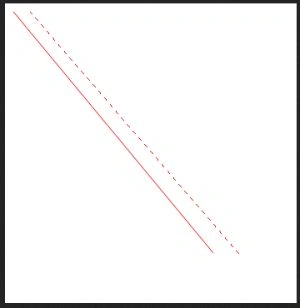
Draw a Simple Line Shape
<?php
header("Content-type: image/png");
$image_width = 350;
$image_height = 360;
$imagecolor = ImageCreateTrueColor($image_width, $image_height);
ImageAntiAlias($imagecolor, true);
$automatic = ImageColorAllocate($imagecolor, 255, 255, 255);
ImageFillToBorder($imagecolor, 0, 0, $automatic, $automatic);
// set the red colour
$red = ImageColorAllocate($imagecolor, 255, 0, 0);
//create a line
ImageLine($imagecolor, 10, 10, 250, 300, $red);
ImageDashedLine($imagecolor, 30, 10, 280, 300, $red);
ImagePNG($imagecolor);
//destroy memory space
ImageDestroy($imagecolor);
?>
Output
Example
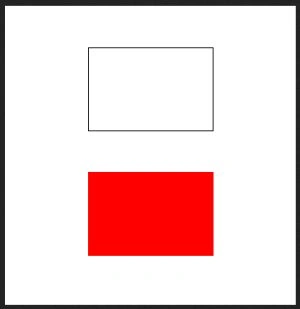
Draw a Simple Rectangle Shape
<?php
header("Content-type: image/png");
$image_width = 350;
$image_height = 360;
$imagecolor = ImageCreateTrueColor($image_width, $image_height);
ImageAntiAlias($imagecolor, true);
Mahesh ChandPosted May 12, 2013, 11:53 PM
Nice Vinod. I guess PHP is not much different once you know the syntaxes.