

In my previous article, I discussed how to import data from Excel sheet to SQL server. Here, I am explaining how to export data from SQL Server to Excel sheet.
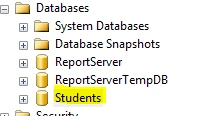
Here is my SQL server database.
Here is my SQL server database.
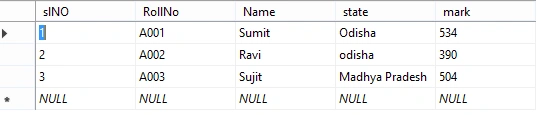
And inside this database here is my table.
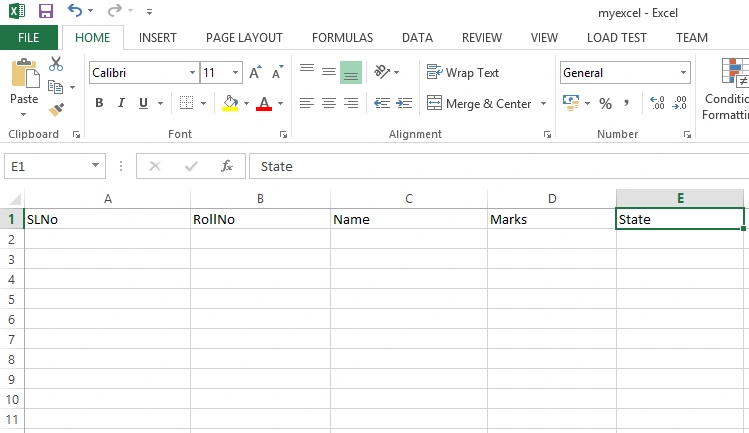
And here is my empty Excel sheet.
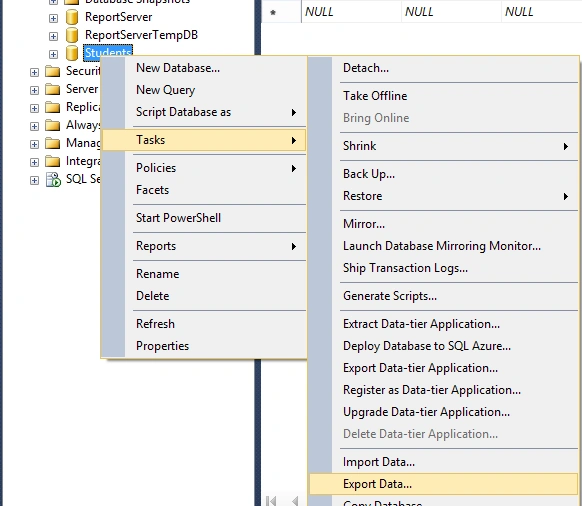
Step 1: For exporting work please perform the following steps.
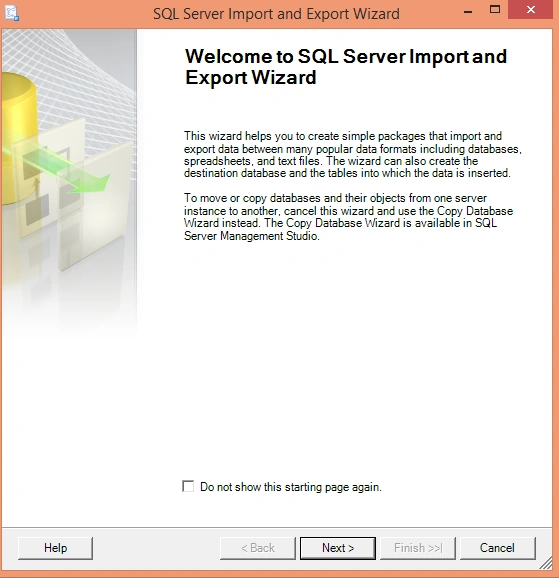
Step 2: Click NEXT on EXPORT AND IMPORT window.
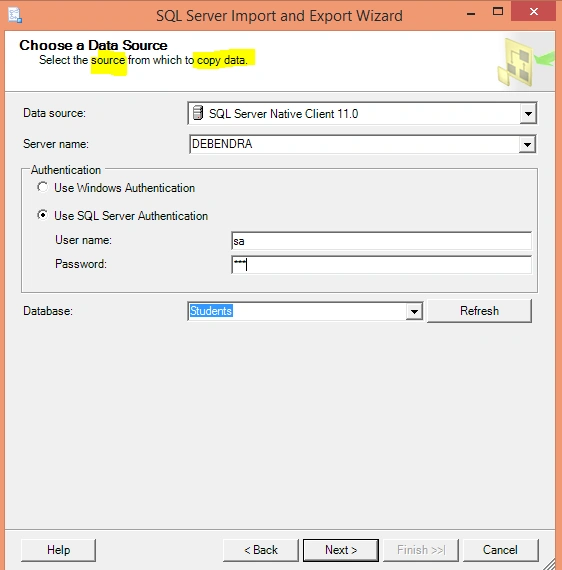
Step 3: Fill your source (SQL server ) details and click NEXT.
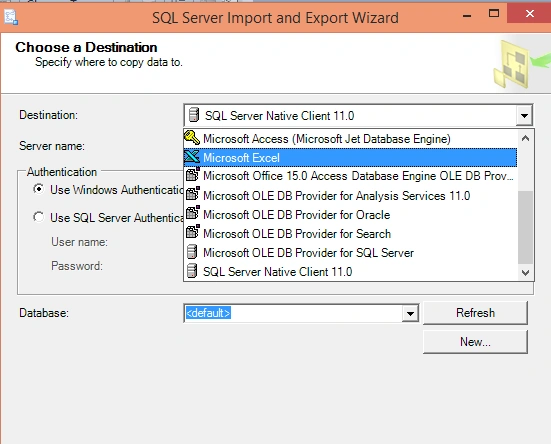
Step 4: Fill all the Destination details (Excel sheet).
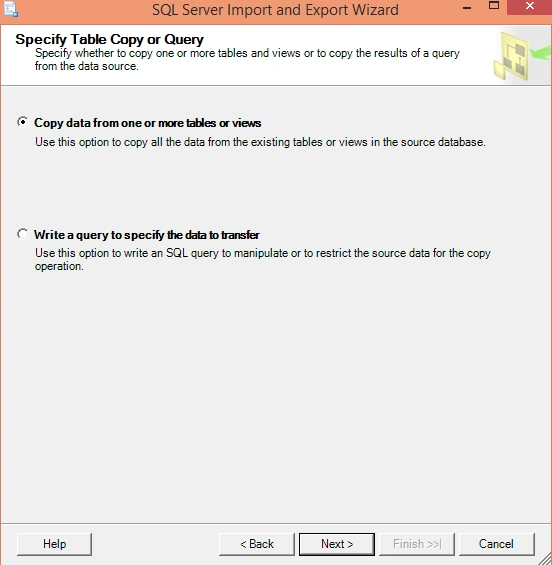
Step 5: Choose the above radio button and click Next.
Step 6: Map the source with destination.
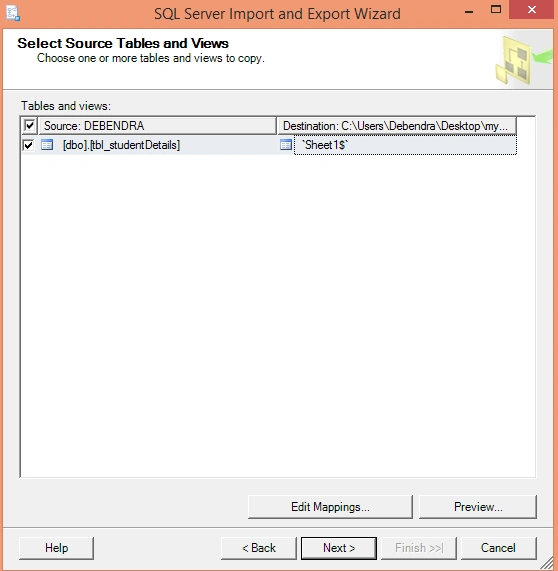
Step 7: You can map it like this by clicking (Edit Mapping).
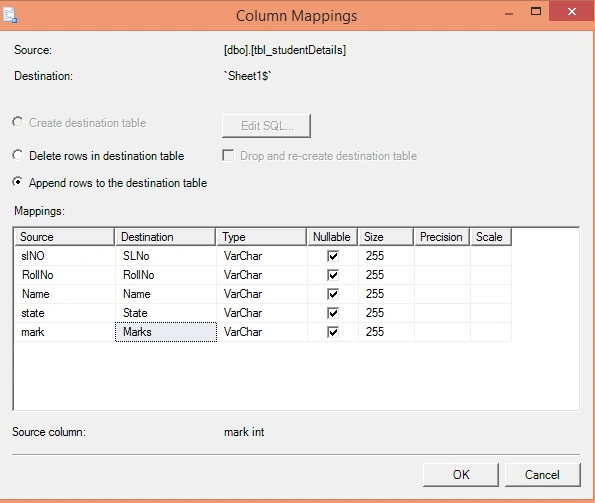
Step 8: Click OK and Next.
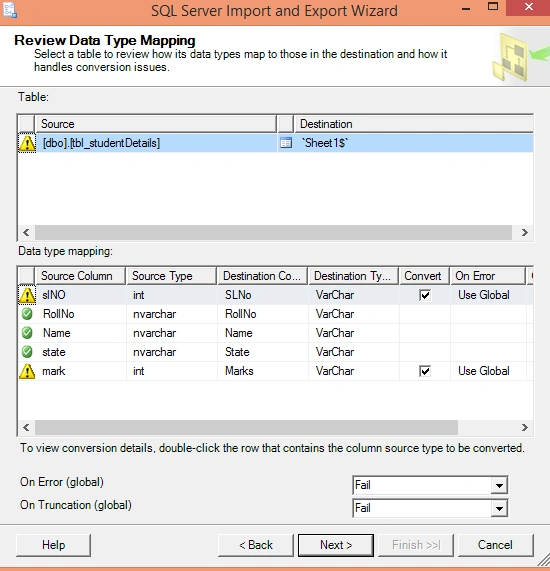
Step 9: Click Next.
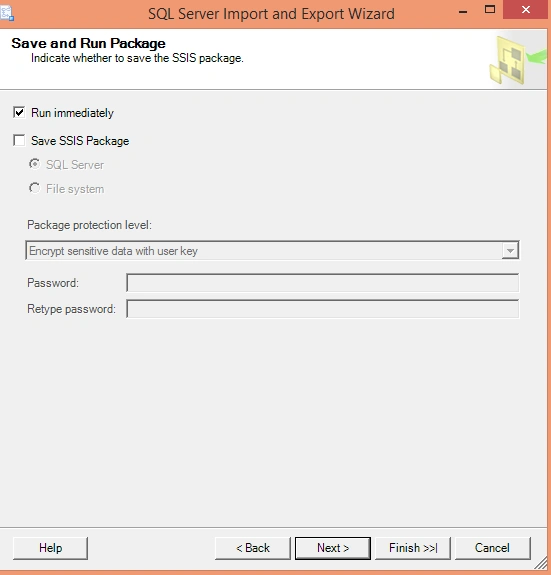
Step 10: Click Next.
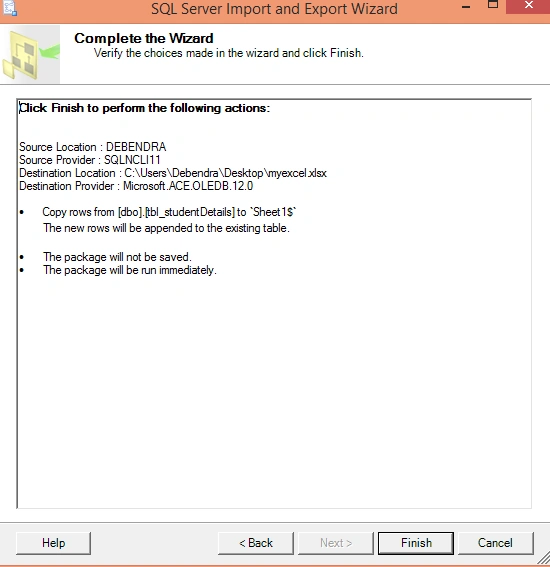
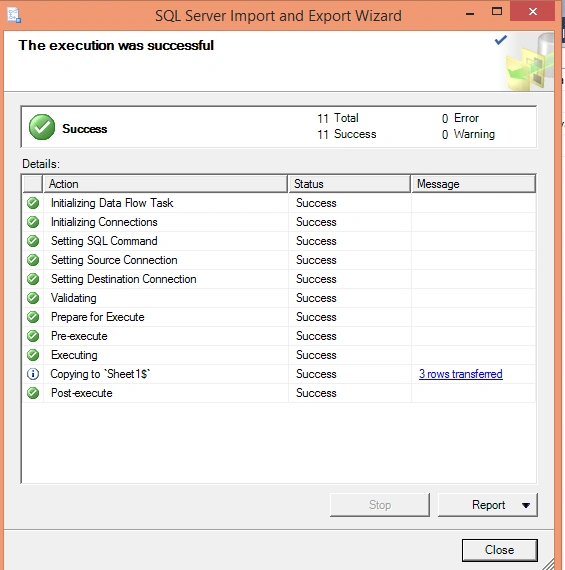
Now if you will check your excel sheet you will find all the data there.
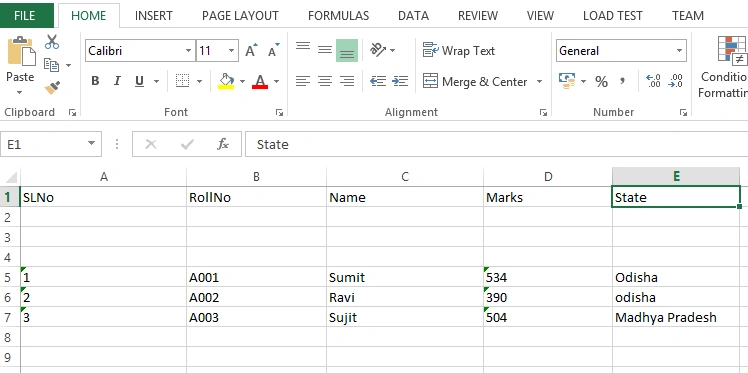
Thus in this way you can export data from SQL server to excel sheet.
Santhakumar MunuswamyPosted Oct 25, 2015, 11:42 AM
Good one
DanielPosted Oct 22, 2015, 9:17 AM
Nice share
Priyaranjan K SPosted Oct 21, 2015, 1:06 PM
Thanks for the share
Faizal HussainPosted Oct 21, 2015, 12:41 PM
Nice One
Sibeesh VenuPosted Oct 21, 2015, 8:08 AM
Nice Share
Harshad PansuriyaPosted Oct 21, 2015, 7:50 AM
Nice one
Nilesh JadavPosted Oct 21, 2015, 6:38 AM
Great Post sir !
Yashwant VishwakarmaPosted Oct 21, 2015, 6:31 AM
Nice One, Keep on posting such stuffs !!!