

There are several ways to export or import tables and procedures from one database to another database on the same server, or between different database servers.
Let's see the procedure to do that.
Step 1
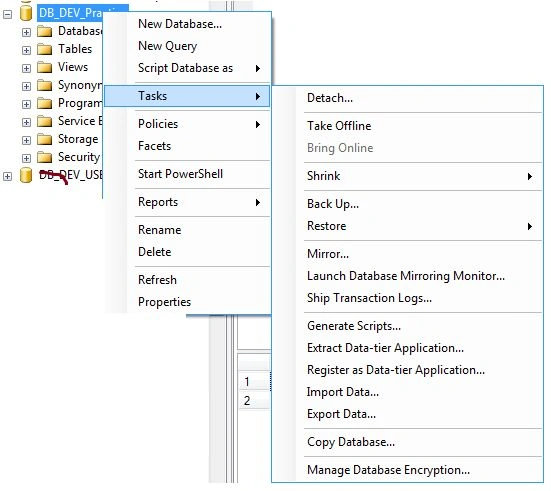
Go to the Object Explorer window then click on something then right-click on your database then select Tasks then click on Generate Scripts as shown in the following.
Step 2
After clicking on Generate Scripts the popup is open as shown in the following and select Choose Objects.
On the right side you found tables and Stored Procedures. Expand Tables and Stored Procedures. Here you have the flexibility to export selected procedures and tables or all the tables and procedures by clicking checkboxes.

Next click on the Next button.
Step 3
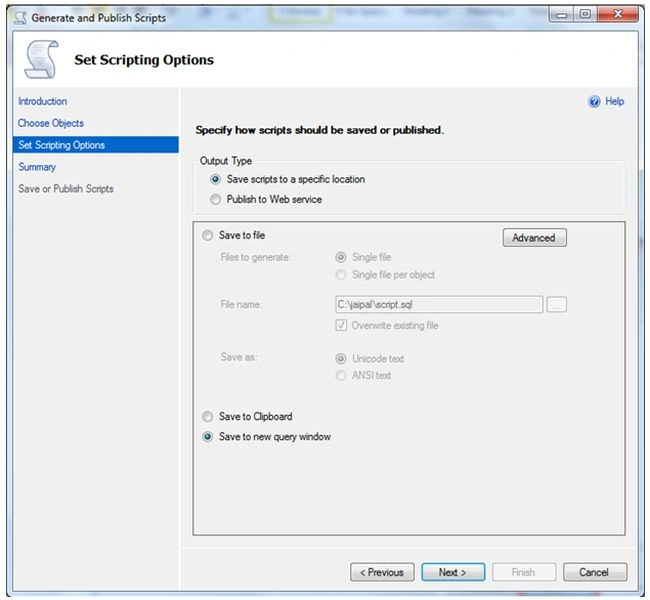
In the Set Scripting Options window set the location where you want to save the generated script. In this example we are saving in a new query window. Click on the Next button.
Step 4
Again click on the Next button in the new window.

Step 5
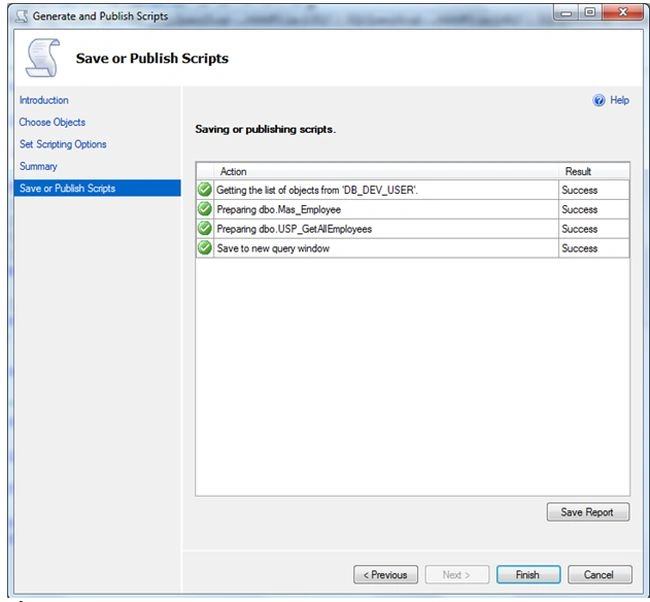
And then click on the Finish button after generating the script of the selected Stored Procedure.
Step 6
At this point the script is generated. Copy the generated script of tables and Stored Procedures and execute it in the database where you want to export.
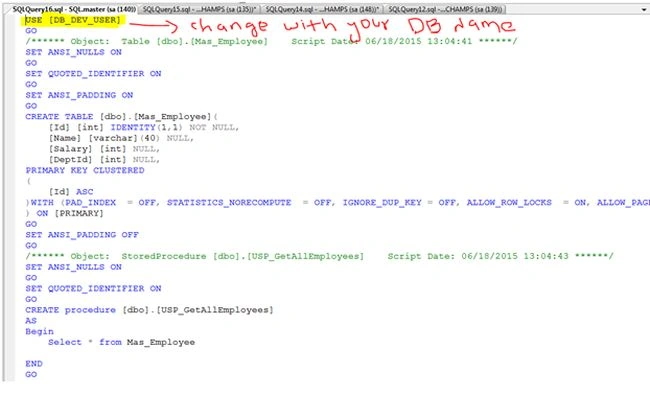
Note: Replace the database name (DB_Dev_USER in my sample) by your destination database name.
I hope you enjoyed it. Please provide your valuable suggestions and feedback.
Pankajkumar PatelPosted Aug 19, 2019, 12:35 AM
Nice article
SyedPosted Apr 5, 2017, 4:36 AM
Hi Jai, Nice one. Just to add we can even remove Use database name by turning it off as below. Tools ->options -> Sql Server Object Explorer->Scripting->Make Script Use <Database> to false.
Jaipal ReddyPosted Sep 8, 2016, 8:12 AM
Thank you Subash.
SubashPosted Sep 8, 2016, 7:48 AM
Nice one
Jaipal ReddyPosted Mar 19, 2016, 1:05 AM
Thank you Sonu Chaudhary.
Sonu ChaudharyPosted Mar 18, 2016, 3:17 PM
good
Asfend YarPosted Feb 26, 2016, 12:16 PM
nice
Sujeet SumanPosted Jun 20, 2015, 4:14 AM
Good article
Gopi ChandPosted Jun 20, 2015, 2:38 AM
Good work done
Dominique CejaPosted Jun 19, 2015, 10:45 AM
Great article
Srinivasarao KomirisettyPosted Jun 19, 2015, 3:00 AM
Nice Explanation.....
Sibeesh VenuPosted Jun 19, 2015, 2:42 AM
Good one.