

Introduction
In this article, you will learn how to get started with Microsoft Azure Cognitive Services – Computer Vision API.
Overview
This is in continuation of my articles with respect to Cognitive Services. I have come across some complicated articles with respect to Cognitive Services, but as I've been working on this Service for the last six months, I thought of writing simple, step by step articles with respect to Cognitive Services.
If you have landed directly on this article, I would also recommend you read the articles, mentioned below.
- Getting started with Microsoft Cognitive Services – Face API
- Getting started with Microsoft Cognitive Services – Emotion API
- Getting started with Microsoft Cognitive Services – LUIS API
- Getting Started With Microsoft Azure Cognitive Services - Recommendations API
- Getting Started With Microsoft Azure Cognitive Services - Speaker Recognition API
- Getting Started With Microsoft Azure Cognitive Services - Text Analytics API
- Getting Started With Microsoft Azure Cognitive Services - Computer Vision API
- Getting Started With Microsoft Azure Cognitive Services – Web Language Model API
- Getting Started With Microsoft Azure Cognitive Services - Bing Autosuggest API
As defined, Cognitive Services provides the best suite for having interactive, automated model of Application. It helps to build powerful intelligence into the Applications to enable natural and contextual interactions.
Computer Vision API as described by Microsoft, extracts rich information from the images to categorize and process the visual data and protect your users from unwanted content.
- Analyze an image; i.e., getting information about the visual content found in an image.
- Generate Thumbnail- Generate a high quality thumbnail, based on any input image.
- Read text in the images- With optical character recognition (OCR), one can detect text in an image. One can take photos of the text instead of copying to save time and effort.
- Recognize celebrities- Recognizes 200,000 celebrities from business, politics, sports and entertainment around the world. It is a continuously evolving feature within Computer Vision API.
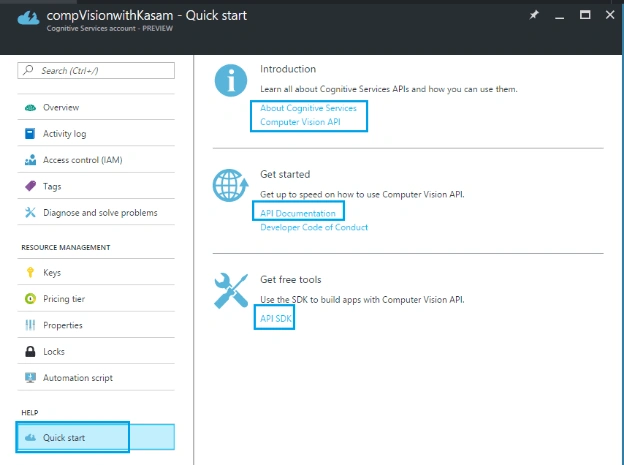
You will learn more about Computer Vision API in later articles. To start with, let's create a cognitive account to use Computer Vision API , using Azure portal.
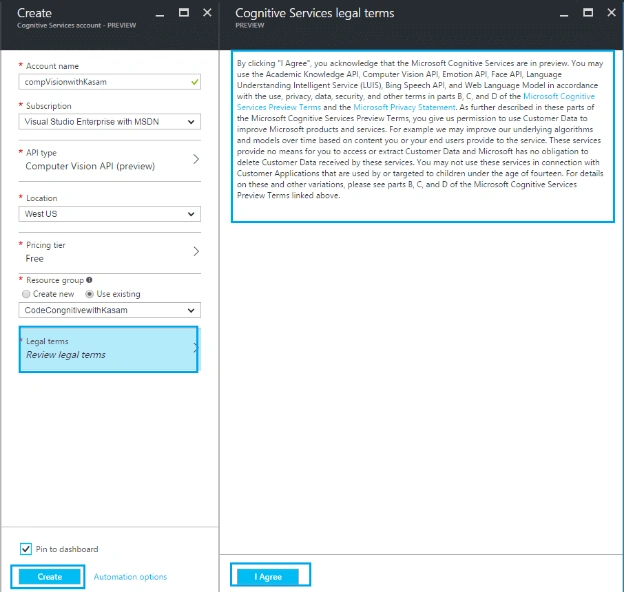
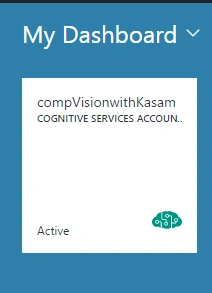
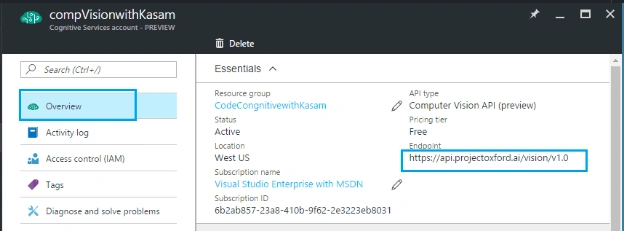
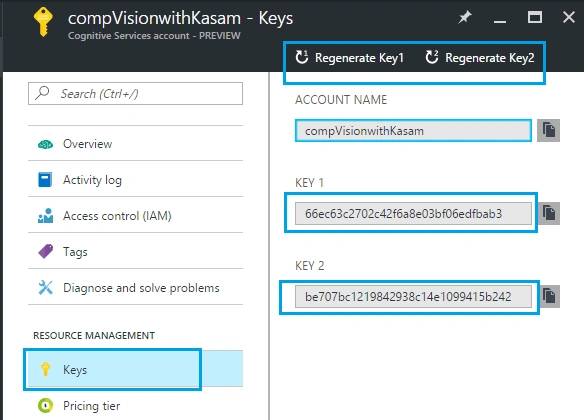
Here, let's assume that you have Azure portal account. If not, create your free Azure account. Once done with account creation, click '+’ => Category, Intelligence + analytics => Services, Cognitive Services API's.
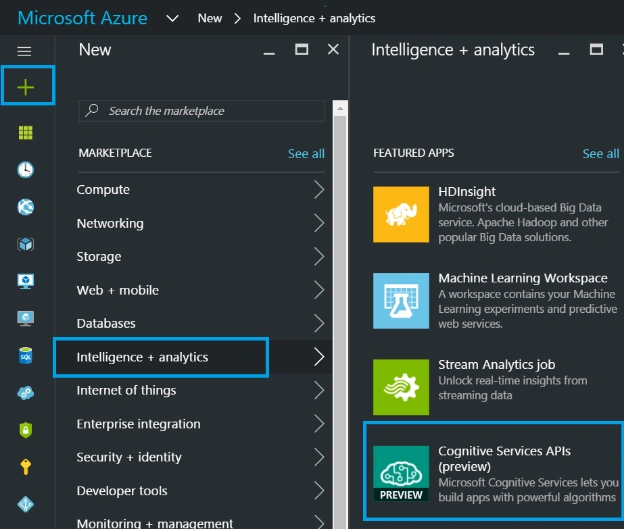
Fill the details, mentioned below.
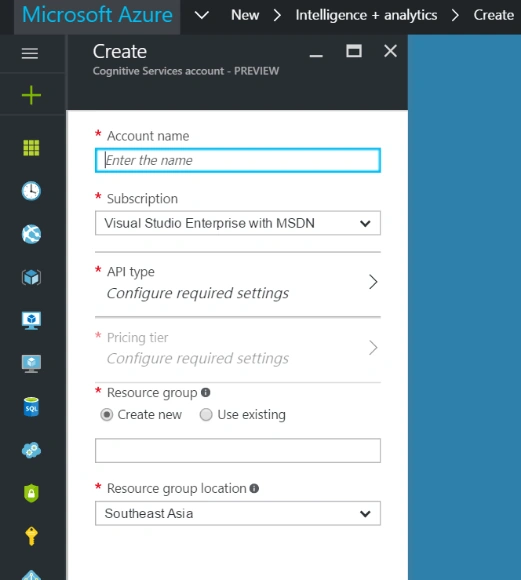
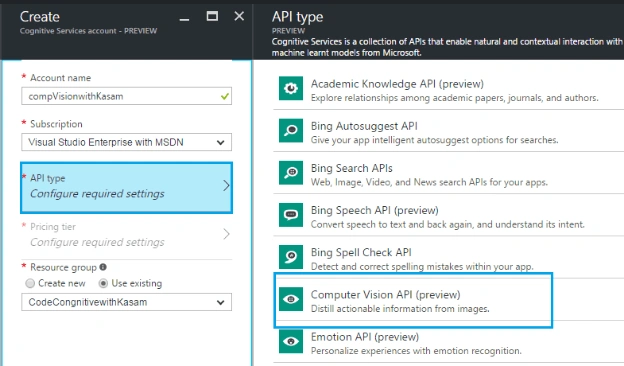
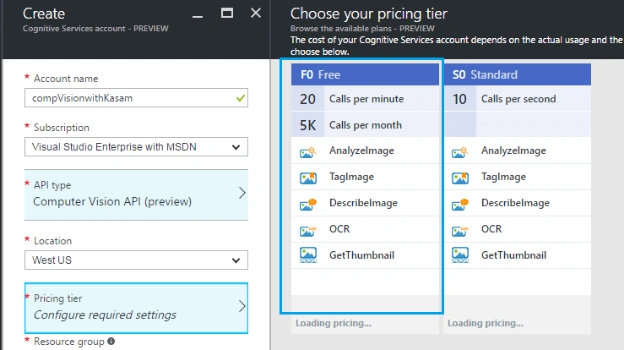
Chittaranjan SwainPosted Dec 12, 2019, 9:56 PM
Nice article.
dhinesh rajaPosted Mar 14, 2017, 8:44 AM
Hi, Is there any way in microsoft vision api to handle OCR Computer Vision result to match a receipt structure?
Ravi KandelPosted Mar 8, 2017, 9:03 AM
Awesome Thanks for sharing
Karthikeyan KPosted Oct 31, 2016, 3:45 AM
Thanks for sharing..
Karthikeyan KPosted Oct 31, 2016, 3:45 AM
Nice Share..
Prasanna MuraliPosted Oct 30, 2016, 6:50 AM
Nice post....