

Overview
This article is in continuation of my articles related to Cognitive Services. I came across some complicated articles on Cognitive Services, but as I've been working on this service for the last six months, I thought of writing simple, step by step articles on the same.
If you have landed directly on this article, I also recommend you read the following.
- Getting started with Microsoft Cognitive Services – Face API
- Getting started with Microsoft Cognitive Services – Emotion API
- Getting started with Microsoft Cognitive Services – LUIS API
- Getting Started With Microsoft Azure Cognitive Services - Recommendations API
As defined, Cognitive Services provide the best suite for having interactive, automated models of application. It helps to build powerful intelligence into applications to enable natural and contextual interactions.
The Text Analytics API, as described by Microsoft, is designed to detect sentiment, key phrases, topics, and language from your text. It is a suite of text analytics web services built with Azure Machine Learning. No training data is needed to use this API; just bring your text data. This API uses advanced natural language processing techniques to deliver best in class predictions.
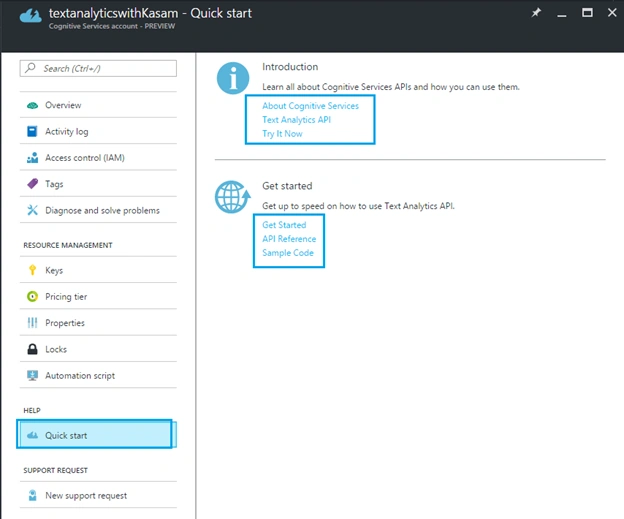
We will learn more about Text Analytics API in later articles. To start with, let's create Cognitive account to use Text Analytics API, using Azure Portal.
Here, let's assume that you have Azure Portal account. If not, create your free Azure account.
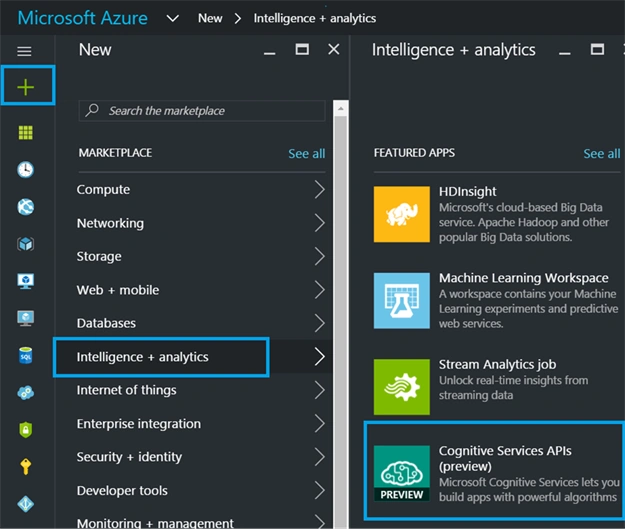
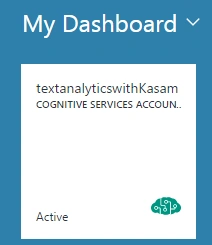
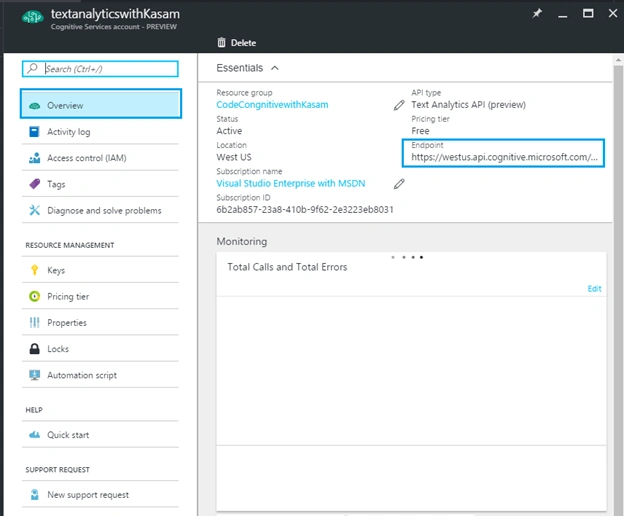
Once done with account creation, Click '+’ => Category, Intelligence + analytics => Services, Cognitive Services APIs.
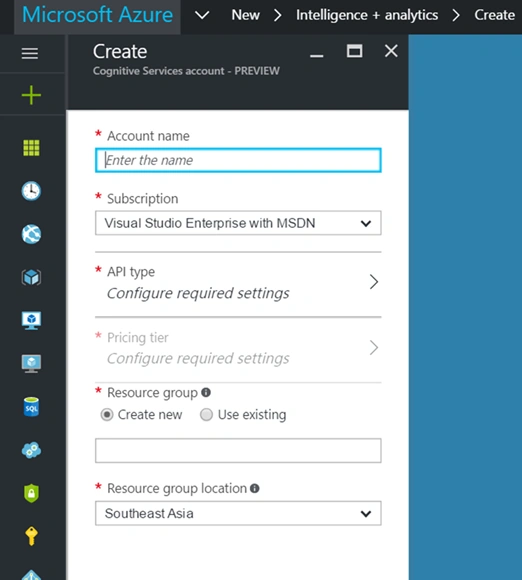
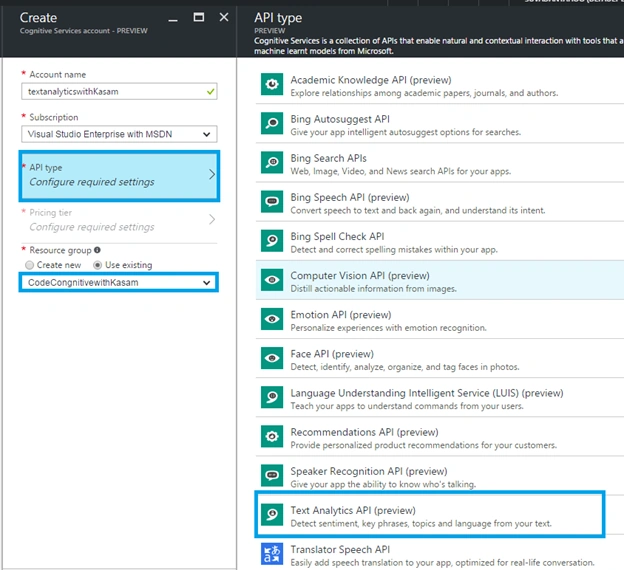
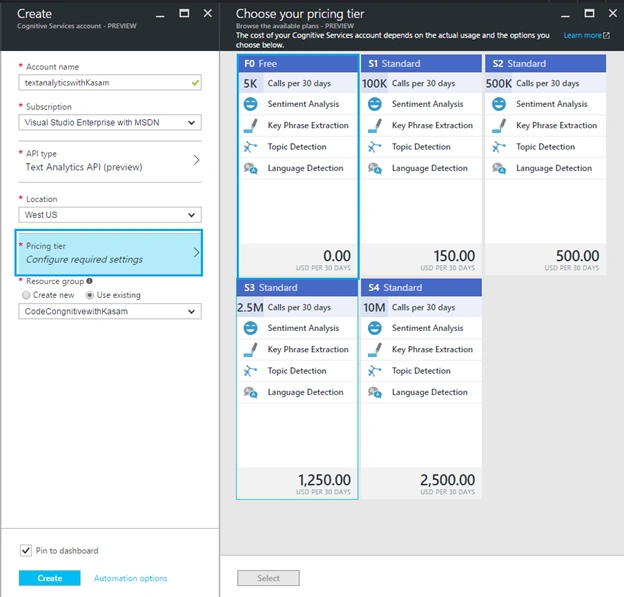
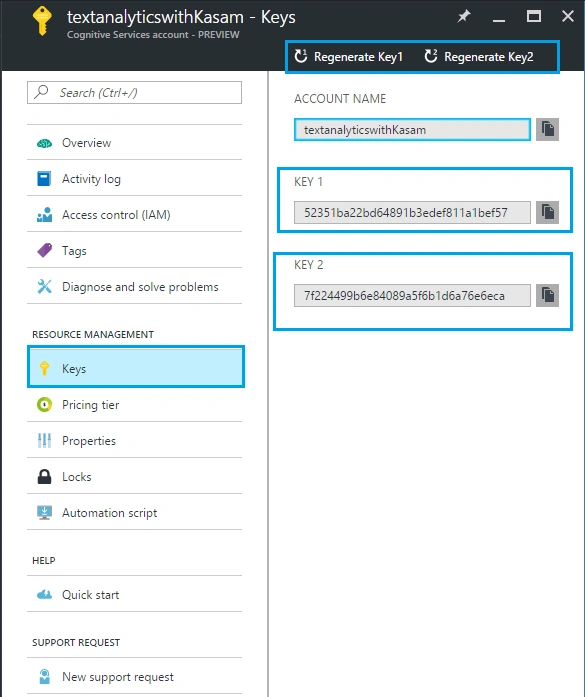
Fill in below details
We will learn more about Text Analytics API in later articles. To start with, let's create Cognitive account to use Text Analytics API, using Azure Portal.
Here, let's assume that you have Azure Portal account. If not, create your free Azure account.
Once done with account creation, Click '+’ => Category, Intelligence + analytics => Services, Cognitive Services APIs.
Fill in below details
Ravi KandelPosted Mar 8, 2017, 8:55 AM
Awesome Thanks for sharing
Humayun Kabir MamunPosted Oct 30, 2016, 1:30 AM
Nice...