

Introduction
The primary motive of the customer to move to the cloud is the high availability. Nowadays every customer wants their products and services available at any time from anywhere on any device. In this article, we are going to see how we can achieve High Availability(HA) so that the system can continuously scale up and down to accommodate customer demand without any loss.
How we can achieve HA?
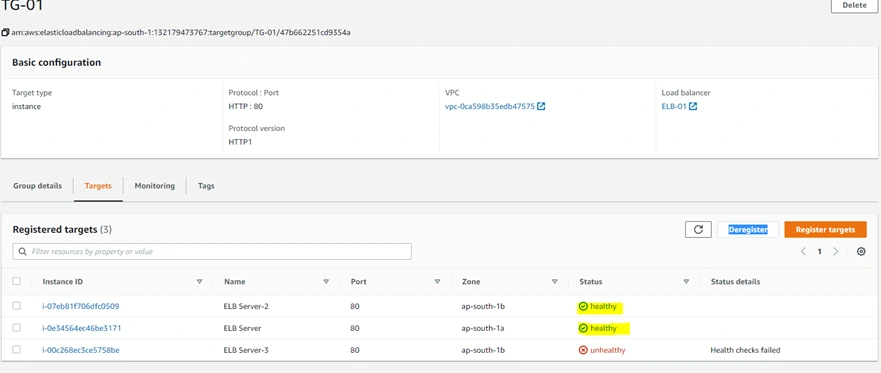
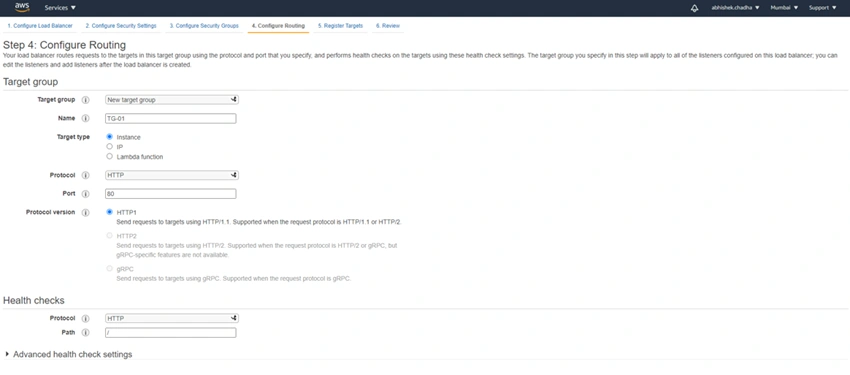
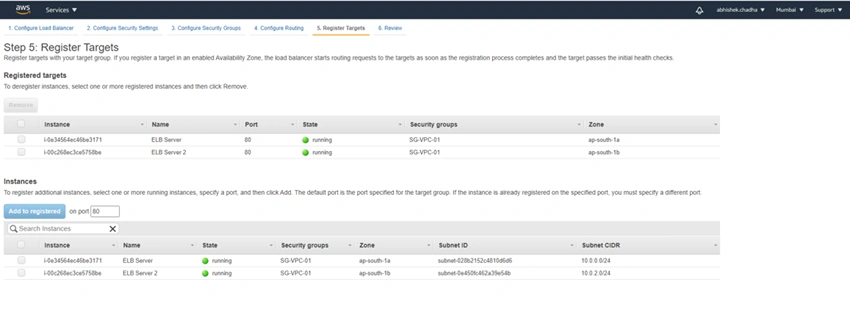
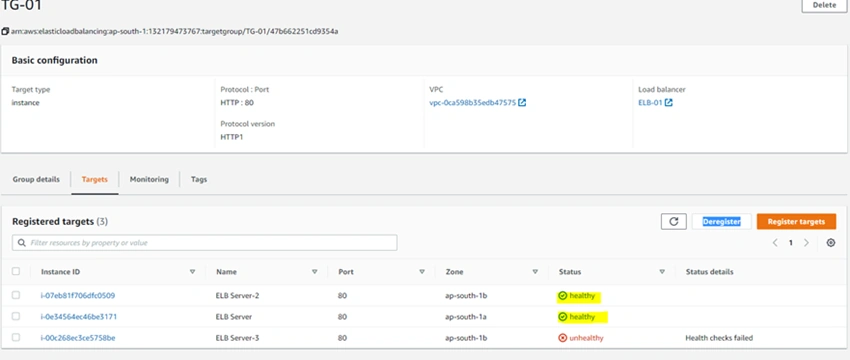
We can achieve high availability for the web server by using Load Balancer, In the below example we created 3 public EC2 instances one is unhealthy means this instance is not up and running and the other two instances are healthy i.e up and running, and then create a load balancer and add all of the EC2 instances to the target groups of the load balancer and when load balance is created we get the automatic DNS name through which we can make our requests to the load balancer and load balancer automatically lands to the healthy instances and one whose state is unhealthy will not responds to the request and according to the load it automatic redirects to the particular instance which is healthy, with this we get the high availability of our web servers. so let's start with the tutorial.
First, we need to create EC2 instances and I already explained in my last article how to create EC2 instances different for both Private and Public subnets, you can check the article.
Step 1 - EC2 instances
This time I created 3 EC2 instances in different availability zones.
So why do I create 3 EC2 instances just to show how the load balancer is working, here I would make one EC2 instance unhealthy so that it does not receive the request from the load balancer and requests are coming only to the healthy EC2 instances.
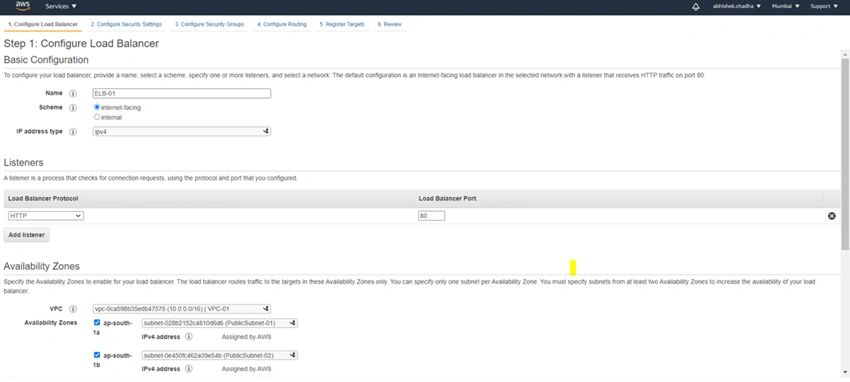
Step 2 - Create Load Balancer
Configure Basic Configuration and select the availability zone.
This step is used to make the load balancer more secured, so as of this we continue with the default setting for this.





Join the conversation! Your thoughts help the community grow.