

In this article, we will learn how to connect PHP with Azure Web app using FileZilla FTP client and Microsoft Cloud Service.
Prerequisites
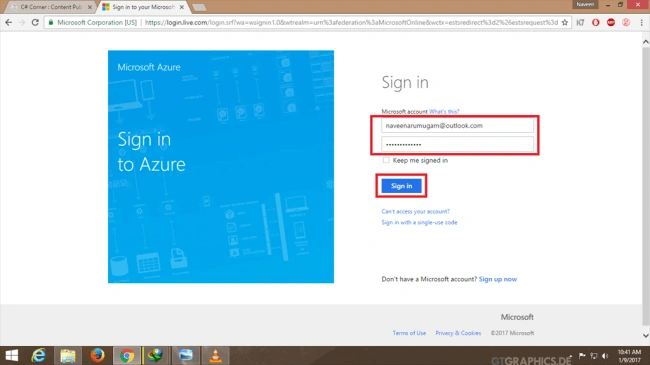
- Sign into Azure Portal.
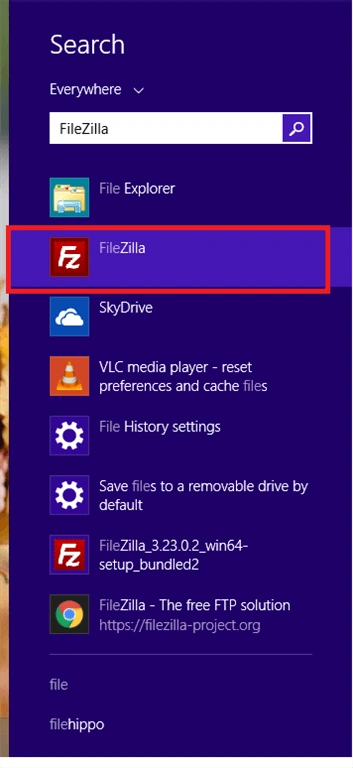
- FileZilla FTP Client.
Step 2
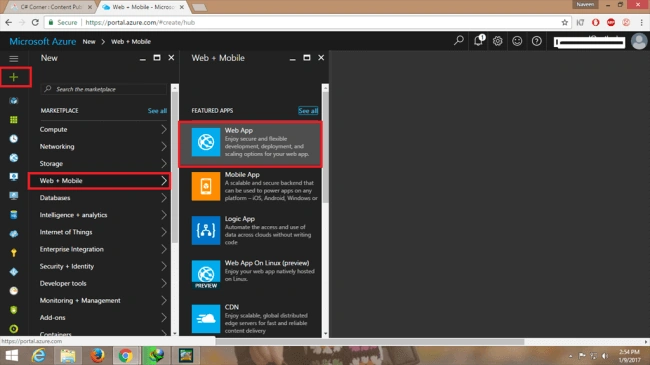
Select New >> Web+Mobile >> Web app to create the app.
Step 3
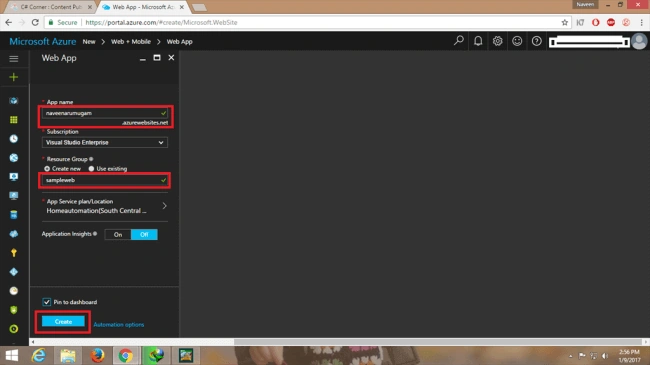
Give any name to your app and create resource group with unique name, check the "Pin to dashboard" checkbox and click "Create".
Step 4
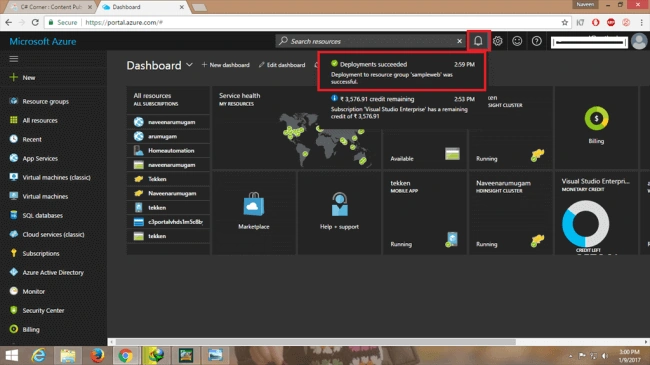
Then, go to notifications area. You will see that the deployment has been successful for the web app.
Step 5
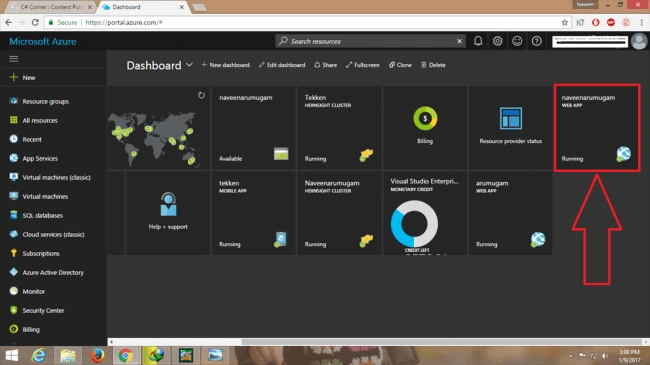
Now, go to Azure Dashboard for deployment of the web app and click on the portal to open the web app, as shown below.
Step 6
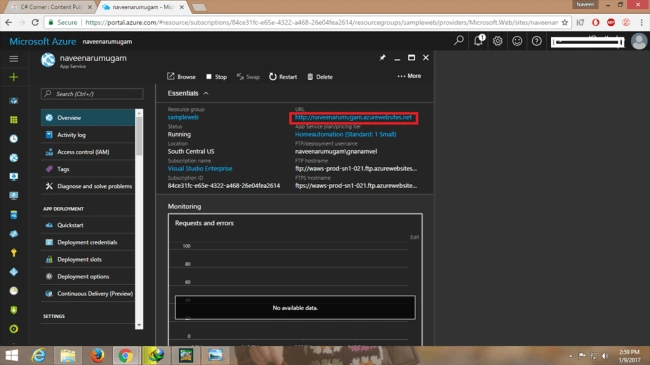
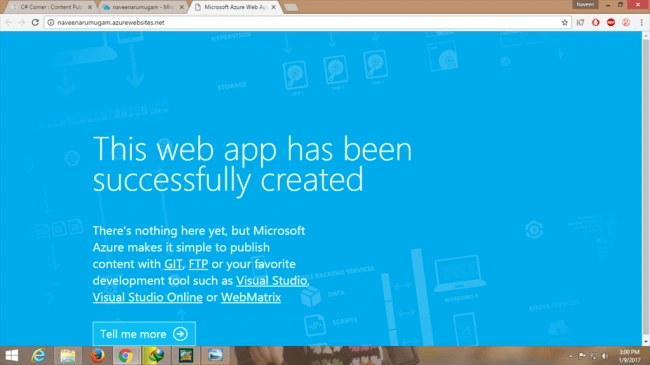
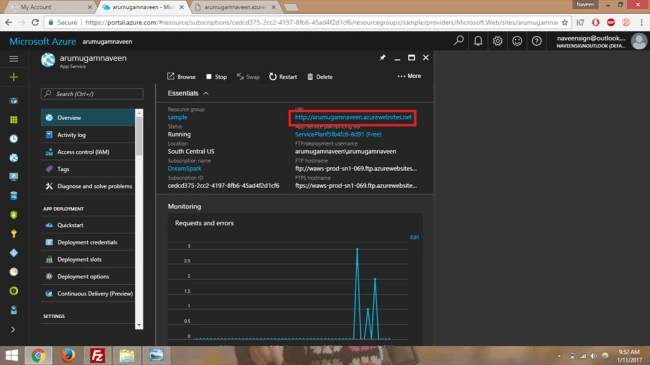
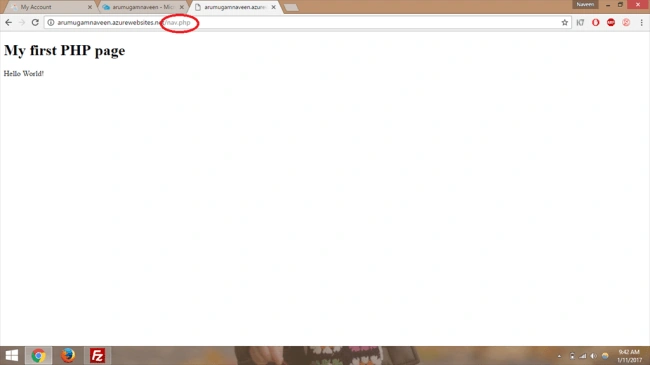
Subsequently, click on the URL to see the output (or) go to Web Browser and type the web address of the web app name to see the output (Please refer the below image).
Output
Step 7
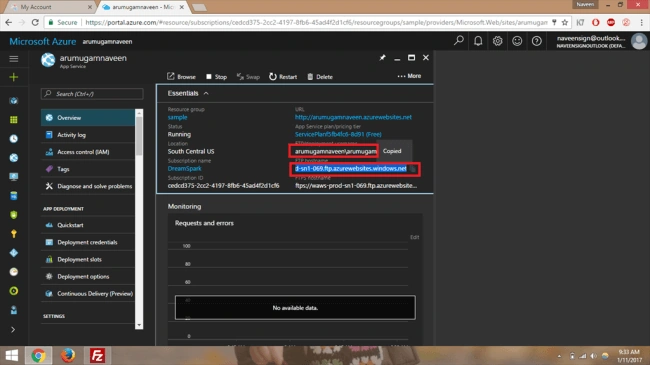
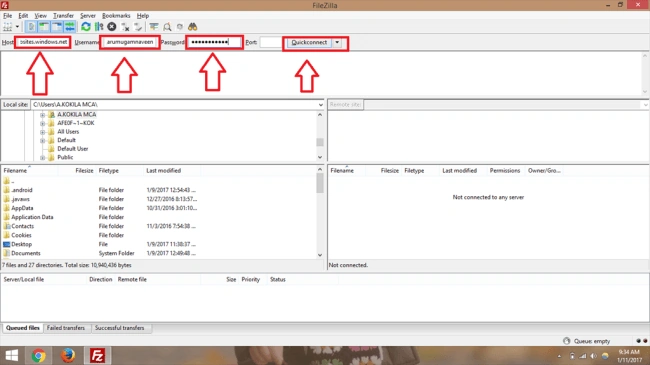
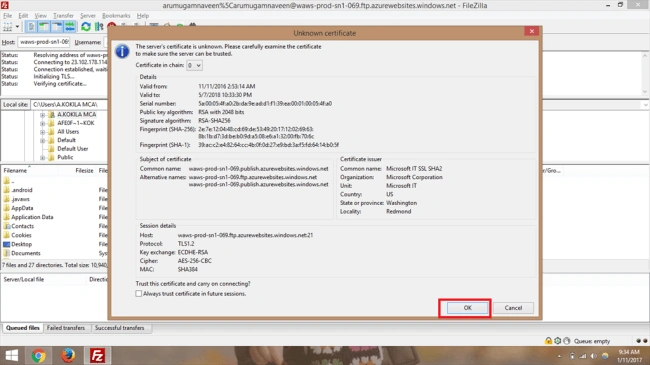
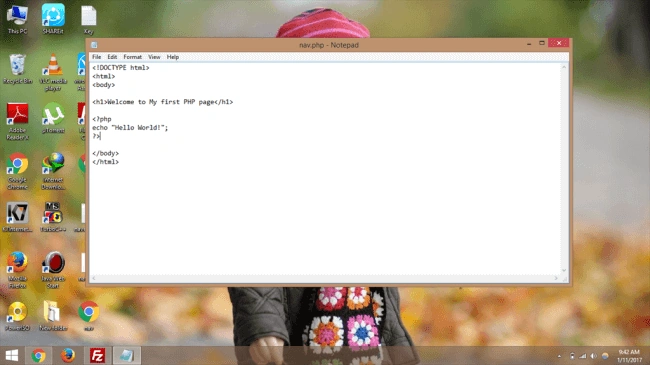
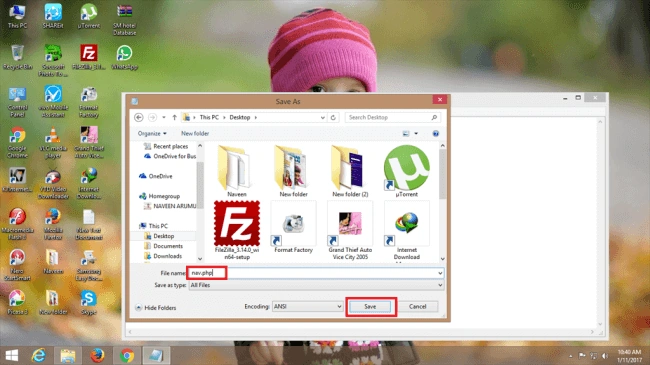
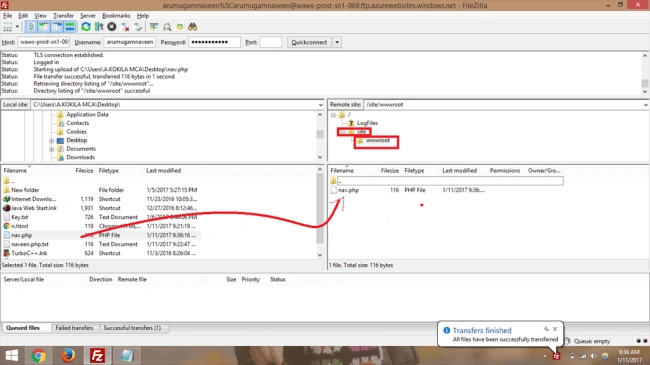
Join the conversation! Your thoughts help the community grow.