


Dataverse Accelerator is a new Experimental feature released by Microsoft to use the low-code plug-ins in the Dataverse environment. Low-code plug-ins are reusable, server-side synchronous business logic workflows that execute in real time.
This article will explain the step-by-step process of creating the Instant Plugin in the Dataverse Environment.
Prerequisite
Follow the article below and Install the Dataverse Accelerator App in your Dataverse Environment.
Install the Microsoft Dataverse Accelerator App
Follow the below steps after the Prerequisite.
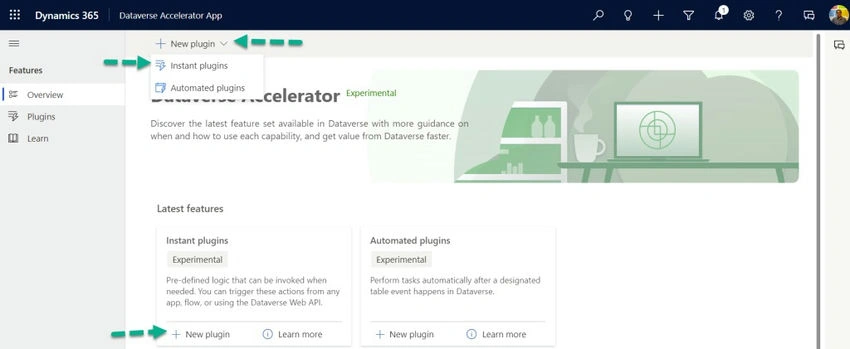
Step 1. Click on New plugin under Instant plugins.
Or
Click on New plugin->Instant plugins.
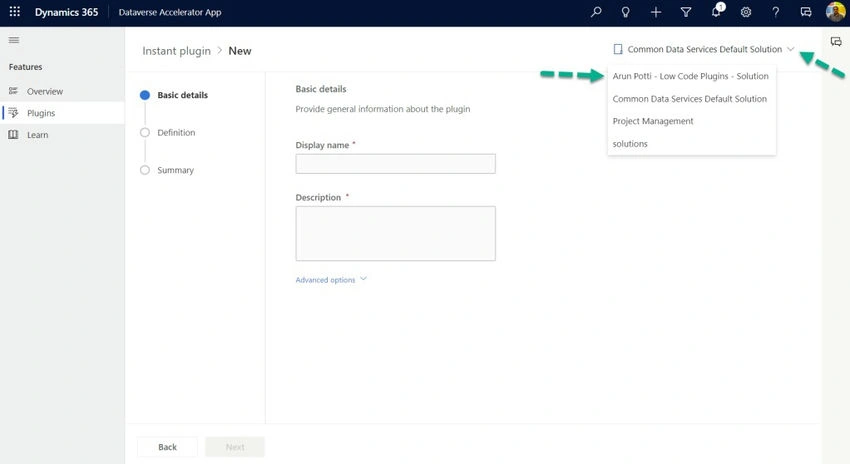
Step 2. Click on theSolutionsdrop-down and select your Solution to save the new plugin into that solution.
For this example, I am selecting Arun Potti – Low Code Plugins – Solution.
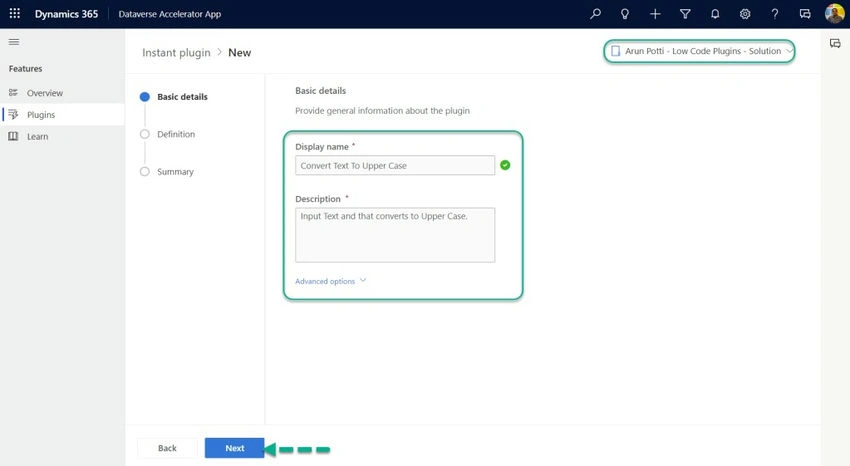
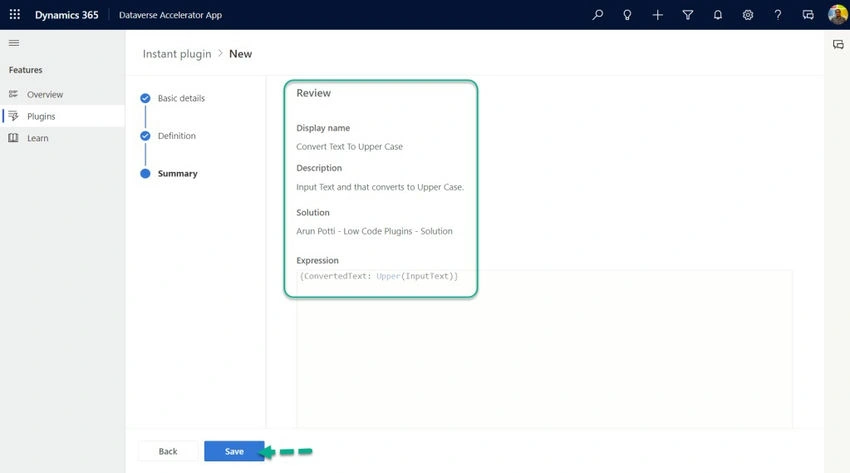
Step 3. Provide the Display name and the Description under the Basic details section.
Click on Next.
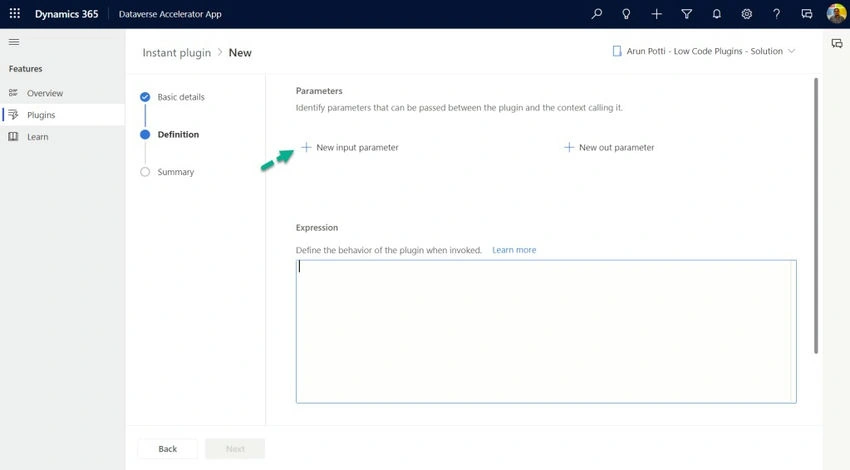
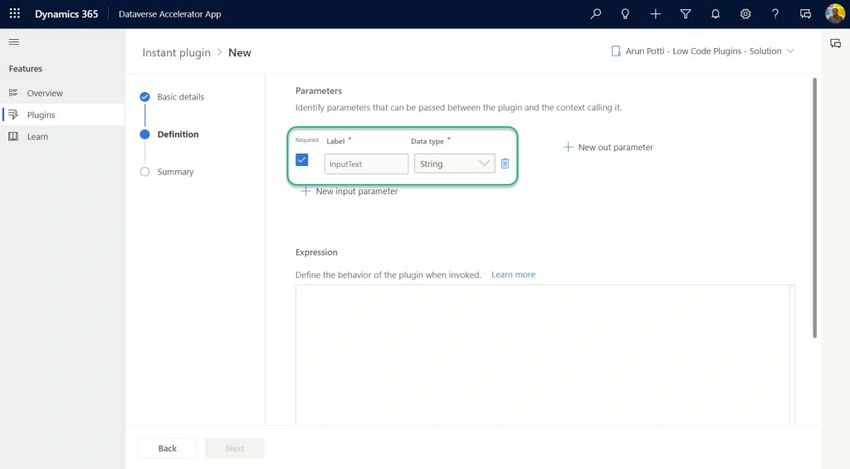
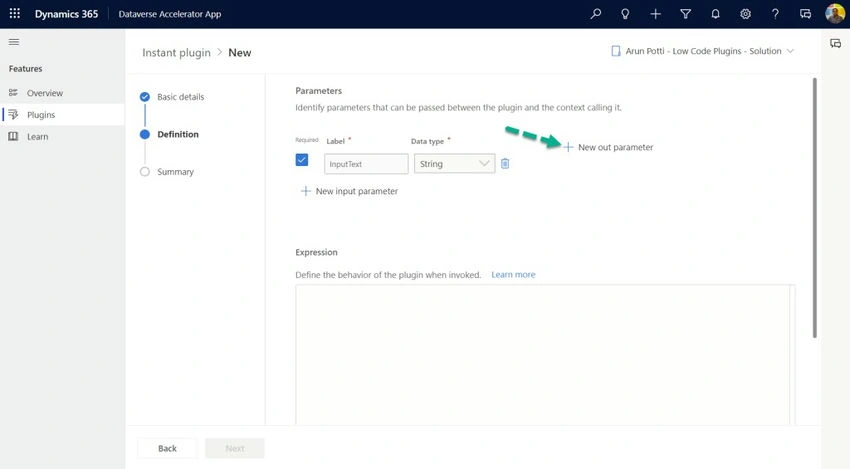
Step 4. Click on the New input parameter.
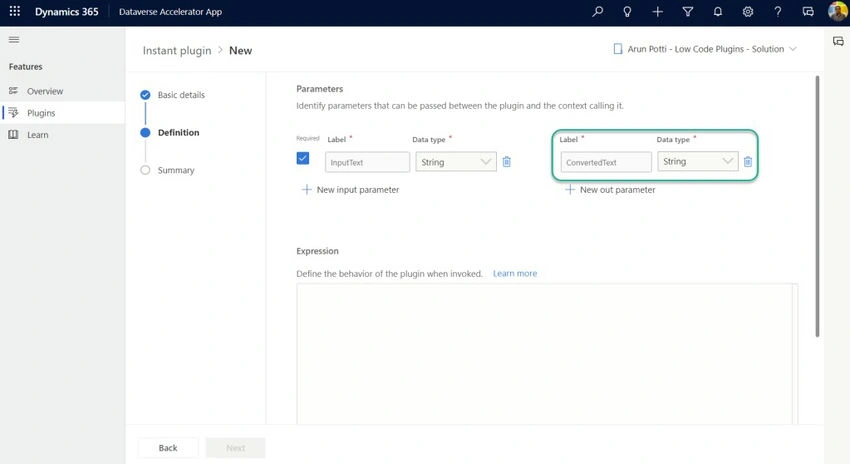
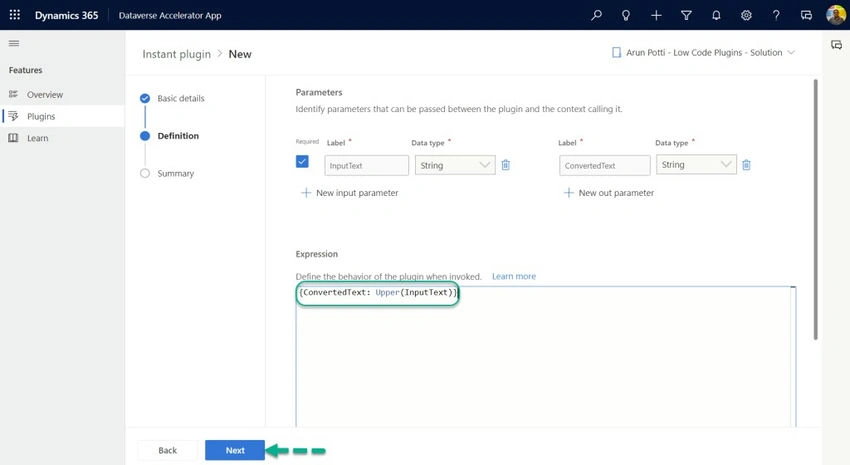
Step 5. Enter the Label and choose the Data type for the Input parameter.
Join the conversation! Your thoughts help the community grow.