Hello Everyone!
In this article, we will learn how to increase the size of the message quota in WCF. We are using web services or WCF for security purposes.
Problem: Many times, we have seen this kind of exception:
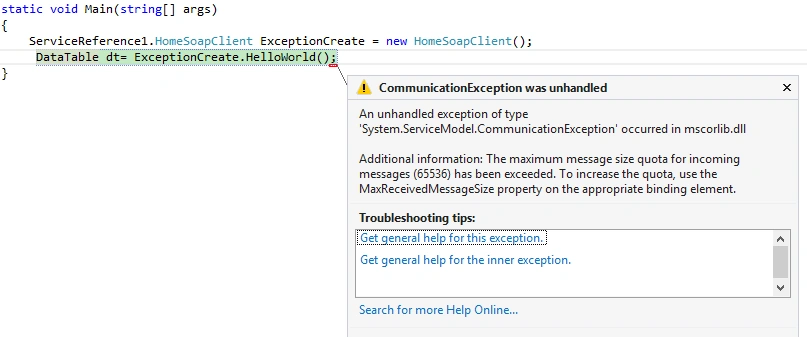
"Additional information: The maximum message size quota for incoming messages (65536) has been exceeded. To increase the quota, use the MaxReceivedMessageSize property on the appropriate binding element".
Reason of this problem: By default, the client machine supports only 65536.
Last month, while working on web services, I needed to transfer a huge amount of data between server to client machines. When I returned to the top twenty or forty rows, it was working fine. But, when the number of rows exceeded forty, the above exception occured.
Example code
- DataTable dt = new DataTable();
- DataColumn Name = new DataColumn("Name");
- DataColumn Age = new DataColumn("Age");
- DataColumn City = new DataColumn("City");
-
- [WebMethod]
- public DataTable ExceptionModule()
- {
- dt.Columns.Add(Name);
- dt.Columns.Add(Age);
- dt.Columns.Add(City);
- for (int i = 0; i < 1000; i++)
- {
- DataRow row = dt.NewRow();
- row["Name"] = "Test" + i;
- row["Age"] = "Age" + i;
- row["City"] = "Gurgoan" + i;
-
- }
- return dt;
- }
When this code publishes on server and consumes this service, one exception occurs.
- System.InvalidOperationException: Cannot serialize the DataTabl. DataTable name is not set.
Note: when consuming this service, values return in XML format. In XML, we need root name, but we can't define the root name in the above code. So, I declare the name of table. There is no need to change in the code for removing this error.
- DataTable TempDataTable = new DataTable("Employee"); // we add only employee name in table.
- DataColumn Name = new DataColumn("Name");
- DataColumn Age = new DataColumn("Age");
- DataColumn City = new DataColumn("City");
-
- [WebMethod]
- public DataTable HelloWorld()
- {
- TempDataTable.Columns.Add(Name);
-
- TempDataTable.Columns.Add(Age);
- TempDataTable.Columns.Add(City);
- for (int i = 0; i < 1000; i++)
- { DataRow row = TempDataTable.NewRow();
- row["Name"] = "ravi"+i;
- row["Age"] = "500"+i;
- row["City"] = "Gurgaon"+i;
- TempDataTable.Rows.Add(row);
-
- }
- return TempDataTable;
- }
Again, build the service and check again. I hope you will successfully get all the data.
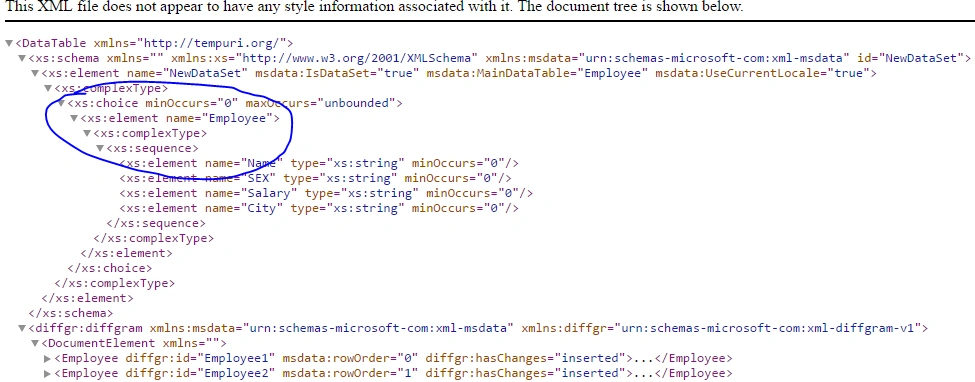
When invoked, the web services look like the above images.
I deploy the web services on the Server and consume in console application. My service deployed successfully but I don't know if some error occurs while consuming it.
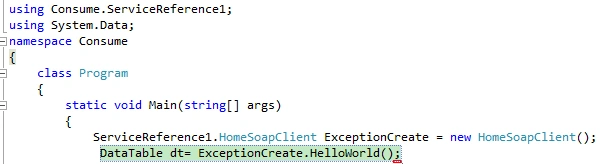 Using Consume.ServiceReference1,
Make the object of web services.
- ServiceReference1.HomeSoapClient ExceptionCreate = new HomeSoapClient();
Call the web service function.
- DataTable dt= ExceptionCreate.HelloWorld();
Oops! some exception occurred.
Reason of exception: Web services supported message of length 65536, by default. If you want to change the web services message length, change in client service.
Change in client app config or web config.
- <system.serviceModel>
- <bindings>
- <basicHttpBinding>
- <binding name="HomeSoap" maxReceivedMessageSize="2147483647" />
- </basicHttpBinding>
- </bindings>
- <client>
- <endpoint address="http://localhost:62596/home.asmx" binding="basicHttpBinding"
- bindingConfiguration="HomeSoap" contract="ServiceReference1.HomeSoap"
- name="HomeSoap" />
- </client>
- </system.serviceModel>
I add maxReceiveMessageSize="2147483647".
Consume the web service again. I hope the project runs successfully.
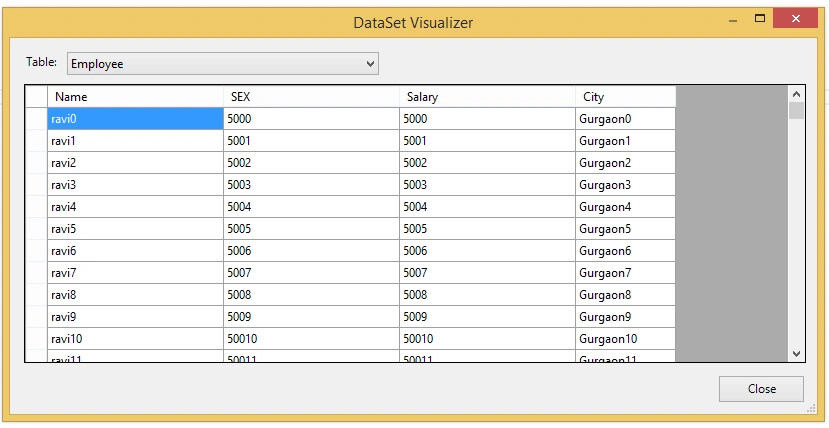


Swarnamayee sahooPosted Mar 14, 2019, 2:03 AM
This solution already present in my web.config. But still i get same error.. plz anyone to suggest me what can I Do..?? <bindings> <wsHttpBinding> <binding name="DEFAULT.BINDING" maxBufferPoolSize="2147483647" maxReceivedMessageSize="2147483647"> <readerQuotas maxDepth="32" maxStringContentLength="2147483647" maxArrayLength="16384" maxBytesPerRead="4096" maxNameTableCharCount="16384" /> <security mode="None"> </security> </binding> </wsHttpBinding> </bindings>
Hadshana KamalanathanPosted Jul 22, 2018, 1:19 AM
Nice one..
Ramesh PalaniappanPosted Aug 9, 2016, 9:23 AM
Good Article :)
Vignesh ManiPosted Aug 9, 2016, 8:33 AM
Nice
Prasanna MuraliPosted Aug 8, 2016, 9:06 PM
Nice post sir....