

In this article I am going to show you how to replace the "Recent Projects" available in VS 2005 and VS2008 in step by step. But in VS2010 it is very easy to replace recent projects just with a matter of mouse clicks.
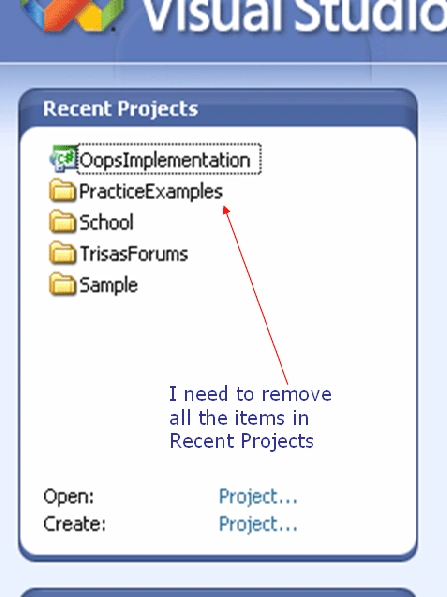
My objective of this article is depicted in the following screen shot.
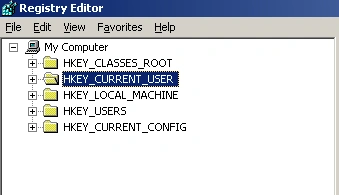
Step-1) Start->Run->type regedit and press enter->
Registry Editor will open as follows
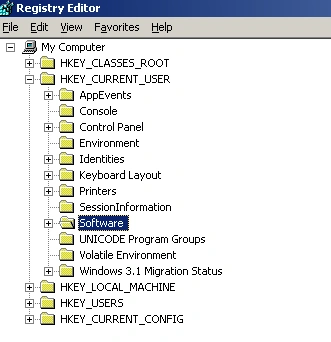
Step-2) Expand HKEY_CURRENT_USER ->Expand Software->
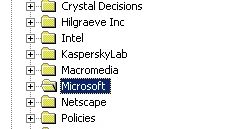
Step-3) Expand Microsoft
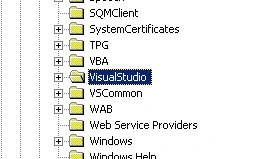
Step-4) Expand VisualStudio-
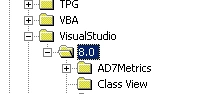
Step-5) Expand 8.0 if it is VS2005 or 9.0 if it is VS2008->Here I am using VS 2005 so I am going to expand 8.0-
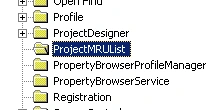
Step-6) Select ProjectMRUList
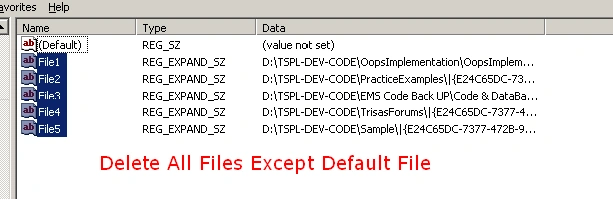
Step-7) Right side of registry window will list the files->Except default file you need to remove all files
Ha-Ha…ha…ha it is that much simple...That's all you have to do.
Concise View: Expand HKEY_CURRENT_USER ->Expand Software->Expand Microsoft->Expand VisualStudio -> Expand 8.0 if it is VS2005 or 9.0 if it is VS2008->Here I am using VS 2005 so I am going to expand 8.0->Select ProjectMRUList ->Right of registry Window will list the files ->Except default file you need to remove all files.
Feedback always welcome.
sahib sehgalPosted Apr 30, 2010, 1:34 AM
Thank you very much. Very good article. Please write on ObjectDataSource control like that simple way.
Prabhu BasoorPosted Apr 29, 2010, 7:17 AM
Good to know that.
Kirtan PatelPosted Apr 20, 2010, 1:09 AM
You can do this with Option Menu >> general Tab Also Set 0 there and Put Back 10 Again it will clear it ..