Introduction
First, we will create a simple WCF service that will return data of the Employees table as a DataTable object. Then we will consume this WCF service in a Console application.
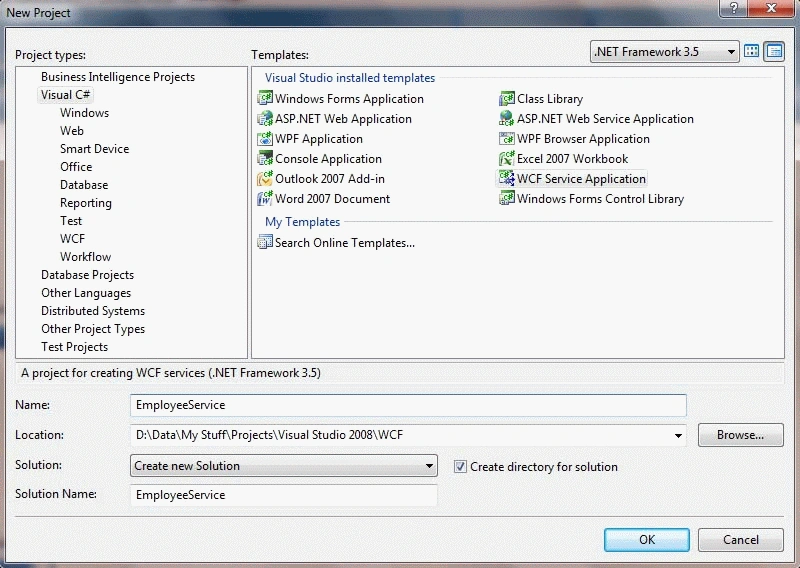
Step 1: Create a new WCF Service Application named EmployeeSercice
Step 2: In IService1.cs, add ServiceContract and OperationContract:
- [ServiceContract]
- public interface IService1
- {
- [OperationContract]
- Employee GetEmployee();
- }
Then add DataContract and DataMember:
- [DataContract]
- public class Employee
- {
- [DataMember]
- public DataTable EmployeeTable
- {
- get;
- set;
- }
- }
In this article, I am leaving binding to the default, wsHttpBinding.
Step 3: Add the following code in the Service1.svc.cs file inside Service1 class:
- public class Service1 : IService1
- {
- string ConString = ConfigurationManager.ConnectionStrings["ConString"].ConnectionString;
- SqlConnection con;
- SqlCommand cmd;
- SqlDataAdapter sda;
- DataTable dt;
- Employee emp = new Employee();
- public Employee GetEmployee()
- {
- using (con = new SqlConnection(ConString))
- {
- cmd = new SqlCommand("SELECT EmployeeID, FirstName, LastName FROM Employees", con);
- sda = new SqlDataAdapter(cmd);
- dt = new DataTable("Paging");
- sda.Fill(dt);
- emp.EmployeeTable = dt;
- return emp;
- }
- }
- }
We have created our WCF service that will return Employees data as a DataTable. Now its time to consume this service in a Console application.
Step 4: Add a new Console Application named EmployeeServiceClient by right-clicking on the Solution Explorer and selecting Add -> New Project.
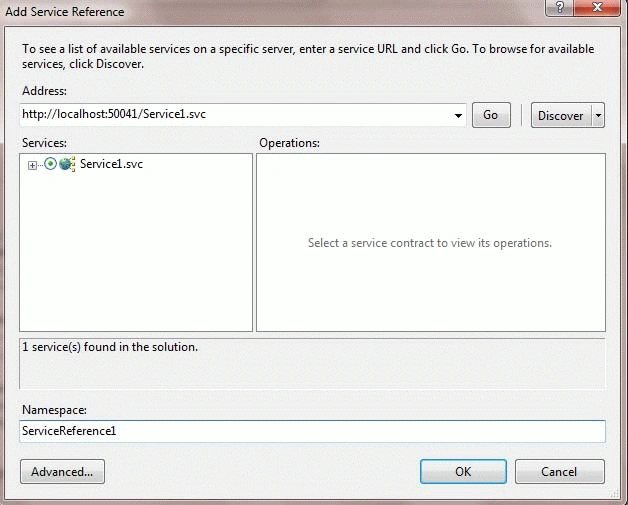
Step 5: Add a Service Reference to the WCF service in the Console Application using Add Service Reference dialog box.
Right-click on the Console Application and select Add Service Reference:
Step 6: Write following code in the Main function of the Console Application:
- static void Main(string[] args)
- {
- ServiceReference1.Service1Client MyClient =
- new ServiceReference1.Service1Client();
- ServiceReference1.Employee emp =
- new ServiceReference1.Employee();
- emp = MyClient.GetEmployee();
- DataTable dt = new DataTable();
- dt = emp.EmployeeTable;
- Console.WriteLine(" EmpID".PadRight(10)
- +"FirstName".PadRight(10)
- +"LastName".PadRight(10));
- Console.WriteLine("---------------------------------------");
- for (int i = 1; i < dt.Rows.Count; i++)
- {
- Console.WriteLine(dt.Rows[i][0].ToString().PadRight(10)+
- dt.Rows[i][1].ToString().PadRight(10) +
- dt.Rows[i][2].ToString().PadRight(10));
- }
- Console.WriteLine(dt.Rows.Count.ToString());
- Console.ReadKey();
- }
Step 7: In App.Config, change the maxReceivedMessageSize attribute value to maximum inside the Binding element to handle large tables.
maxReceivedMessageSize="2147483647"
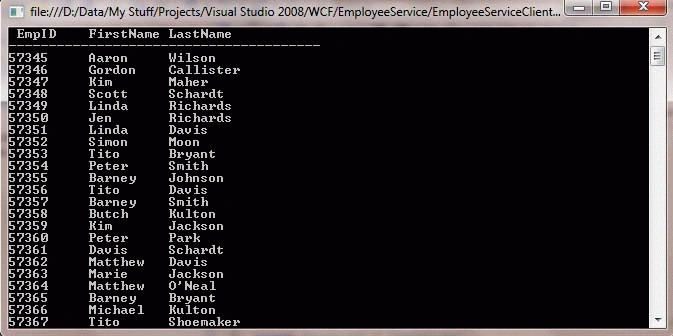
Output


Peter PetrelliPosted Sep 5, 2018, 4:22 PM
Sir i want to perform crud operations through android app using wcf service
hamzi AbuKhallaPosted Jul 11, 2015, 5:53 AM
about Step 7: i dont have this attribute in the appconfig
vinay agnoPosted May 30, 2015, 3:58 AM
Thanks. But why it is necessary to use DataTable(string name) constructor to initialize object & not default
Mayank jhawarPosted Aug 15, 2013, 7:39 AM
I am getting Connection was closed .. Till Service level i got the data when i am binding it it shows mein an erro ..
Srinivasulu ThottempudiPosted Jul 26, 2012, 7:53 AM
thank you, your project code working fine.
Alok SaxenaPosted May 9, 2012, 7:09 AM
Return DataTable type is quite same like return different type's object. Yes Before using this type (.Net); you must consider that this WCF Service operation can be used by Managed or .Net type of clients only.