

A - Introduction
In Visual Studio, we knew when we run an ASP.NET app, the Visual Studio itself will create a virtual server (IIS Express), letting the app running against. How can we run an HTML page from a Visual Studio Code? We will discuss the issue in this article.
We will give two solutions,
- A - Introduction
- B - Browser Preview in the VS Code
- C - Open in Browser
B - Browser Preview in the VS Code
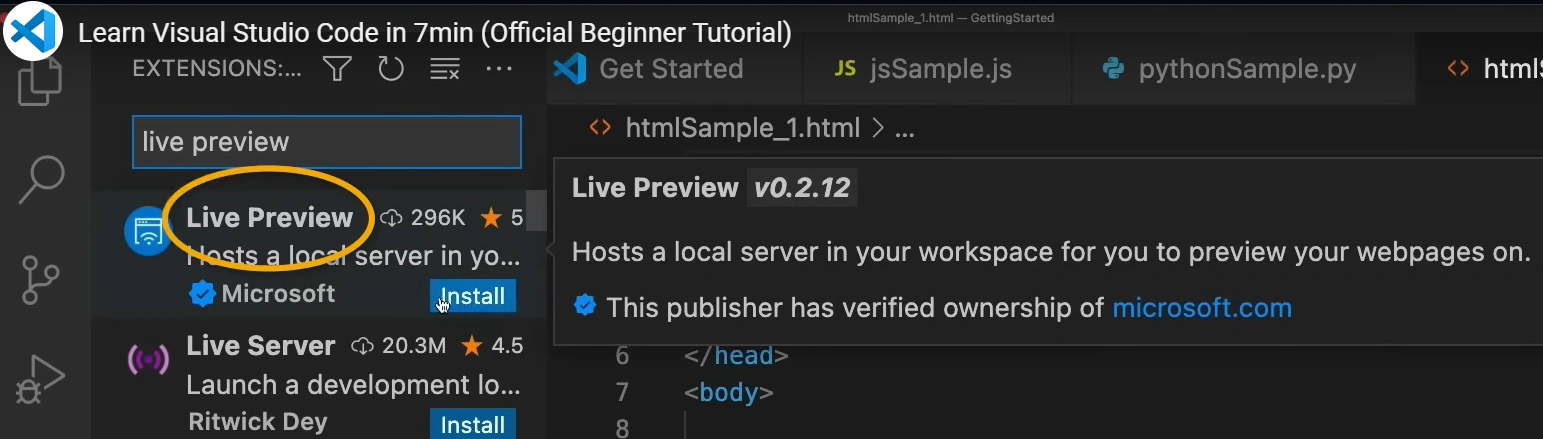
We knew we cannot run an HTML page within VS code terminal. However, we can add an extension and open a browser preview right in the VS Code:
- Live Preview --- by Microsoft
Extensiton Installation:
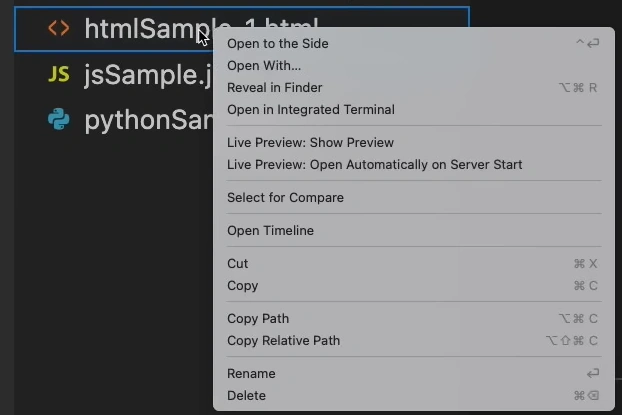
After installation, Right Click the HTML file in the folder:
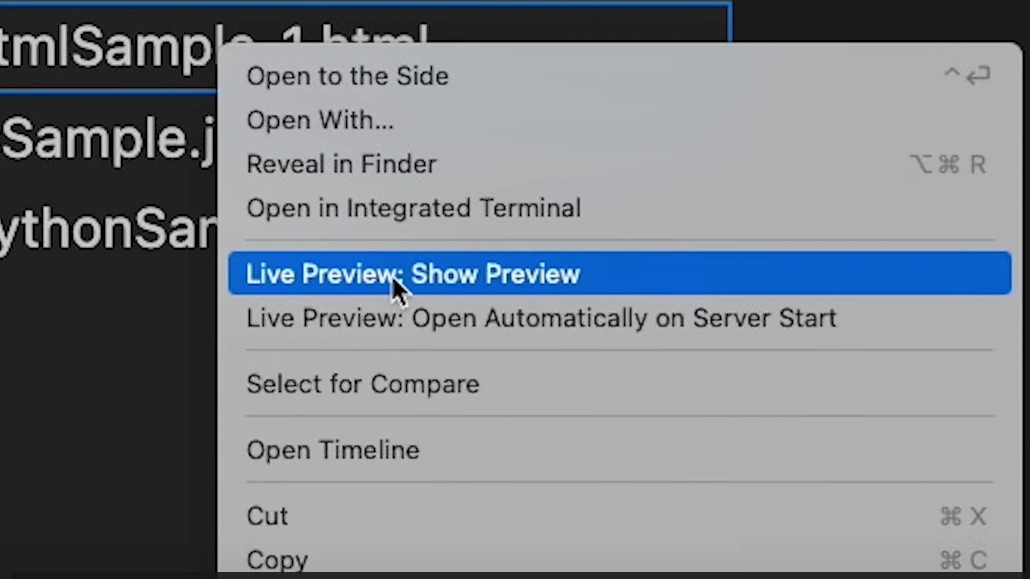
Choose Live Preview: Show Preview:
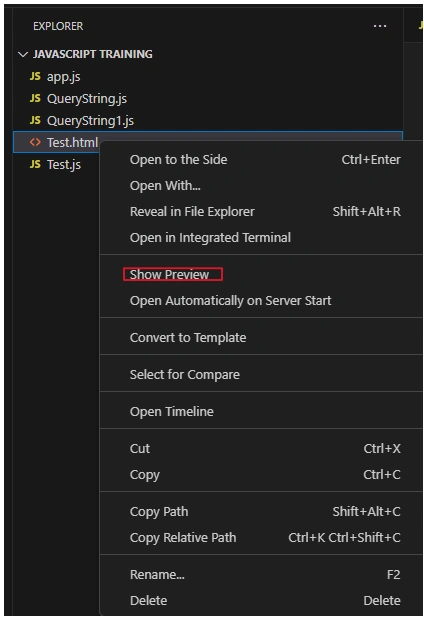
In the newer version of VS Code, choose Show Preview:
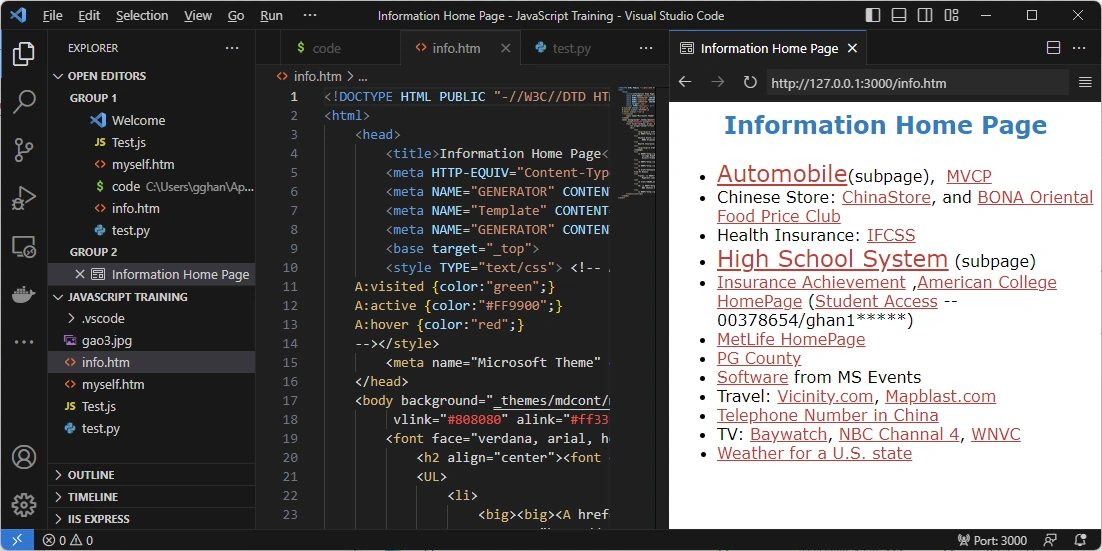
Then we will see a preview frame opened in VS Code paralell with the Terminal. Such as.
C - Open in Browser
The same, we need to add an extension:
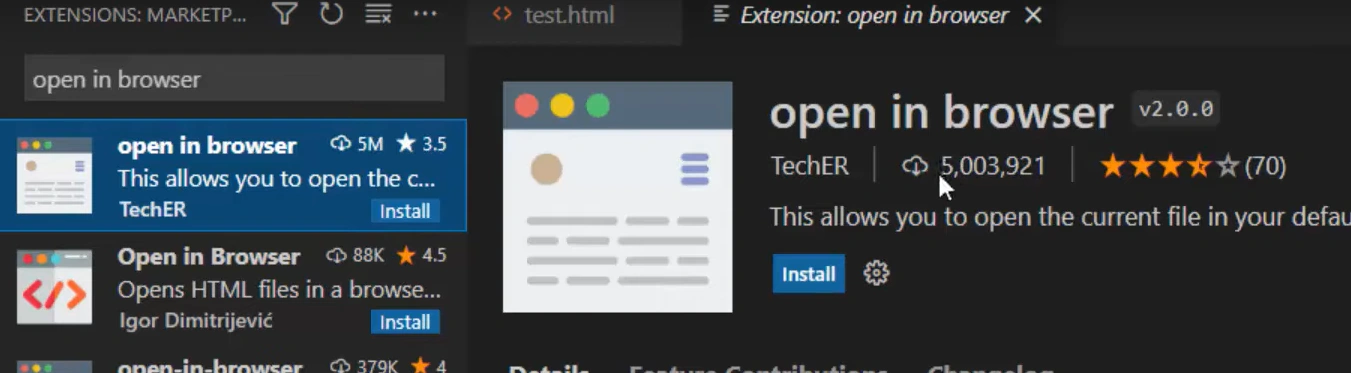
- Open in browser --- by TechER
Extension Installation:
Run:
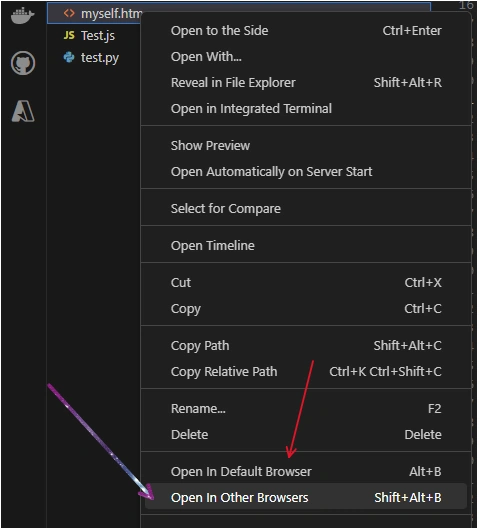
Right Click the HTML file, and choose either
- Open in the Default Browser, or
- Open in Other Browser
References:
Join the conversation! Your thoughts help the community grow.