

Let's start with an Empty Web application in Visual Studio. You can eiter create a new Web application or use an existing Web application.
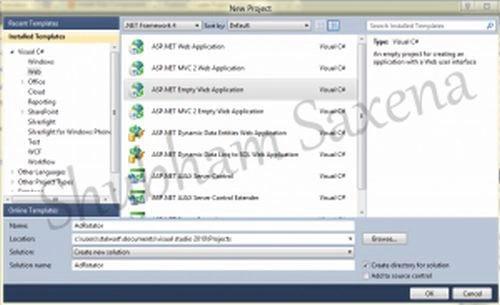
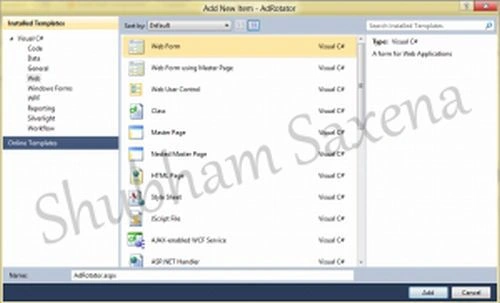
Since we have begun with an Empty Web Application we need to add a page now.
Go to Project > Add New Item (Ctrl+Shift+A); a screen will popup; add a web form from it and name it "AdRotator.aspx".
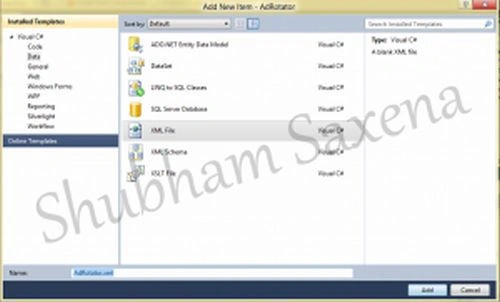
We should also add an XML file which will contain ad information.
Go to Project > Add New Item (Ctrl+Shift+A); select "Data" from the left and add a XML file, name it "AdRotator.xml".
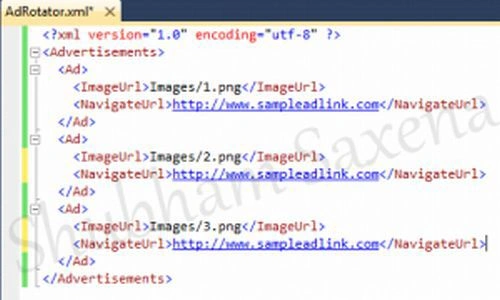
Now we will write our XML file; it begins and ends with an <Advertisements> tag. Inside the <Advertisements> tag there may be several <Ad> tags which defines each ad. The predefined elements inside the <Ad> tag are listed below:
|
Element |
Description |
|
<ImageUrl> |
Optional. The path to the image file |
|
<NavigateUrl> |
Optional. The URL to link to if the user clicks the ad |
|
<AlternateText> |
Optional. An alternate text for the image |
|
<Keyword> |
Optional. A category for the ad |
|
<Impressions> |
Optional. The display rates in percent of the hits |
Now, from the Solution Explorer open AdRotator.aspx page. It will contain some default code. We will add the AdRotator control now either by dragging it from the Toolbox or writing its code. We will also use some attributes for it like Advertisement File (which specifies the path to the XML file that contains the ad information) and Target (specifies where to open the URL).
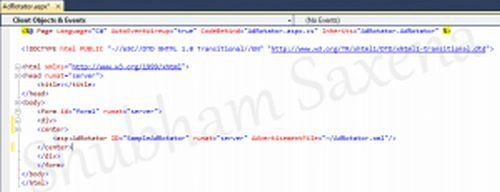
That is all. Compile and build your project and see if it works. I have added 3 images so you might often see the same image; add more images and see it rolling. In addition to advertisements this can also be used as a banner for your website and for many more purposes.
Here is a detailed tutorial: Implementing Ad Rotator in ASP.NET
Ashwani KumarPosted Sep 10, 2013, 4:59 AM
Good one its working fine
Shubham SaxenaPosted Jul 18, 2012, 1:16 PM
is the download has any problem ? i tried it just now its working fine... and m really srry for the images i used instead of ad banners, actually i formatted my laptop so didn't had any pics... but the project/soln is working fine.
Jean PaulPosted Jul 18, 2012, 12:24 PM
That was a good one Shubham Saxena! Thank You for sharing. But if you could fix the dowload and add some good images, ensure it is running it would be more Beautiful.