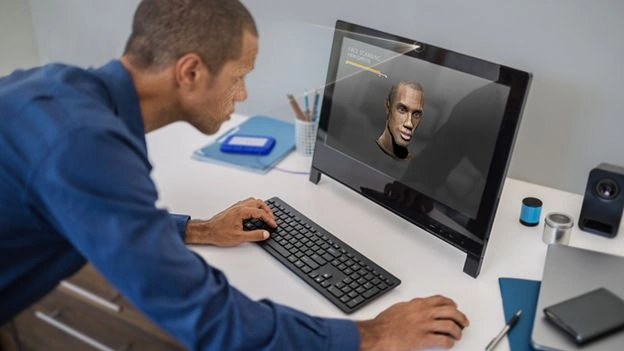
“Amazing”. This was my first reaction after trying the Intel Realsense Camera. Just imagine that in apps and games you can scan your entire face as the main character and then control him with gestures or voice. Now with the Intel Realsense camera, the devices will have human-like senses. In the future computers, smartphones, tablets, and other devices will be able to understand their users. Intel Realsense 3D Camera uses depth-sensing technology so your PC sees more like you. You can control your devices with gestures and voice. No, I am not talking about the future, now we have devices like this that are able to interact with us. It is being integrated into a range of laptops from Asus, Dell, Lenovo, and HP.
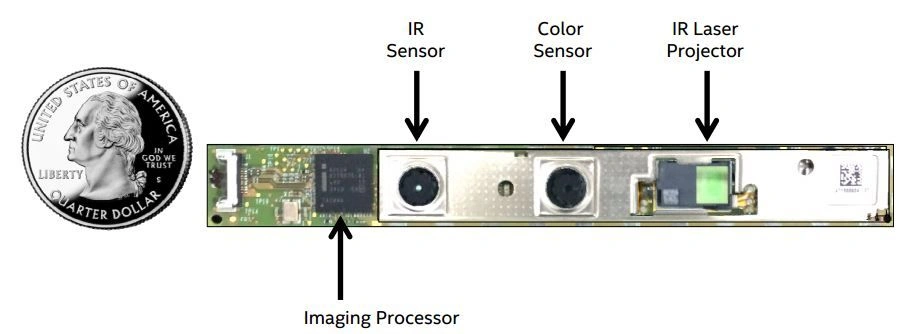
The RealSense 3D Camera has dual microphones and the following three lenses:
A conventional camera
An infrared camera
An infrared laser projector
Together, the three lenses allow the device to infer depth by detecting infrared light that has bounced back from objects in front of it. This visual data, taken in combination with Intel RealSense motion-tracking software, create a touch-free interface that responds to hand, arm and head motions as well as facial expressions.
The Realsense 3D camera will change our traditional way of interacting with a computer, smartphones, tablets, and all other devices. Let us understand this with some examples.
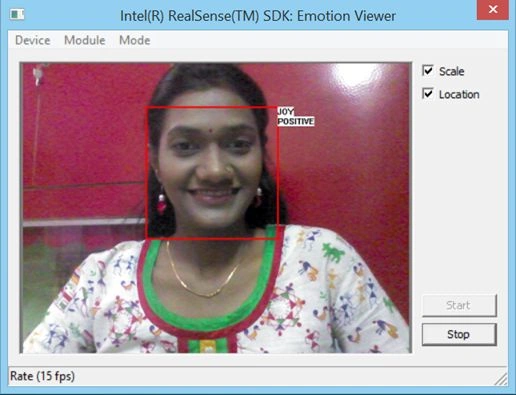
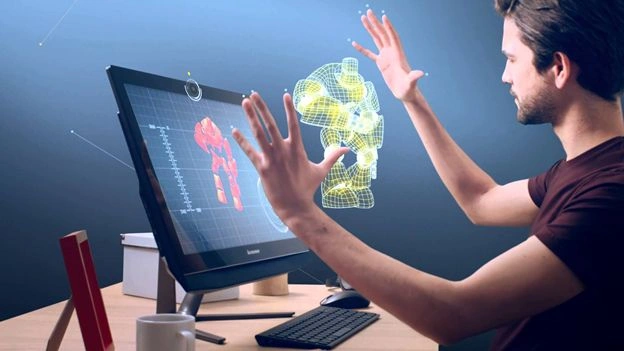
Gesture Control: Interact with your computer as you do with people. With Realsense your computer can understand hand and head movement and even your facial expressions. It has 22 tracking points per hand. It is also accurate in recognizing voice commands as well as dictations.
3D Scan: Take any object in front of your Realsense Camera, give it a few spins and you will get it into a virtual world. Now you can manipulate it into something new or print it as-is with a 3D printer. Anyone can be an entrepreneur, you are not limited to manufacturing capabilities.
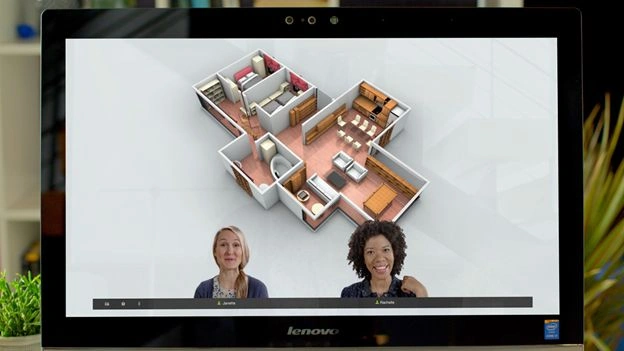
Immersive Chat: You can change your chat background in real-time as Intel Realsense 3D camera senses depth.
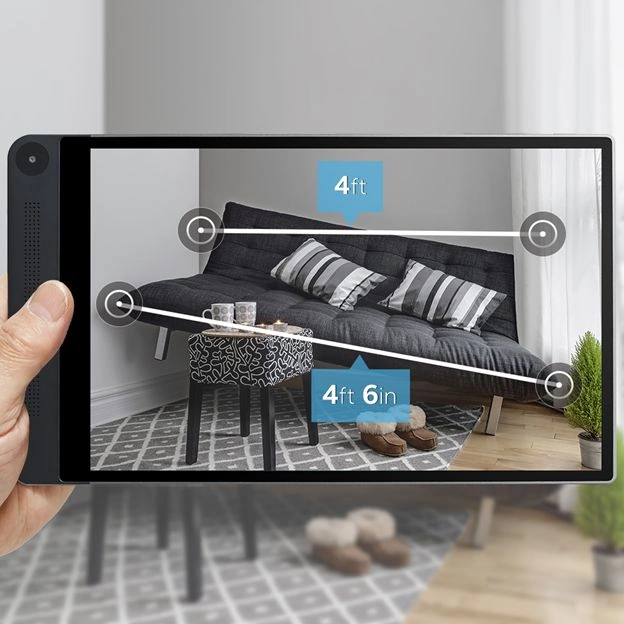
Takes measurements: Snap a picture and take measurements right on the screen.
Intel Realsense Snapshot: It lets you change the focus after you take the picture. Just take a picture and change the focus by tapping wherever you want the focus to be. It retains the depth and allows us to change the focus up to 30 meters from where you took the shot.
HP has launched a computer “HP Sprout” that leverages the features of the Intel Realsense camera. It is a computer with an integrated desktop scanner. With Realsense technology, it scans an object in a high-resolution full-color 3D digital model than with some software you can modify or reconstruct it by adding new design elements and send it for printing to your 3D printer. Watch this video to understand the power of the Intel Realsense 3D camera.
Next Read: Getting Started with Intel Realsense Technology (Coming soon)




Yashwant VishwakarmaPosted Jun 29, 2015, 7:42 AM
Nice Article !! :)
Debendra DashPosted Jun 29, 2015, 6:23 AM
Good one...
Rojalin SahooPosted Jun 29, 2015, 5:51 AM
Awesome article.
Sibeesh VenuPosted Jun 29, 2015, 3:12 AM
Good one...
Pravin SwrnakarPosted Jun 29, 2015, 2:33 AM
really awesome
Rajeesh MenothPosted Jun 29, 2015, 12:37 AM
Great Technology, Thank you for sharing the information Pooja..
Pankaj Kumar ChoudharyPosted Jun 28, 2015, 10:26 PM
Really Impressive Article.............
Soumitra SenguptaPosted Jun 28, 2015, 7:35 PM
Awesome technology...awesome article.
Krishna Rajput SinghPosted Jun 28, 2015, 3:09 PM
Really good one pooja baradkar
Emiliano MussoPosted Jun 28, 2015, 2:37 PM
Great presentation, i'm looking forward your next article
Vignesh ManiPosted Jun 28, 2015, 2:10 PM
Very Nice
Pooja BaraskarPosted Jun 28, 2015, 2:02 PM
Very soon Afzaal Ahmad Zeeshan
Santhakumar MunuswamyPosted Jun 28, 2015, 1:52 PM
Good Show
Carmelo La MonicaPosted Jun 28, 2015, 1:50 PM
great Pooja, congrats!
Mahesh ChandPosted Jun 28, 2015, 1:11 PM
Very cool, Pooja. Impressive!
Afzaal Ahmad ZeeshanPosted Jun 28, 2015, 12:58 PM
Amazing technology. So when is your next article coming out with a source code example, Pooja? I would love to read that article for demonstration.
Avirup BasuPosted Jun 28, 2015, 12:22 PM
Awesome. Waiting to lay my hands on it. :D :)
Pooja BaraskarPosted Jun 28, 2015, 11:35 AM
Thanks Gopi.
Gopi ChandPosted Jun 28, 2015, 11:21 AM
Excellent....and its really amazing :)