

Angular Services
AngularJS is a JavaScript Framework, which is very powerful and its library is written in JavaScript. This framework is used to make single page applications. From this definition, you should get an idea that if we want to make a Single Page application, AngularJS is the answer as the most powerful JavaScript Framework. AngularJS extends HTML with new attributes. AngularJS allows us to write the applications in a clean Model-View-Controller way.
AngularJS Services
A Service is a function or an object; it is limited to our AngularJS application. We can make our own Services and can use one of many inbuilt Services. The Services are injected, using dependency injection mechanism. AngularJS has many inbuilt Services. Services are JavaScript functions, which are responsible to do a specific task only. This is the property of individual identity, which is maintainable and testable. Thus, making separation of concerns possible, i.e. the property of AngularJS. Some examples of the inbuilt Services are $https, $route, $location, $window etc. Angular only instantiates a Service when an application component depends on it. Each component is dependent on a Service, which gets a reference to the single instance generated by the Service factory.
Using an inbuilt service
Let’s use an inbuilt Service to check what will be the benefit and how we can use the Services. Let’s use $location, $location is a Service that has methods, which returns information about the location of the current Webpage. Now, we will also see the use of dependency injection mechanism. The Service will be defined as a dependency.
Example
Service (Service.js)
- var app = angular.module('myApp', []);
- app.controller('customersCtrl', function($scope, $location) {
- // $scope.myUrl = $location.absUrl();
- $scope.myCurrentUrl= $location.absUrl();
- });
View
- <html xmlns="http://www.w3.org/1999/xhtml">
- <head>
- <title>Angular Services</title>
- <script src="https://ajax.googleapis.com/ajax/libs/angularjs/1.4.8/angular.min.js"></script>
- <script src="Service.js"></script>
- </head>
- <body>
- <div ng-app="myApp" ng-controller="customersCtrl">
- <p>The url of this page is:</p>
- <p>{{myCurrentUrl}}</p>
- </div>
- </body>
- </html>
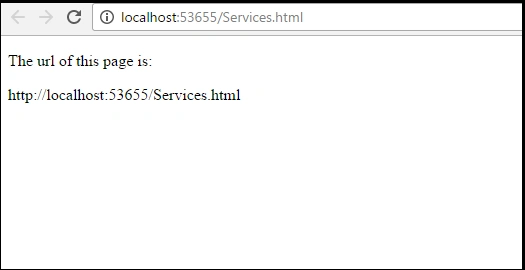
Here, in this example, we have used inbuilt Service $location that has the method, which returns the current location of the Web page.
- $location.absUrl()
Creating a Service
Now, the question arises: What if we don’t want to use inbuilt Services and want to create our own Service for some functionality? How can we achieve that? We can do this by creating our own Services. We can create the Services, using three ways.
- By using factory
- By using Service
- By using provider
First of all, we create a module named myApp,
- var myApp = angular.module("myApp", []);
Using Factory Method
Syntax- myApp.factory('factoryName',function(){
- return factoryObj;
- });
- myApp.service('serviceName',function(){ });
- Example:
- myApp.service('SumService', function (MathService) {
- this.sum = function (a) {
- return MathService.Sum(a, a);
- }
- });
In this method, we have first defined a factory and then we have assigned a method to the factory.
Using Service Method
In this, a new keyword is used to instantiate it. We will get an instance of the function passed to the Service. This object instance becomes the Service Object that AngularJS registers and is injected, wherever required. This keyword is used to add properties and functions to this Service object.
Syntax
- myApp.service('serviceName',function(){ });
Neha KumariPosted Jul 21, 2017, 4:43 AM
While using services and routing do we need to download AngularJs plugins to do these programs?
Jasbeer SinghPosted Jan 31, 2017, 5:38 AM
Yes it should be customersCtrl as it is defined in controller
Rohan LaghatePosted Jan 31, 2017, 5:10 AM
In $location service View part...shouldn't the controller name be customersCtrl instead of myController ?
Nikhil SanganiPosted Jan 13, 2017, 4:33 AM
Hello Jasbeer Singh you have one little mistake in $Location Service Example. Otherwise your articles are fabulous. Thanks for sharing
NehaPosted Jan 11, 2017, 3:39 AM
.... i am now fan of ur articles..