
Microsoft SharePoint is a web-based collaboration and document management platform. It is widely used by organizations to store, organize, share, and access information securely from almost any device. SharePoint integrates seamlessly with Microsoft 365 (formerly Office 365) and other Microsoft tools, making it a key component of many enterprise environments.
Features
- Document Management
- SharePoint allows for secure storage of documents, making it easy for teams to share, edit, and manage files. It includes features like version control, check-in/check-out, and metadata tagging.
- Collaboration
- SharePoint is designed to improve teamwork by enabling real-time collaboration. Multiple users can co-author documents simultaneously, communicate in the context of the document or project, and share updates easily.
- Integration with Microsoft Office and Microsoft 365
- SharePoint is tightly integrated with Microsoft tools such as Word, Excel, Outlook, and Teams, providing a seamless experience for users. Documents stored in SharePoint can be accessed and edited directly in these applications.
- Customization and Development
- SharePoint is highly customizable. Organizations can create custom workflows, web parts, and apps to extend their functionality. Power users can leverage tools like Power Automate and Power Apps for advanced automation and app development.
There are different types of libraries in SharePoint, each designed for specific use cases.
- Document Library: The most common type of library used to store, share, and manage documents such as Word, Excel, PowerPoint, PDFs, and other file types.
- Picture Library: Designed for storing images and graphics.
- Asset Library: Stores media files like audio, video, and other rich media used throughout the site.
- Slide Library: Stores PowerPoint slides to enable easy reuse of individual slides.
- Users can upload and download individual slides.
List
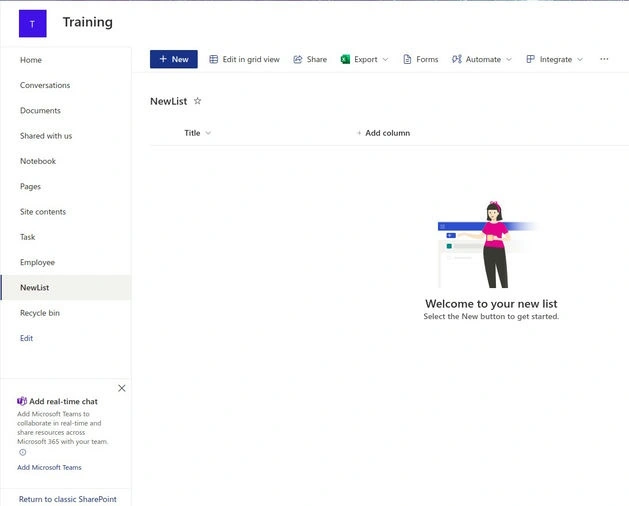
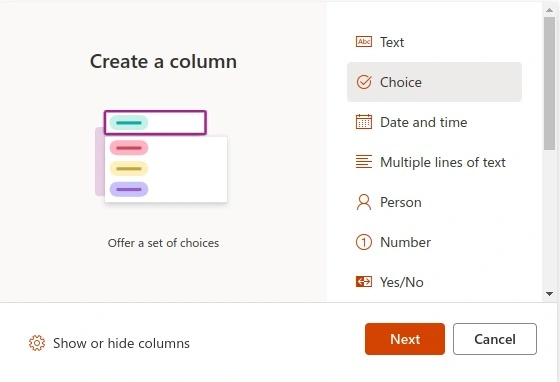
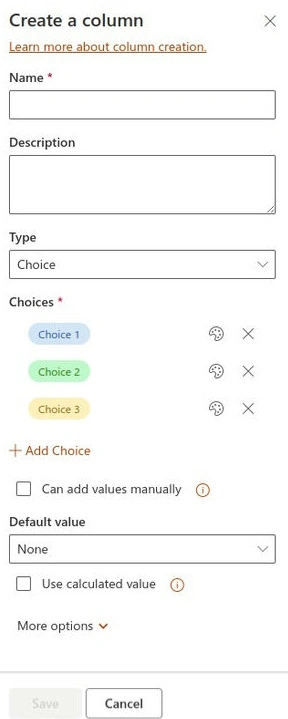
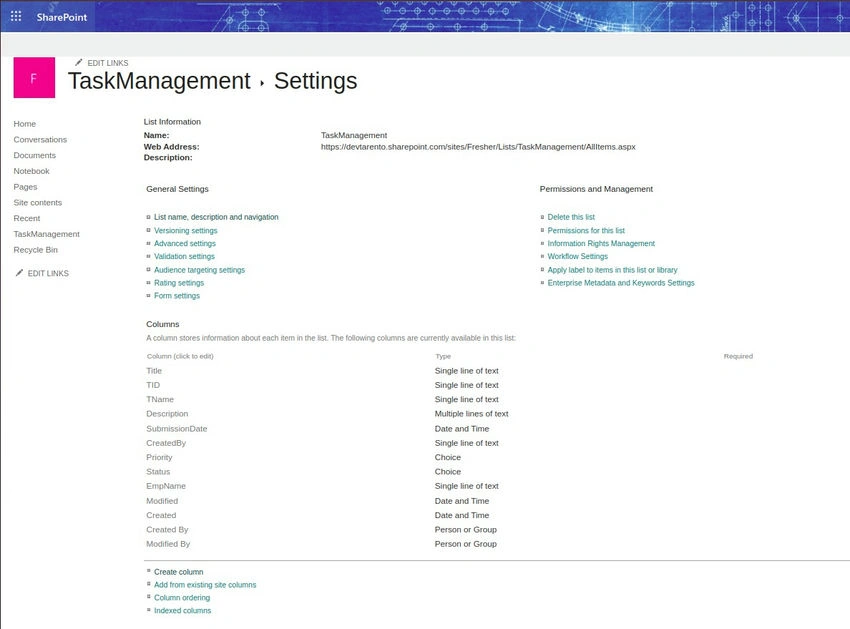
A list can contain different columns (fields) that define the types of information stored in each list item. These columns help you structure data in a meaningful way. The different types of information (or column types) that can be added and configured within SharePoint List Settings.
Join the conversation! Your thoughts help the community grow.