

I am going to use the following REST service to explain how to perform event handling in the Kendo Grid.
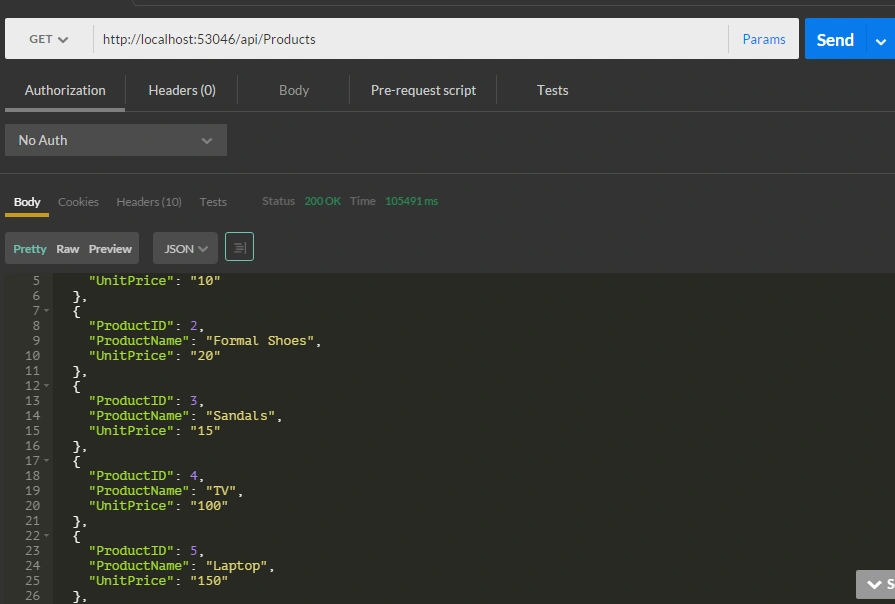
REST service end point: api/products.
Please refer my previous article Export grid data to excel in advance Kendo UI using MVC WEB API and Entity Framework to get an idea about how to create an ASP. NET WEB API Service.
The api/products service response in POSTMAN as in the following figure 1.
Now it’s time to consume the REST service in the Kendo UI.
Using a Kendo Grid with remote binding
Create an HMTL page in your project, in my case I named it KendoGrid.html.
Design in KendoGrid.html
- <!DOCTYPE html>
- <html xmlns="http://www.w3.org/1999/xhtml">
- <head>
- <link rel="stylesheet" href="http://cdn.kendostatic.com/2014.3.1316/styles/kendo.common.min.css" />
- <link rel="stylesheet" href="http://cdn.kendostatic.com/2014.3.1316/styles/kendo.default.min.css" />
- <link rel="stylesheet" href="http://cdn.kendostatic.com/2014.3.1316/styles/kendo.dataviz.min.css" />
- <link rel="stylesheet" href="http://cdn.kendostatic.com/2014.3.1316/styles/kendo.dataviz.default.min.css" />
- <script src="http://cdn.kendostatic.com/2014.3.1316/js/jquery.min.js"></script>
- <script src="http://cdn.kendostatic.com/2014.3.1316/js/kendo.all.min.js"></script>
- <script src="http://cdn.kendostatic.com/2014.3.1029/js/jszip.min.js"></script>
- <title></title>
- </head>
- <body>
- <div class="container" id="example">
- <div class="row">
- <div id="test-grid" data-role="grid"
- data-scrollable="true"
- data-editable="false"
- data-columns="[
- { 'field': 'ProductName','width':'100px' },
- { 'field': ' UnitPrice','width':'100px'},
- ]"
- data-pageable='true'
- data-bind="source:products"
- style="height: 300px"></div>
- </div>
- </div>
- </body>
- </html>
JavaScipt with MVVM Model
- var viewModel = kendo.observable({
- isVisible: true,
- products: new kendo.data.DataSource({
- schema: {
- model: {
- id: "ProductID",
- fields: {
- ProductName: { type: "string" },
- UnitPrice: { type: "string" }
- }
- }
- },
- batch: true,
- pageSize: 5,
- transport: {
- read: {
- url: "api/Products",
- dataType: "json"
- },
- parameterMap: function (options, operation) {
- if (operation !== "read" && options.models) {
- return { models: kendo.stringify(options.models) };
- }
- }
- }
- })
- });
- kendo.bind($("#example"), viewModel);
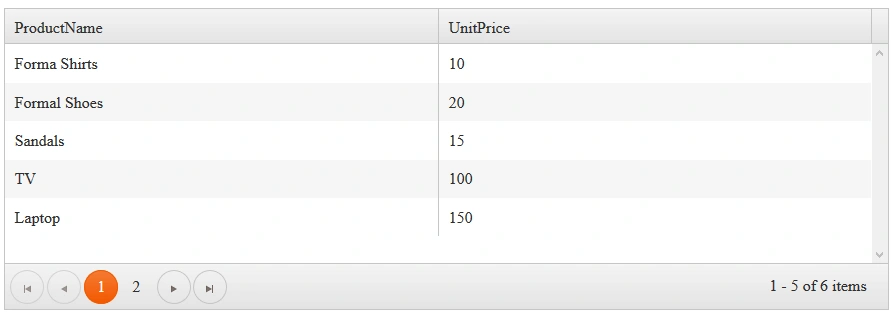
Result in the web browser
Events in Kendo Grid
The main events in kendo Grid is listed below:
- DataBinding
- DataBound
- Change
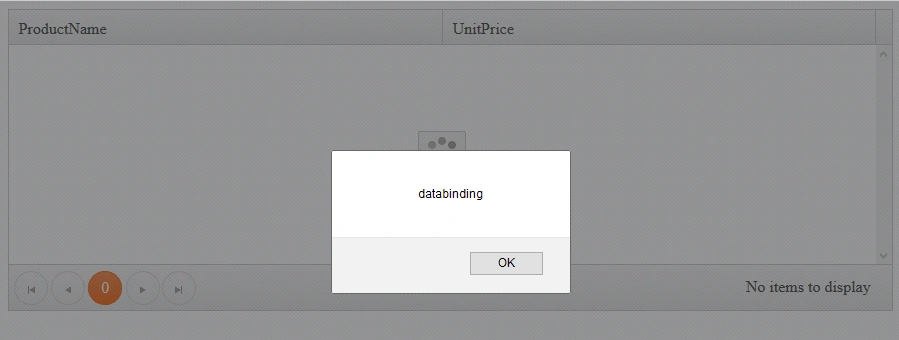
DataBinding Event handling in the Kendo Grid
This event is fired before the Kendo Grid binds to its data source.
Caution
If we invoke e.preventDefault() in the DataBinding event it will prevent the data bind action, the table rows will remain unchanged and databound event will not fire.
Design in KendoGrid.html
- <div class="container" id="example">
- <div class="row">
- <div id="test-grid" data-role="grid"
- data-scrollable="true"
- data-editable="false"
- data-columns="[
- { 'field': 'ProductName','width':'100px' },
- { 'field': ' UnitPrice','width':'100px'},
- ]"
- data-pageable='true'
- data-bind="source:products, events:{ dataBinding:OnDataBinding }"
- style="height: 300px"></div>
- </div>
- </div>
JavaScipt with MVVM Model
- var viewModel = kendo.observable({
- isVisible: true,
- OnDataBinding:function()
- {
- alert("databinding");
- },
- products: new kendo.data.DataSource({
- schema: {
- model: {
- id: "ProductID",
- fields: {
- ProductName: { type: "string" },
- UnitPrice: { type: "string" }
- }
- }
- },
- batch: true,
- pageSize: 5,
- selectable: "multiple cell",
- transport: {
- read: {
- url: "api/Products",
- dataType: "json"
- },
- parameterMap: function (options, operation) {
- if (operation !== "read" && options.models) {
- return { models: kendo.stringify(options.models) };
- }
- }
- }
- })
- });
- kendo.bind($("#example"), viewModel)
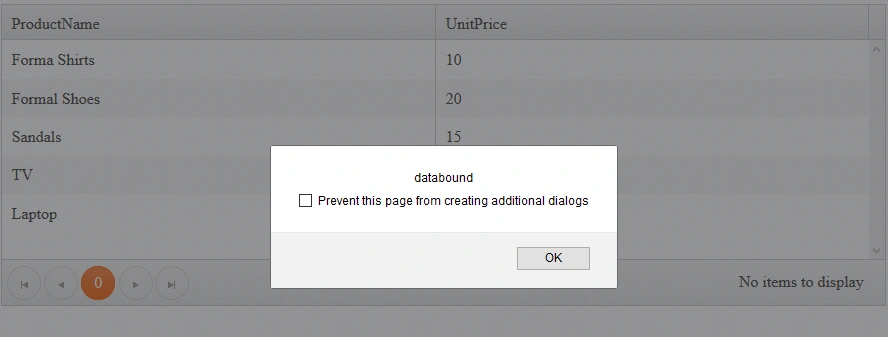
DataBound event handling in Kendo Grid
This event is fired when the kendo grid is bound to data from its datasource
Design in KendoGrid.html
- <div class="container" id="example">
- <div class="row">
- <div id="test-grid" data-role="grid"
- data-scrollable="true"
- data-editable="false"
- data-columns="[
- { 'field': 'ProductName','width':'100px' },
- { 'field': ' UnitPrice','width':'100px'},
- ]"
- data-pageable='true'
- data-bind="source:products, events:{dataBound:OnDataBound }"
- style="height: 300px"></div>
- </div>
- </div>
- var viewModel = kendo.observable({
- isVisible: true,
- OnDataBound:function(e)
- {
- e.preventDefault();
- alert("databound")
- },
- products: new kendo.data.DataSource({
- schema: {
- model: {
- id: "ProductID",
- fields: {
- ProductName: { type: "string" },
- UnitPrice: { type: "string" }
- }
- }
- },
- batch: true,
- pageSize: 5,
- transport: {
- read: {
- url: "api/Products",
- dataType: "json"
- },
- parameterMap: function (options, operation) {
- if (operation !== "read" && options.models) {
- return { models: kendo.stringify(options.models) };
- }
- }
- }
- })
- });
- kendo.bind($("#example"), viewModel);
Result in the web browser
Change event handling in Kendo Grid
The change event is fired when we select the row or particular cell in the Kendo Grid
Caution
Before going to handle this event enable the selectable property in the Kendo Grid.
Design in KendoGrid.html
- <div class="container" id="example">
- <div class="row">
- <div id="test-grid" data-role="grid"
- data-scrollable="true"
- data-editable="false"
- data-columns="[
- { 'field': 'ProductName','width':'100px' },
- { 'field': ' UnitPrice','width':'100px'},
- ]"
- data-pageable='true'
- data-selectable="true"
- data-bind="source:products, events:{change:onchange }"
- style="height: 300px"></div>
- </div>
- </div>
JavaScipt with MVVM Model
- var viewModel = kendo.observable({
- isVisible: true,
- onchange:function(e)
- {
- e.preventDefault();
- alert("Selected")
- },
- products: new kendo.data.DataSource({
- schema: {
- model: {
- id: "ProductID",
- fields: {
- ProductName: { type: "string" },
- UnitPrice: { type: "string" }
- }
- }
- },
- batch: true,
- pageSize: 5,
- transport: {
- read: {
- url: "api/Products",
- dataType: "json"
- },
- parameterMap: function (options, operation) {
- if (operation !== "read" && options.models) {
- return { models: kendo.stringify(options.models) };
- }
- }
- }
- })
- });
- kendo.bind($("#example"), viewModel);
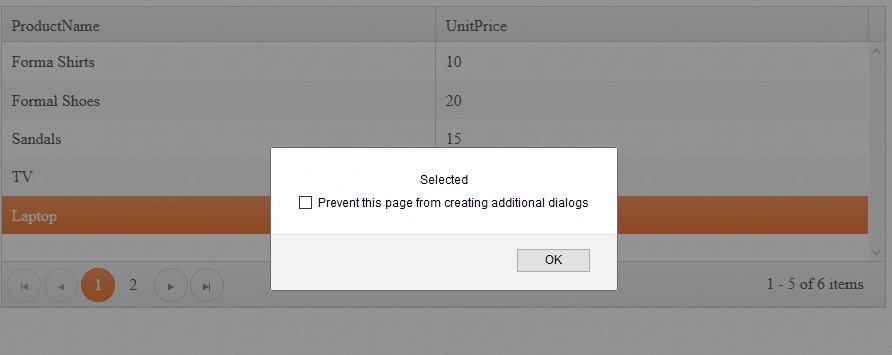
We can also perform the cell selection in kendo grid using data-selectable property
Design in KendoGrid.html
- <div class="container" id="example">
- <div class="row">
- <div id="test-grid" data-role="grid"
- data-scrollable="true"
- data-editable="false"
- data-selectable="multiple cell"
- data-columns="[
- { 'field': 'ProductName','width':'100px' },
- { 'field': ' UnitPrice','width':'100px'},
- ]"
- data-pageable='true'
- data-bind="source:products, events:{change:onchange }"
- style="height: 300px"></div>
- </div>
- </div>
JavaScipt with MVVM Model
- var viewModel = kendo.observable({
- isVisible: true,
- onchange:function(e)
- {
- e.preventDefault();
- alert("Selected")
- },
- products: new kendo.data.DataSource({
- schema: {
- model: {
- id: "ProductID",
- fields: {
- ProductName: { type: "string" },
- UnitPrice: { type: "string" }
- }
- }
- },
- batch: true,
- pageSize: 5,
- transport: {
- read: {
- url: "api/Products",
- dataType: "json"
- },
- parameterMap: function (options, operation) {
- if (operation !== "read" && options.models) {
- return { models: kendo.stringify(options.models) };
- }
- }
- }
- })
- });
- kendo.bind($("#example"), viewModel);
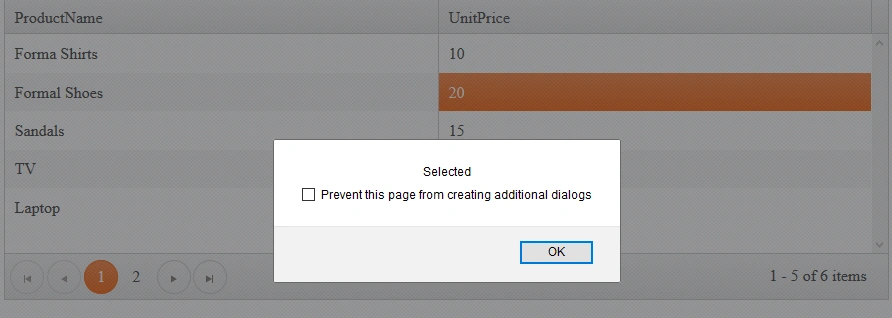
You can observe from the above result that kendo grid will allow user to select a particular cell through selectable property.
Conculsion
From this article we learned how to handle different events in the kendo grid using jQuery with MVVM Model.
I hope you enjoyed this article. Thank you!
Arul RPosted Oct 28, 2015, 5:55 AM
Nice share!!!
Santhakumar MunuswamyPosted Oct 18, 2015, 2:49 AM
Good article
Priyaranjan K SPosted Oct 15, 2015, 2:27 PM
Thanks for the share
Sibeesh VenuPosted Oct 15, 2015, 4:13 AM
Thanks for sharing
Mukesh KumarPosted Oct 15, 2015, 2:27 AM
Good Work
Ankit BansalPosted Oct 15, 2015, 12:49 AM
nice..thanks for sharing
Rupali ShindePosted Oct 15, 2015, 12:17 AM
nice
Harshad PansuriyaPosted Oct 14, 2015, 11:58 PM
Nice one