

SQL Server to Text File Using SSIS
Dear reader, today we will discuss SQL Server Integration Services (SSIS), a powerful feature of Microsoft SQL Server. SSIS is an upgrade of Data Transformation Services (DTS), which is a feature of the previous version of SQL Server. SSIS packages can be created in Business Intelligence Development Studio.
Use of SSIS
The primary use for SSIS is for data warehousing since the product features a fast and flexible tool for data Extraction, Transformation and Loading (ETL). The tool may also be used to automate the maintenance of SQL Server databases, update the data warehouse and perform other functions.
Step1: Open the business intelligence development studio.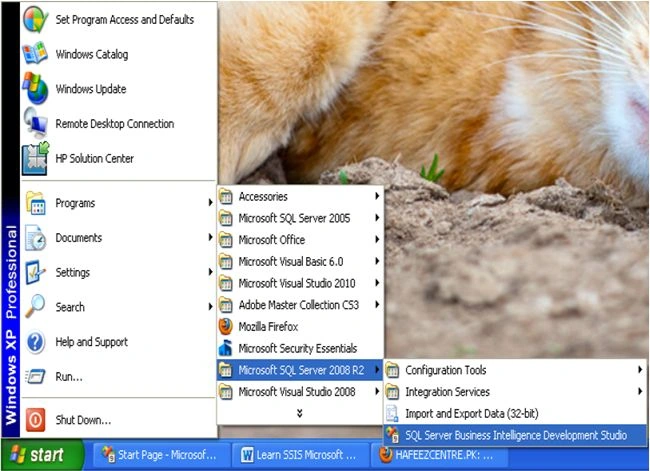
Step 2: Click on "File" -> "New" -> "Project...".
Select an Integration Services project in the New Project window and provide the appropriate name and location for the project. And click Ok. 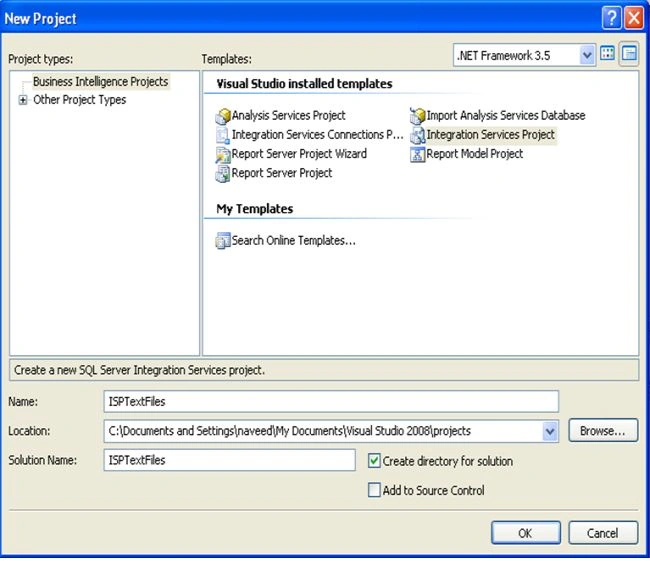
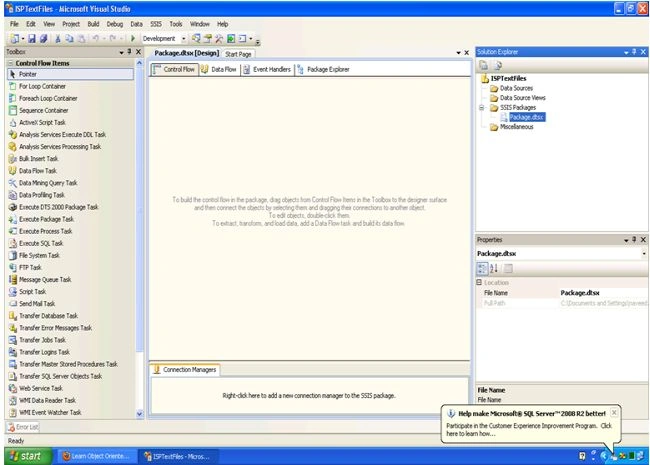
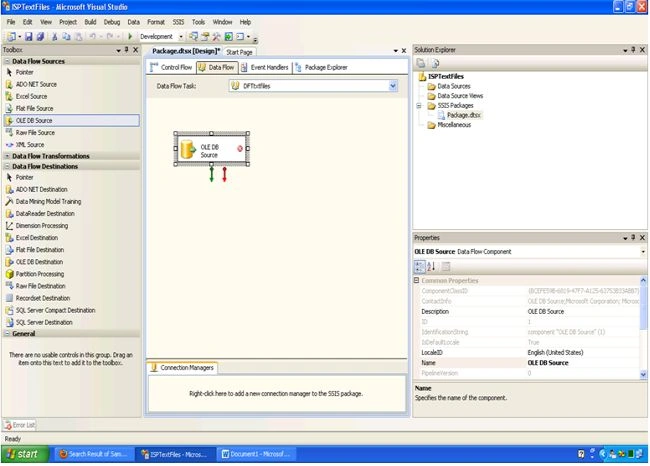
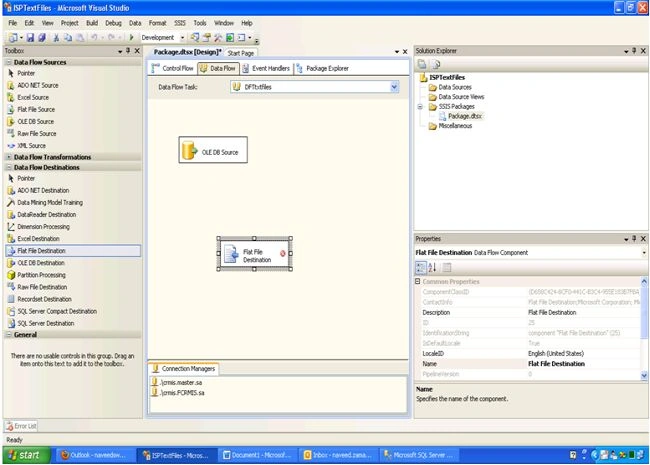
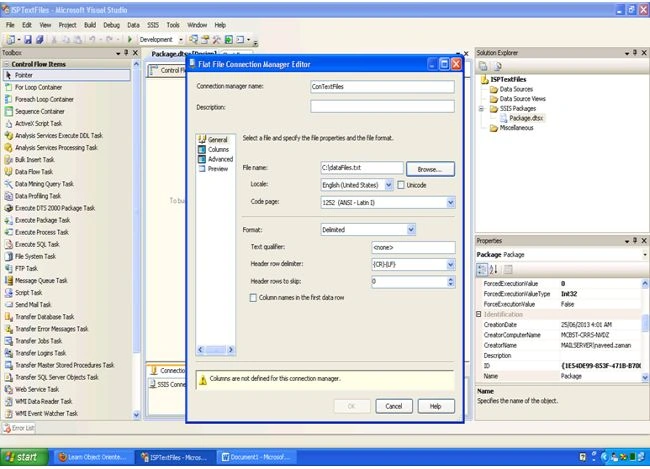
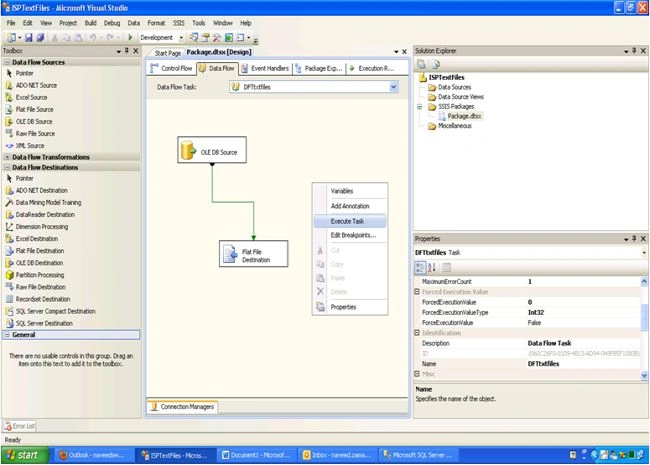
Step 3: The new project screen contains the following:
- Left side Tool Box bar
- Solution Explorer on upper right bar
- Property Window on lower right bar
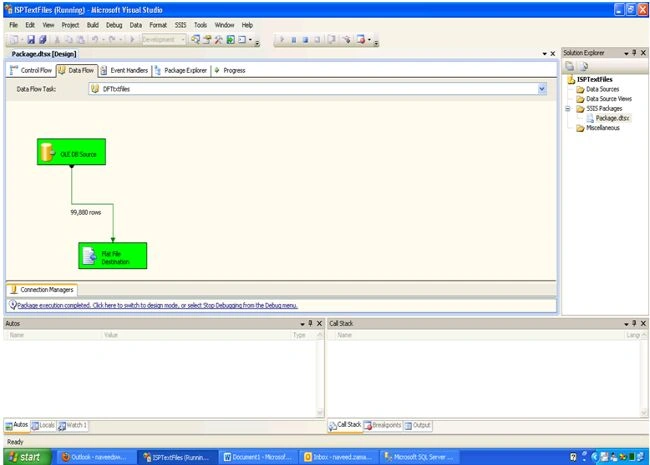
- Control flow, data flow, event Handlers, Package Explorer in tab windows
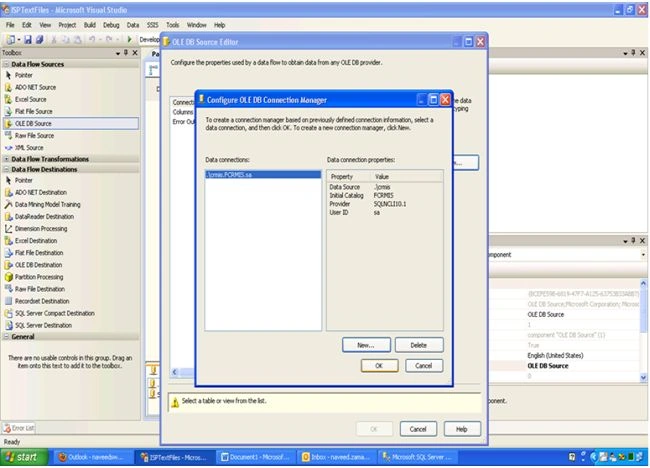
- Connection Manager Window in the bottom
Join the conversation! Your thoughts help the community grow.