

Introduction
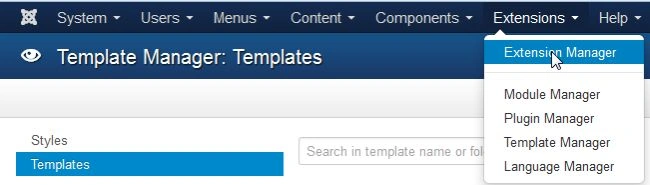
This article explains the management and installation of the Joomla template in PHP. The Joomla template is your theme and you manage the use of the Joomla extension manager settings and here you can install or remove a new template but Joomla provides by default three or four templates. When you want to use or install a new template or theme you can download it depending on your choice from http://docs.joomla.org/Main_Page and after downloading your template you will log into your site and click on your extension menu. Then select extension manager as in the following.
Click on the extension menu.

And the extension manager opens as in the following.
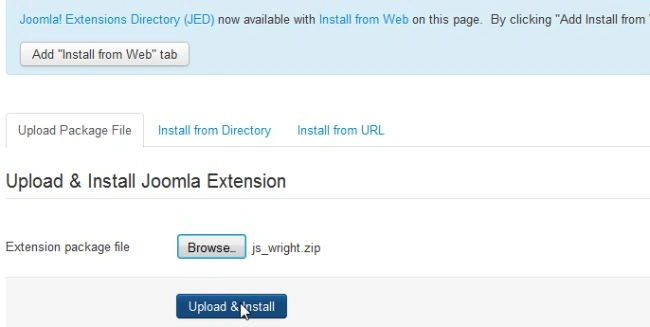
After clicking on the extension manager, open your extension manager settings window then click on the browse button and choose your downloaded template package.

Click on the button to upload and install.
It will then display a message indicating a successful installation.

And now follow the next step to select the template manager option.
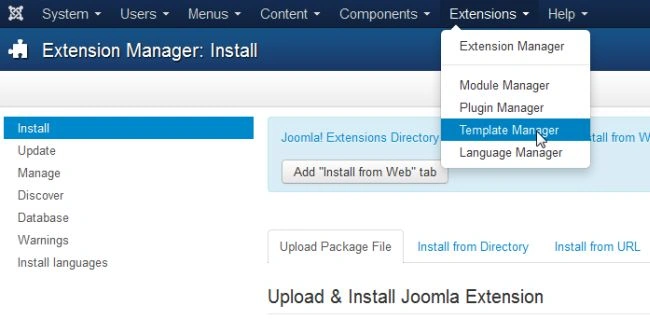
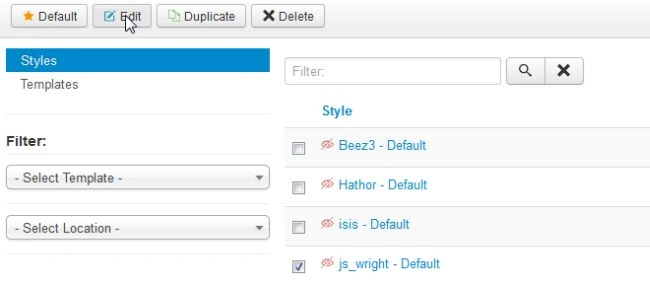
And choose your template and check it as in the following:

Then click on the edit option and open your template details window.
and the option next is to select the menu assignment and check your menu as in the following:
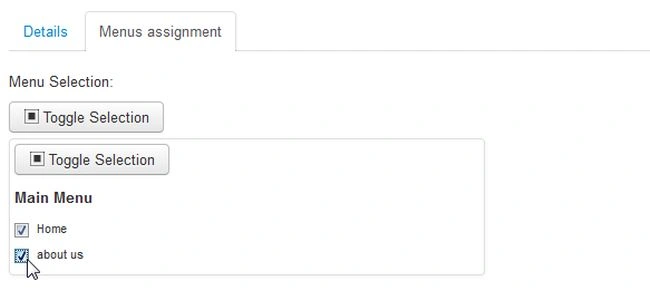
Finally click on the save button.

And in the next configuration again go into the extension manager and choose your template and check it then click on the enable button as in the following:

Finally your new template is installed and the old template is disabled as in the following:

New template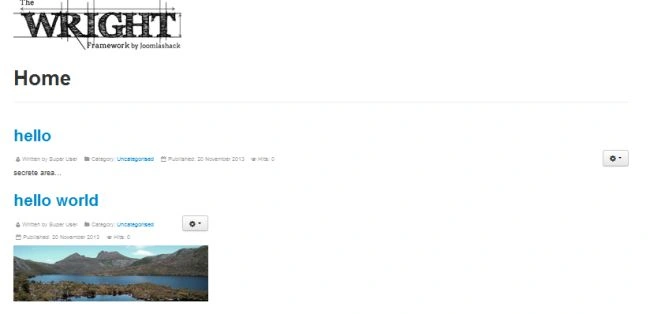
You can install any template or theme in Joomla using the tricks given above.
Join the conversation! Your thoughts help the community grow.