Article Description:
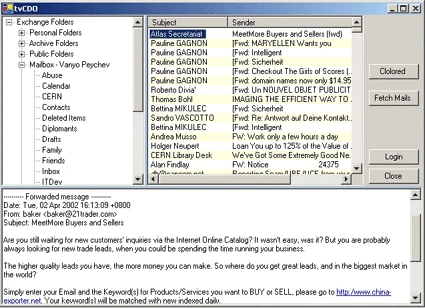
This code demonstrates how to access mail messages from E2K Server and view it in appropriate view.
I use TreeView for mail folder and ListView to display a major parts for every message. You can to see the mail only by click it.
If you want to use this code, you should to refer to CDO.DLL first. To done this you should done the following:
1. From Project->Add Reference...
2. Click Browse button and select CDO.DLL from C:\Program Files\Common
Files\System\Mapi\1033 - this assembly was installed with MS Outlook
Express.
3. Click OK button to ensure the choice.
4. Run application.
Full source included.
If you have any questions, please send me e-mail:
[email protected].

Join the conversation! Your thoughts help the community grow.