

It’s been some time I have posted an article in this series. I will try to keep writing this series and complete it soon. Today, I will be covering the day 8 topics of the MS Flow series. If you have not checked my previous posts about Microsoft Flow, I would recommend you to have a look at it. Links to the previous posts are given below.
- Day 1: Flow Templates, Connectors, Triggers, Actions, Conditions
- Day 2: The famous Twitter flow, My Flows, Team Flows, Share a Flow
- Day 3: Flow in Mobiles - Debug a flow, export and import a flow
- Day 4: Approval Flow (sequential and parallel)
- Day 5: Flow with SharePoint on-prem (Gateways)
- Day 6: Flow vs logic apps
- Day 7: Flow with custom applications web services
- Day 8: Flow with Graph API
- Day 9: Flow with Cognitive services
- Day 10: Flow Administration and DLP, Pricing etc.
A few points before moving to the topic.
Microsoft Flow is an online service that helps in connecting various apps and services. And those include Microsoft products like SharePoint, Dynamics, Excel, Power BI etc... and non-Microsoft services like Twitter, Facebook, Mail Chimp, etc.
Today, I will be explaining how Graph API can be invoked from Microsoft Flow. This will help in writing a Flow instead of a full-blown custom application to interact with O365 products.
Before going into the solution, we will see what Microsoft Graph is.
Microsoft Graph API
As per the standard definitions from the Microsoft Docs - Microsoft Graph is the gateway to data and intelligence in Microsoft 365. Microsoft Graph provides a unified programmability model that you can use to take advantage of the tremendous amount of data in Office 365, Enterprise Mobility + Security, and Windows 10.
Microsoft Graph exposes REST APIs and client libraries to access data on the following,
- Azure Active Directory
- SharePoint, OneDrive, Outlook/Exchange, Microsoft Teams, OneNote, Planner, and Excel
- Enterprise Mobility and Security services: Identity Manager, Intune, Advanced Threat Analytics, and Advanced Threat Protection.
- Windows 10 services: activities and devices
- Education
The simple way to put it is, if the application you built is going to access different services of O365, we don’t have to have different kinds of API calls to handle it. If you are comfortable with the endpoints of this Graph API, then it is going to be a “Swiss Army Knife” in your toolkit.
To understand more about the Graph API, please go through C# corner articles regarding the same topic. There are plenty available that deals with the basics. Sample here
Graph Explorer
Graph Explorer helps in constructing the API calls. The below link takes you to the Graph Explorer, from where you can build your API endpoints and test in on-the-go.
https://developer.microsoft.com/en-us/graph/graph-explorer
In this article, we will try to call and consume the Graph endpoints for SharePoint. But it is not limited to SharePoint only. We can access almost all the services in O365. Even though not all the operations are provided, Graph API is still an evolving member of the O365 Suite and it will be good enough to handle everything in the near future.
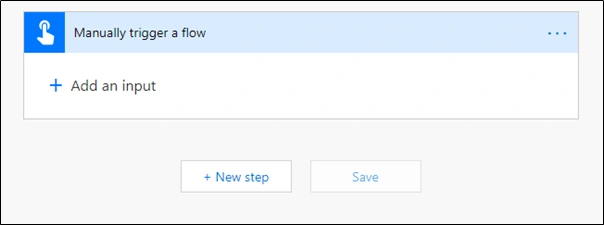
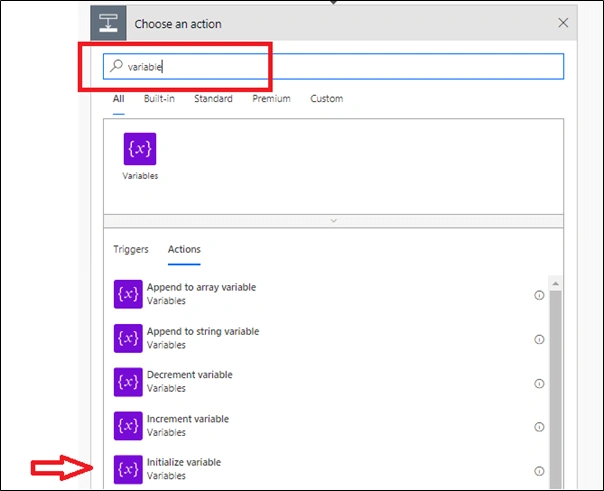
Building the flow
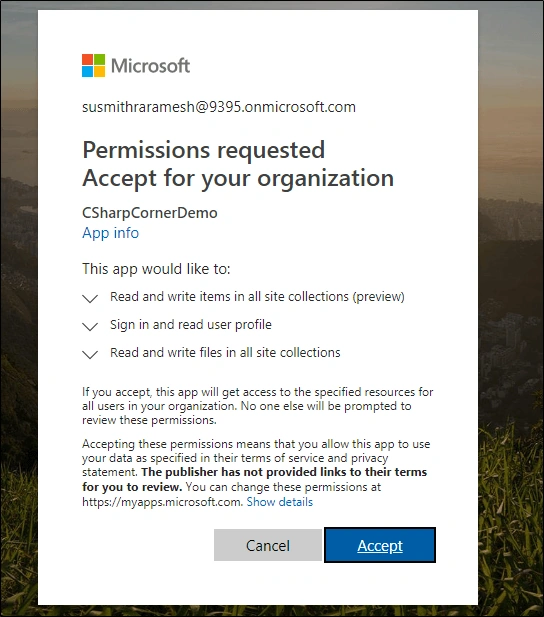
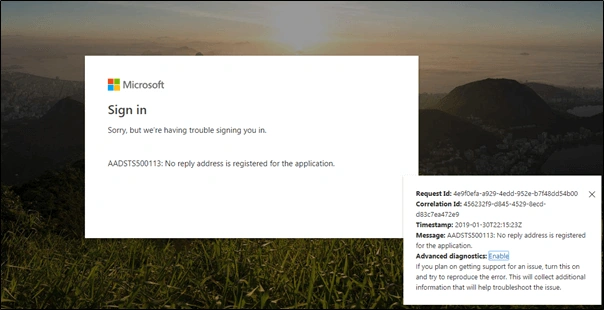
Now, we will build the Flow which can be used to query the other O365 services. For this flow to query all the services in the whole O365 suite, it has to be registered in the tenant level. This helps in providing the authentication for the flow to query the other services.
App registration can be done in 2 ways.
- Azure Portal (v1.0 end point)
- App Registration Portal (v2.0 end point)
There are pros and cons between the endpoints and that is for another day. If details are needed, please check the official docs here that compare both of these. I am going to opt for the second way of registering which is adhering to the v2.0 endpoint– App Registration Portal.
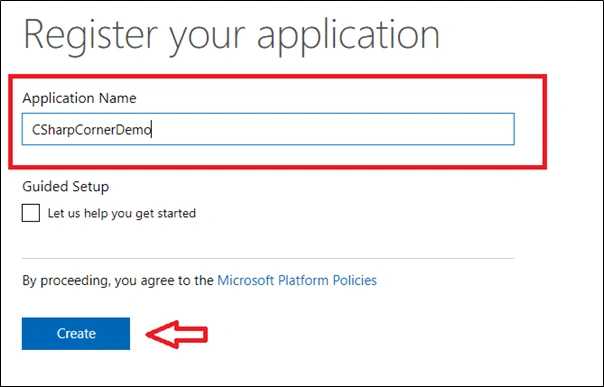
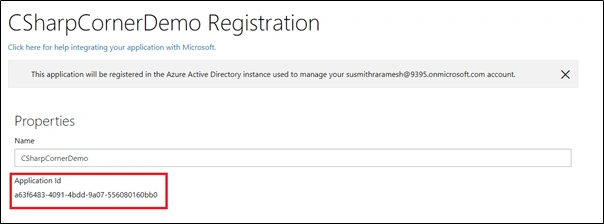
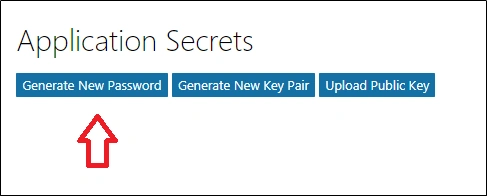
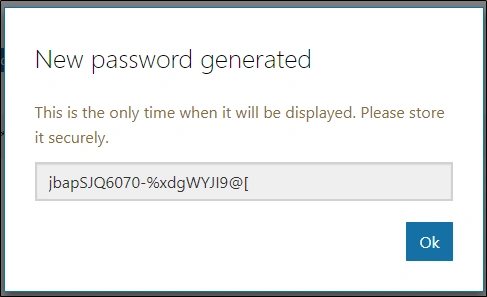
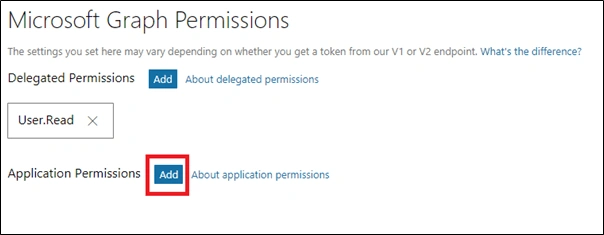
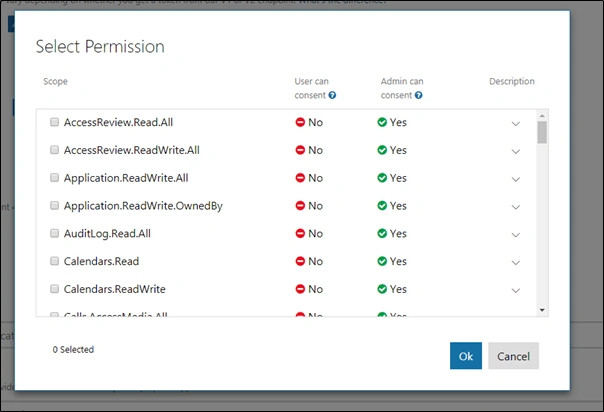
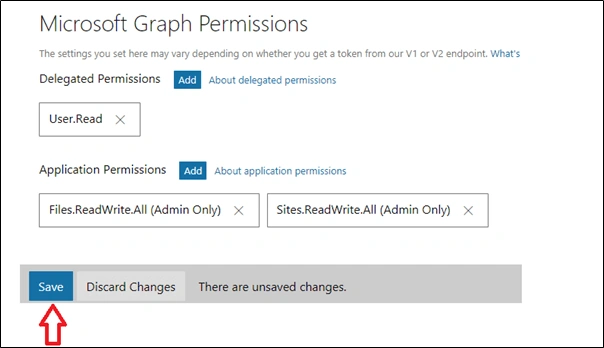
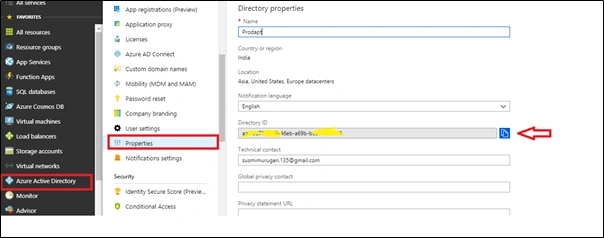
Navigate here. It will ask for a sign-in. Once done, we get to the home page. All existing apps will be displayed here.
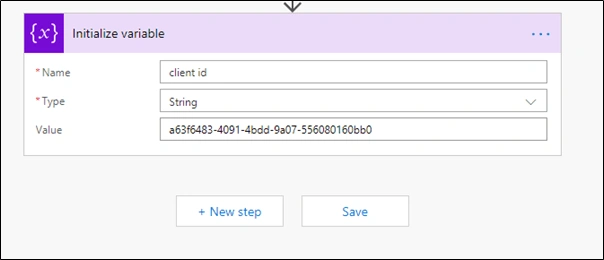
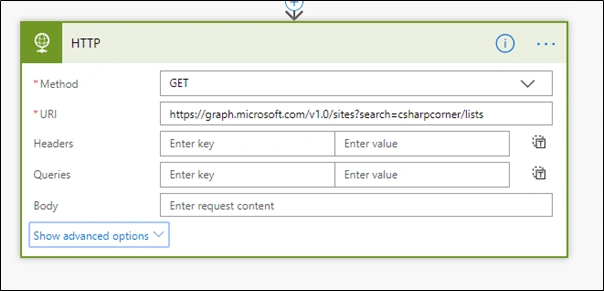
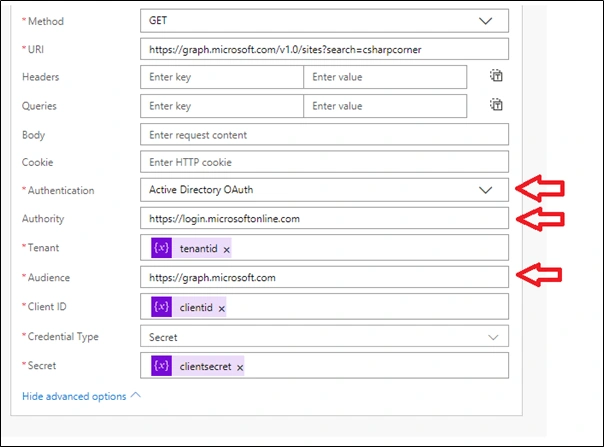
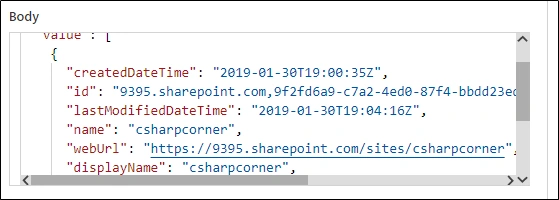
Gayathry VannadilPosted Jan 25, 2021, 6:56 AM
Hi Chandru, excellent article.. i am looking for some help with Flows...can you help me with a detailed training?
Bally KehalPosted May 21, 2019, 12:03 PM
Hi Chandu i am lookign for some help with Flows...will you be interested?
Chandru DPosted Feb 22, 2019, 11:43 AM
Thanks Jeeva for following the articles
jeeva srPosted Feb 22, 2019, 3:50 AM
Good one. Appreciated !