

Hello Friends, this article is basically an updated version of my previous article, if you haven't look at it kindly go through the following link:
In the article above there is an issue that the client is unable to determine what has happened to his request, in other words there is no response from the server to the client about his request status. Now in this article we will try to implement a two way communication between the server and the client, in other words whenever the client sends a request to the server, let the server be available or if not then the client request will be maintained in a MSMQ queue and whenever the server becomes available the client request is processed and a status of the request is sent as a response to the client for it. In this case also it may be possible that the client may not be always be available. If the client is not available then the response from the server will be maintained in some other queue and whenever the client becomes available he or she will be able to see the response from the server. This scenario can be implemented by making a transactional queue. In the previous article we created a non-transactional queue. There are various benefits if we create a transactional queue, they are:
- Message request or response will be delivered once.
- Messages are stored in the queue until the client or server becomes available.
- Making use of transactions ensure that the failed messages are totally rolled back to that particular client.
- It supports all transaction features such as automatic commit or rollback if any message fails.
- We can use Distributed Transaction Management.
- For implementing the MSMQ Transactional mode we must set the following things:
- For making MSMQ queue transactional we must set the second parameter of the MessageQueue.Create method to true in the code file.
- In the app.config file we must set the exactlyOnce attribute to true for transactional queues.
- Also in operation contract behavior we must set the following attribute [OperationBehavior(TransactionAutoComplete = true, TransactionScopeRequired = true)] that specifies that the transaction must execute inside the same transaction scope and once finished executing should commit automatically.
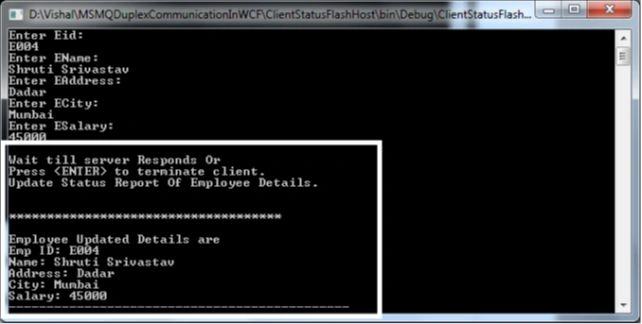
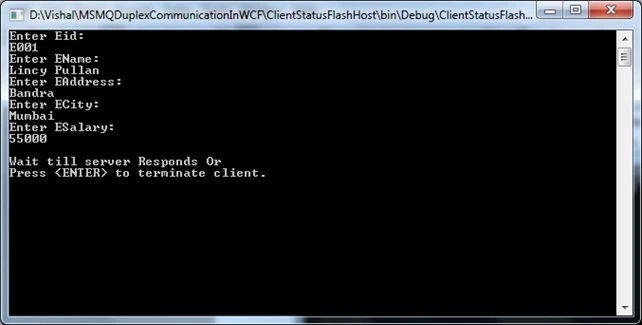
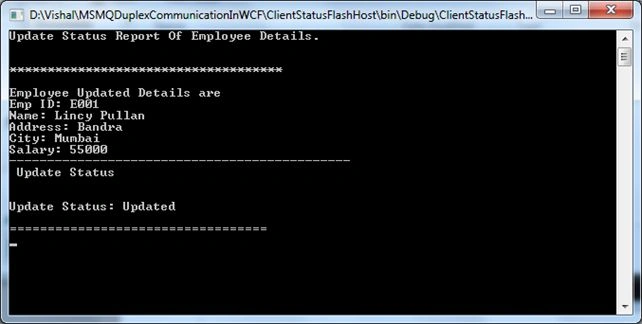
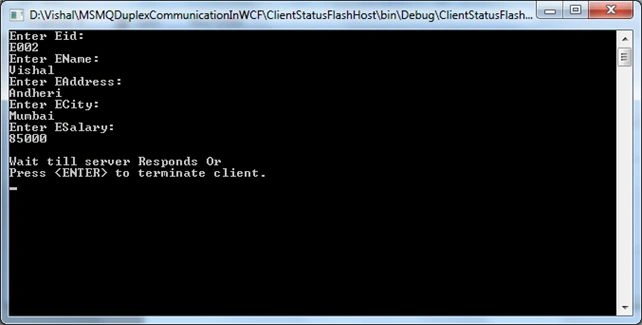
Now moving towards our topic, what we are going to implement is that we are having a table in my Oracle Database with the name Employee that has certain fields such as (Empid, Name, Address, City and Salary). Now there will be various clients who will try to update their respective records. The client will send their update to the server and upon the successful update of the record the client should get a response from the server that their record has been updated. Now in either of the cases i.e. (client sending an update request to the server or the server sending a response to the client) it may happen that either of the partys may not be available. So when that happens we can use a MSMQ transactional queue to maintain the request and responses of various clients to the server and vice versa.
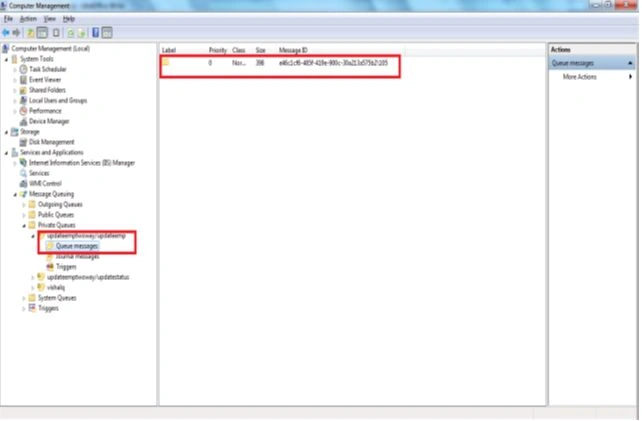
Now to maintain the request of the server and responses from the client we need to maintain two separate queues, one for the request (used by the server to check for requests from clients) and another for responses (used by the client to get the status of their response). There will be two hosts in our application one will be taking care of the server side MSMQ queue requests of the client's and the other will be at the client side that will be responsible for displaying or fetching the responses of the server stored on the client's MSMQ queue. In other words, whatever the client request is, it will be stored on the server's MSMQ queue and whatever the server's response is, it will be stored on the client's MSMQ queue. With this concept, if either of the partys are not available then the request or response will be stored in the respective server or the client's queue and later on when either of the unavailable partys become available it will do further processing of the request or response accordingly.
Points to keep in mind
- There will be two MSMQ queues that will be used by the server and client respectively for fetching the request (in the case of a server) and for displaying the message (in the case of clients).
- There will be two service hosts, one will be at the server side (the actual server that will update the data in the database) and the other will be at the client side that will display the status of the response of what had happend to his request.
- Both the server and the client service host will be tied up. i.e both will be referencing each other so that they can transfer messages to each other and the messages can be displayed on their respective screens.
- In this case referencing means both will have the WSDL of each other's service. As I said, there will be two services, one will be the actual server that will take care of updating the record in the database and the other will be the client server where the status of the update will be displayed.
- All the operation contracts under both services will be executed in the transactional mode to maintain reliability and consistency.
- Now in the following I'm providing the name of the servers and their service contract, operation contract and their host server names.
- For Server Side We have used EmpService that implements IEmployee Service contract that contains UpdateEmployeeDetails as the operation contract.
- For ClientFlashStatus We have used FlashStatusService that implements an IFlashStatus Service Contract that contains UpdateStatus as the operation contract.
- EmpUpdateServer (the actual Server) is the server that will be hosting our EmpService.
- FlashStatusHost (the client Server) will be the server that will be hosting our FlashStatusService.
- So the hierarchy of our application is something like the following:
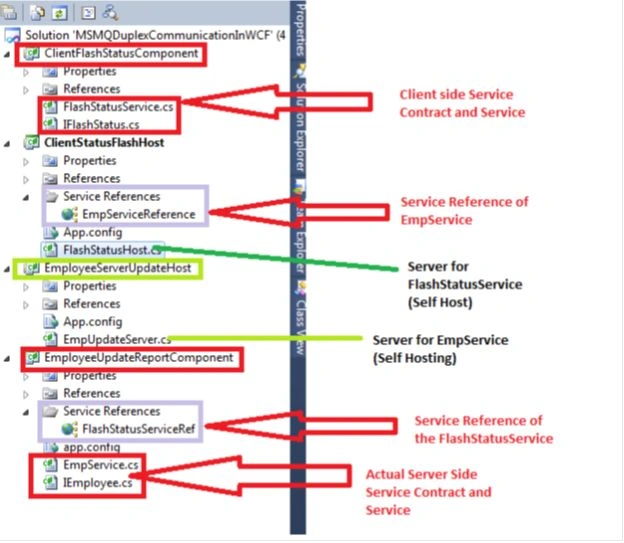
Now if you are familiar with what we are going to do we can move further with our code explaination. I'll try to maintain my explaination as simple as I can. We'll try to complete the demo through a number of steps.
I. Oracle Table, Procedures
Procedures
- CREATE TABLE HQM_ADMIN.EMPLOYEE
- (
- EMPID VARCHAR2(20 BYTE),
- NAME VARCHAR2(30 BYTE),
- ADDRESS VARCHAR2(30 BYTE),
- CITY VARCHAR2(30 BYTE),
- SALARY NUMBER
- )
- --Procedure for checking employee existence.
- CREATE OR REPLACE procedure HQM_ADMIN.prc_CheckEmployeeExists
- (
- v_eid varchar,
- v_exists out varchar
- )
- as
- v_count number:=0;
- begin
- select count(*) into v_count from Employee where Empid=v_eid;
- if(v_count>0)
- then
- v_exists:='true';
- else
- v_exists:='false';
- end if;
- end;
- //Procedure for updating a record in the table.
- CREATE OR REPLACE procedure HQM_ADMIN.prc_UpdateEmpDetails
- (
- eid varchar,
- ename varchar,
- eadd varchar,
- ecity varchar,
- esal number
- )
- as
- begin
- update employee
- set Name=ename,Address=eadd,City=ecity,Salary=esal
- where empid=eid;
- end;
1. First of all for creating any WCF app as we all know we require a service contract and a service. The following is the code for that. I've created a service contract with the name IEmployee (which basically has one "OperationContract(IsOneWay=true)" named UpdateEmployeeDetails) and a service with the name EmpService that implements an IEmployee service contract.
IEmployee service contract
- using System;
- using System.Collections.Generic;
- using System.Linq;
- using System.Text;
- using System.ServiceModel;
- namespace EmployeeUpdateReportComponent
- {
- [ServiceContract]
- public interface IEmployee
- {
- [OperationContract(IsOneWay = true)]
- void UpdateEmployeeDetails(string eid, string ename, string eadd, string ecity, double salary, string reportUpdateStatusTo);
- }
- }
EmpService.cs
- using System;
- using System.Collections.Generic;
- using System.Linq;
- using System.Text;
- using System.Data;
- using System.Transactions;
- using System.ServiceModel;
- using System.Data.OracleClient;
- //FlashStatusService Reference added by downloading the wsdl of FlashStatusService
- using EmployeeUpdateReportComponent.FlashStatusServiceRef;
- namespace EmployeeUpdateReportComponent
- {
- public class EmpService : IEmployee
- {
- private string _dbCon = "DATA SOURCE=XXX;WORD=XXX;PERSIST SECURITY INFO=True;USER ID=XXX";
- OracleConnection con;
- OracleCommand cmd;
- //Specifying that the Operation should execute inside a transaction and should automatically commit itself if successfull.
- //The Transaction will be a distributed transaction in this case.
- [OperationBehavior(TransactionAutoComplete = true, TransactionScopeRequired = true)]
- public void UpdateEmployeeDetails(string eid, string ename, string eadd, string ecity, double esalary, string reportUpdateStatusTo)
- {
- Console.WriteLine("Processing Employee: " + eid + " details");
- con = new OracleConnection(_dbCon);
- if (CheckEmployeeExists(eid, con))
- {
- cmd = new OracleCommand("prc_UpdateEmpDetails", con);
- cmd.CommandType = CommandType.StoredProcedure;
- cmd.Parameters.AddWithValue("eid", eid);
- cmd.Parameters.AddWithValue("ename", ename);
- cmd.Parameters.AddWithValue("eadd", eadd);
- cmd.Parameters.AddWithValue("ecity", ecity);
- cmd.Parameters.AddWithValue("esal", esalary);
- con.Open();
- int rows = cmd.ExecuteNonQuery();
- con.Close();
- //Reference of FlashStatusService to display the status of the update to the respective Employee.
- FlashStatusClient flashClient = new FlashStatusClient(new NetMsmqBinding(), new EndpointAddress(reportUpdateStatusTo));
- //use the same transaction scope for returning the status to the user.
- using (TransactionScope scope = new TransactionScope(TransactionScopeOption.Required))
- {
- string updateStatus = rows > 0 ? "Updated" : "Pending";
- //calling the flash status UpdateStatus operation contract to display a status to the client for his/her request by sing the necessary parameters.
- flashClient.UpdateStatus(eid, ename, eadd, ecity, esalary, updateStatus);
- //Commit the Transaction
- scope.Complete();
- Console.WriteLine("Done Processing Of Employee: " + eid);
- }
- }
- }
- /// <summary>
- /// This function check whether the employee exists in the table or not and return a boolean value.
- /// </summary>
- /// <param name="eid">Emp Id</param>
- /// <param name="con">OracleConnection object</param>
- /// <returns>True or False</returns>
- private bool CheckEmployeeExists(string eid, OracleConnection con)
- {
- if (con.ConnectionString == "")
- con = new OracleConnection(_dbCon);
- cmd = new OracleCommand("prc_CheckEmployeeExists", con);
- cmd.CommandType = CommandType.StoredProcedure;
- cmd.Parameters.AddWithValue("v_eid", eid);
- OracleParameter para = new OracleParameter();
- para.ParameterName = "v_exists";
- para.Size = 10;
- para.OracleType = OracleType.VarChar;
- para.Direction = ParameterDirection.Output;
- cmd.Parameters.Add(para);
- con.Open();
- OracleDataReader dr = cmd.ExecuteReader();
- string returnValue = para.Value.ToString();
- con.Close();
- if (returnValue != "" && returnValue == "true")
- return true;
- else
- return false;
- }
- }
- }
3. Now we will try to create a server (Self Hosted) for our EmpService, in our case "EmployeeServerUpdateHost" will be our host.
- using System;
- using System.Collections.Generic;
- using System.Linq;
- using System.Text;
- using System.Messaging;
- using System.Transactions;
- using System.Configuration;
- using System.ServiceModel;
- using EmployeeUpdateReportComponent;
- namespace EmployeeServerUpdateHost
- {
- class EmpUpdateServer
- {
- static void Main(string[] args)
- {
- //read the queueName specified in the AppSettings of the App.Config file.
- string queueName = ConfigurationManager.AppSettings["queueName"].ToString();
- //Check for queue existence if it does not exists then create the queue.
- if (!MessageQueue.Exists(queueName))
- {
- //Here we are creating a queue with the specified queue name
- //and making the queue as transactional by specifying true in the second parameter
- MessageQueue.Create(queueName, true);
- }
- using (ServiceHost host = new ServiceHost(typeof(EmpService)))
- {
- host.Open();
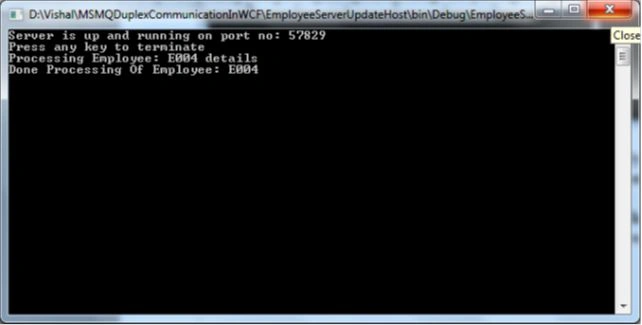
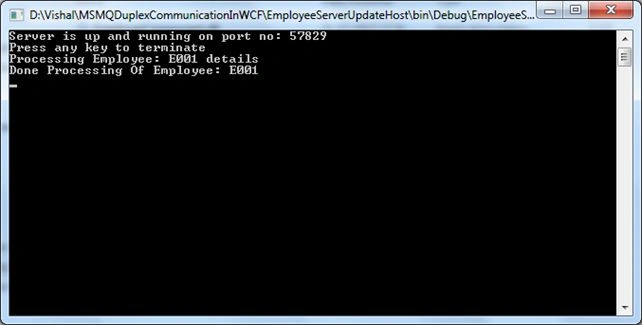
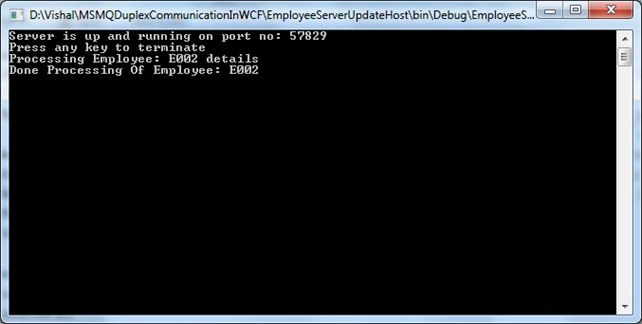
- Console.WriteLine("Server is up and running on port no: 57829");
- Console.WriteLine("Press any key to terminate");
- Console.ReadKey();
- host.Close();
- }
- }
- }
- }
- <?xml version="1.0" encoding="utf-8" ?>
- <configuration>
- <appSettings>
- <!-- Use appSetting to configure MSMQ queue name. -->
- <add key="queueName" value=".\private$\UpdateEmpTwoWay/UpdateEmp" />
- </appSettings>
- <system.serviceModel>
- <diagnostics performanceCounters="All" />
- <services>
- <service name="EmployeeUpdateReportComponent.EmpService" behaviorConfiguration="myBehavior">
- <!--Address attribute specifies the name of the MSMQ Queue.-->
- <endpoint name="msmqTransactionEndpoint" address="net.msmq://localhost/private/UpdateEmpTwoWay/UpdateEmp" binding="netMsmqBinding"
- bindingConfiguration="myMSMQ" contract="EmployeeUpdateReportComponent.IEmployee"/>
- <endpoint address="mex" binding="mexHttpBinding" contract="IMetadataExchange"/>
- <host>
- <baseAddresses>
- <add baseAddress="net.msmq://localhost/private/"/>
- <!--Both Mex and HttpBinding uses http://localhost:8888 port-->
- <add baseAddress="http://localhost:57829"/>
- </baseAddresses>
- </host>
- </service>
- </services>
- <bindings>
- <!--The property exactlyOnce=false means that i am using non transactional queue. The property is by default true.-->
- <netMsmqBinding>
- <binding name="myMSMQ" exactlyOnce="true" receiveErrorHandling="Move">
- <!--If we donot set the security mode to none then the following error occurs. -->
- <!-- Binding validation failed because the binding's MsmqAuthenticationMode property is set to -->
- <!-- WindowsDomain but MSMQ is installed with Active Directory integration disabled. -->
- <!-- The channel factory or service host cannot be opened.
- -->
- <security mode="Transport"/>
- </binding>
- </netMsmqBinding>
- </bindings>
- <behaviors>
- <serviceBehaviors>
- <behavior name="myBehavior">
- <serviceMetadata httpGetEnabled="true"/>
- <!--This is for enabling an exception-->
- <serviceDebug includeExceptionDetailInFaults="true"/>
- </behavior>
- </serviceBehaviors>
- </behaviors>
- </system.serviceModel>
- </configuration>
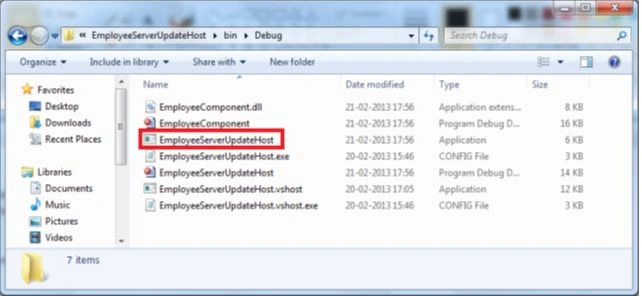
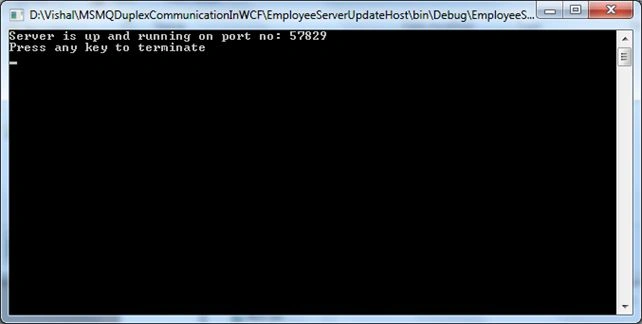
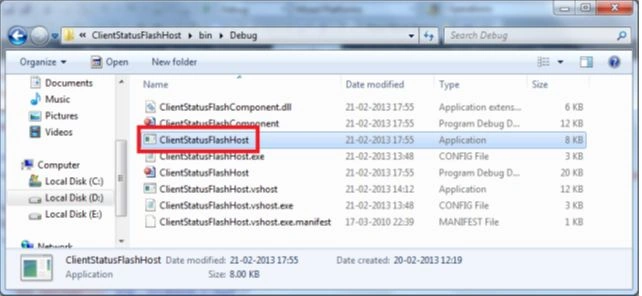
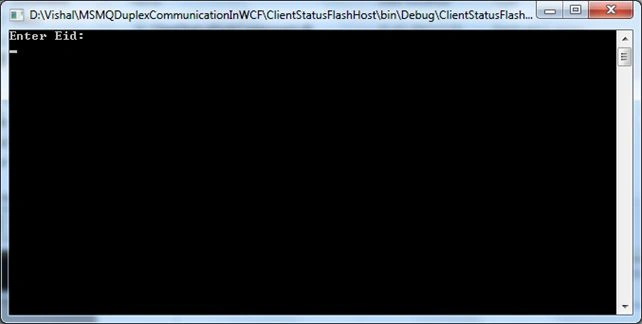
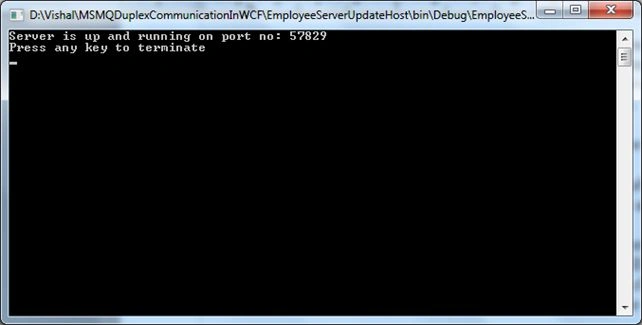
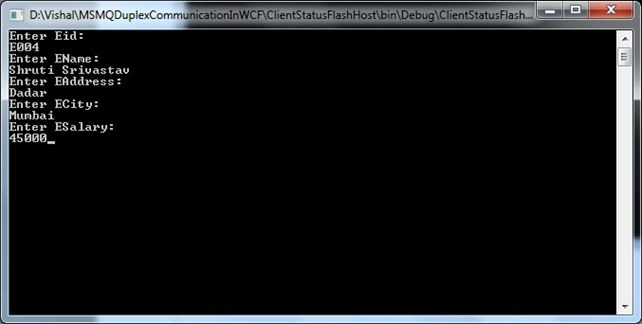
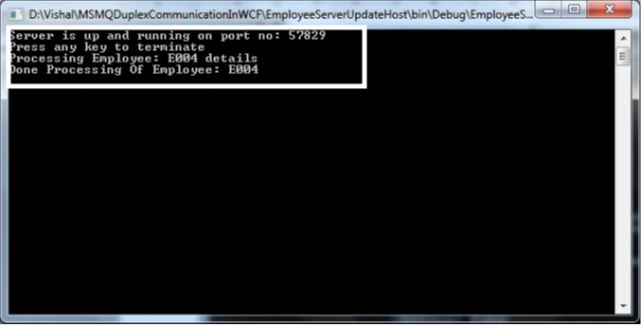
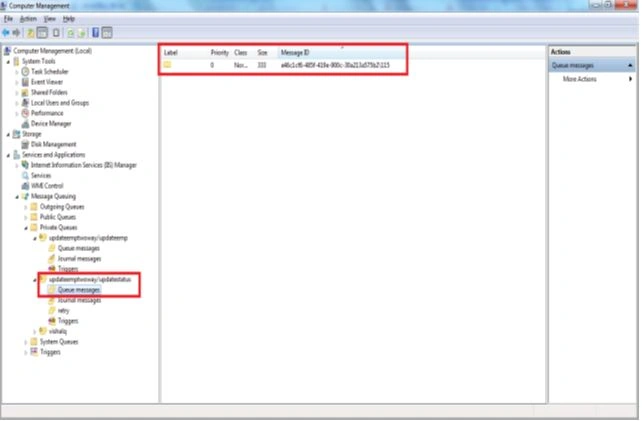
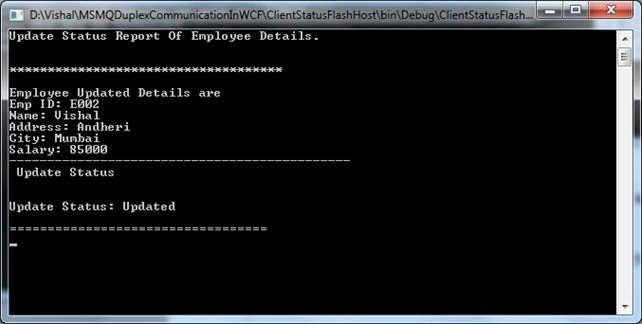
Ian MorataPosted Jul 4, 2016, 9:44 PM
Nice article. Can we do this in MVC as the client? I'm getting "Could not find a base address that matches scheme http for the endpoint with binding MetadataExchangeHttpBinding. Registered base address schemes are []" when executing: ServiceHost host = new ServiceHost(typeof(ClientStatusService)); everything works fine when I'm using console/winForm as the client.
Rosi Sreenivasa ReddyPosted Sep 7, 2013, 5:39 AM
can you the same application by using sql server 2008
Jeetendra GundPosted Sep 5, 2013, 3:50 AM
please tell me..
Jeetendra GundPosted Sep 5, 2013, 3:49 AM
Binding validation failed because the binding's MsmqAuthenticationMode property is set to WindowsDomain but MSMQ is installed with Active Directory integration disabled. The channel factory or service host cannot be opened. this error in line objClient.UpdateEmployeeDetails(eid, ename, eaddress, ecity, esalary, "net.msmq://localhost/private/UpdateEmpTwoWay/UpdateStatus");
pramod lavtePosted Jul 19, 2013, 12:32 AM
Vishal Thanks ..............you are the cool dude
sdPosted Jul 18, 2013, 10:34 AM
No worries. Got it fixed. Another service was running at the same port. Thank.
sdPosted Jul 18, 2013, 10:10 AM
Nice Article. I have an issue where I am not able to add service references as you mentioned in your article as both depend on each other. I am not able to create an executable due to errors, Am I missing any step in between that you explained? what should be the order of crating these 4 components? Please explain.
Vishal GilbilePosted Mar 11, 2013, 6:40 AM
Thank you...
pramod lavtePosted Mar 11, 2013, 6:35 AM
Nice Article