

Introduction
Here are the steps for accessing network and internet options in Windows 10.
Step 1
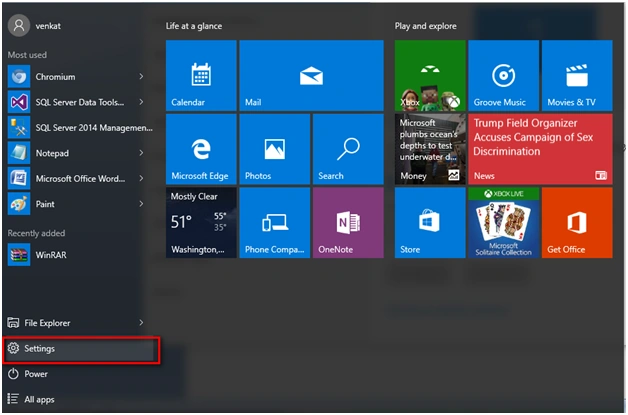
Go to "Settings" option in Windows 10.
Step 2
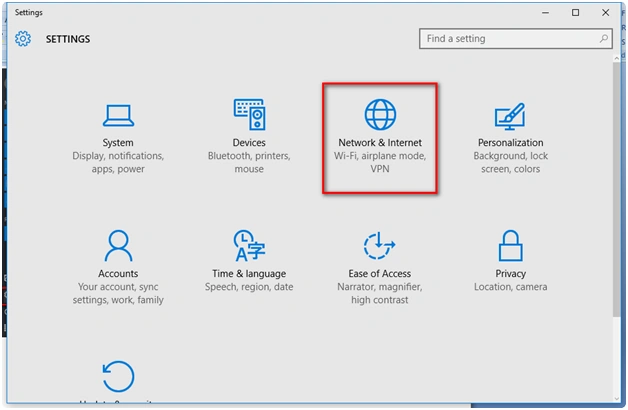
Under "Settings" go to "Network & Internet."
Step 3
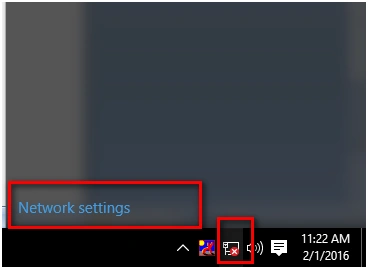
You can prefer the option of selecting the network icon in the System tray and click the option "Network settings."
Step 4
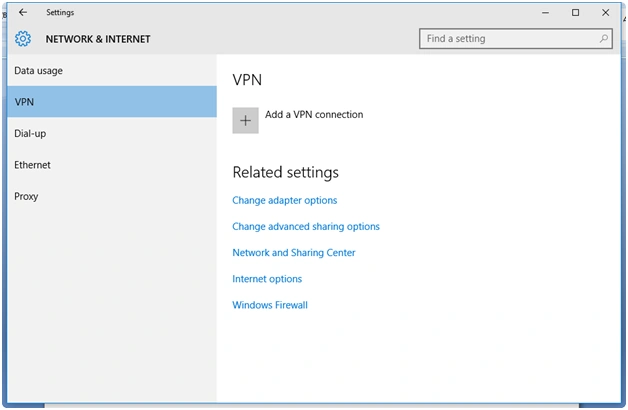
Under Settings, go to Network & Internet and then VPN.
Step 5
Select the "Internet options " to view the Internet options for the machine.

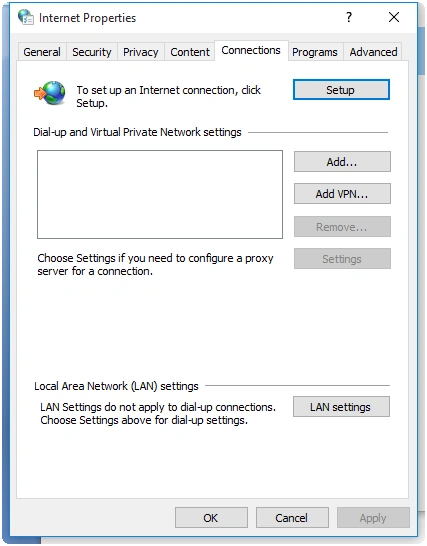
Step 6
To view the available networks click the option "Network and Sharing Center."
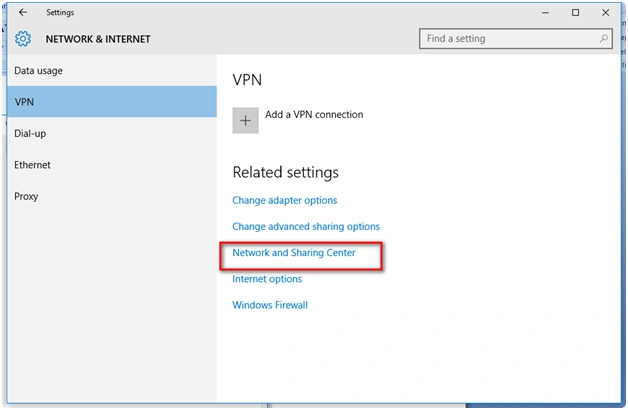
Step 7
Here is the Network and Sharing Center.
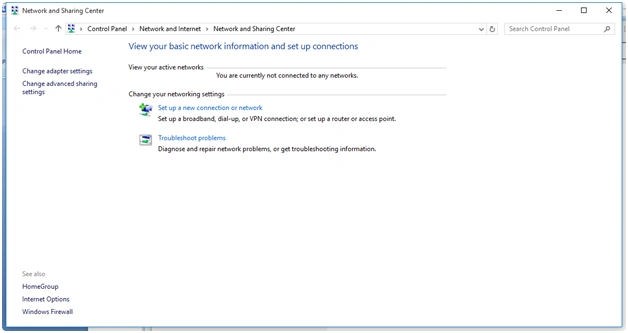
Step 8
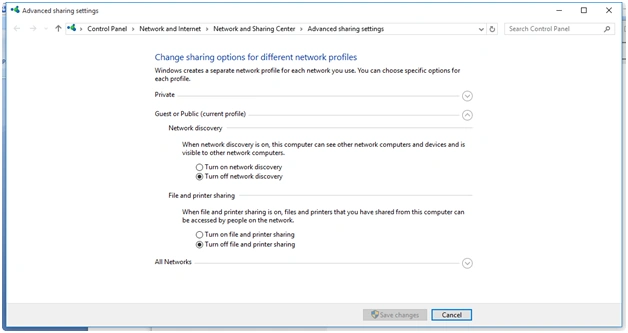
Here is the option for sharing data. The option is "Change advanced sharing options."
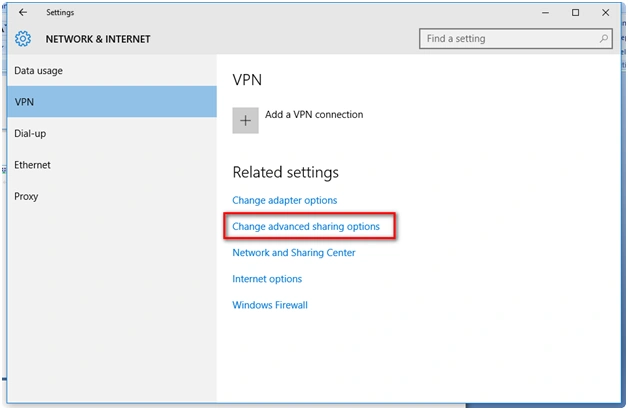
Step 9
This is the older option which most of Windows users know controls the Windows sharing option.
Read more articles on Windows 10:
Summary
In this article, we learned about Network And Internet Options In Windows 10.
Shubham KumarPosted Feb 22, 2016, 12:44 AM
nice
Saineshwar BageriPosted Feb 21, 2016, 11:05 PM
Nice one
Sibeesh VenuPosted Feb 21, 2016, 9:24 AM
Nice Share
Abhishek AroraPosted Feb 21, 2016, 9:20 AM
Nice demo....!!