Number Object Method In TypeScript: Part 3
Before reading this article, please go through the following articles:
-
-
Introduction
In TypeScript, the number object is an object wrapper for primitive numeric values. If the value parameter cannot be converted into a number, it will be returned as NaN. There are four methods of the number object that format the display of the numerical values.
In this article, I am describing the TypeScript toPrecision number method.
toPrecision() Method
In TypeScript the toPrecision() method is used to return a numeric string with the specified number of significant digits. The result may be in an exponential format. If the precision is not provided then it returns the same result as toString().
Syntax
- array.toPrecision(precision)
precision: is an optional parameter specifying the number of significant digits. If this parameter is omitted then it returns the entire number without formatting.
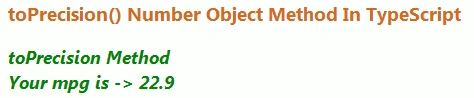
The following example shows how to use the toPrecision method in TypeScript. In this example, we get miles and gallons from the user. Then it calculates the MPG (Miles Per Gallon). It is displayed with three significant digits. For example, the result might actually be 22.857142857142858 but it will be displayed as 22.9.
Function
- toPrecision(miles: number, gallons: number) {
- var mpg = (miles / gallons);
- var span = document.createElement("span");
- span.style.color = "green";
- span.innerText = "toPrecision Method \n Your mpg is -> " + mpg.toPrecision(3) + "\n";
- document.body.appendChild(span);
- }
Complete Program
toPrecision.ts
- class ToPrecision_Method {
- toPrecision(miles: number, gallons: number) {
- var mpg = (miles / gallons);
- var span = document.createElement("span");
- span.style.color = "green";
- span.innerText = "toPrecision Method \n Your mpg is -> " + mpg.toPrecision(3) + "\n";
- document.body.appendChild(span);
- }
- }
- window.onload = () => {
- var obj = new ToPrecision_Method();
- var miles = parseFloat(prompt("Enter the miles"));
- var gallons = parseFloat(prompt("Enter the gallons"));
- obj.toPrecision(miles, gallons);
- };
toPrecision_MethodDemo.htm
- <!DOCTYPE html>
- <html lang="en"
- xmlns="http://www.w3.org/1999/xhtml">
- <head>
- <meta charset="utf-8" />
- <title>TypeScript HTML App</title>
- <link rel="stylesheet" href="app.css" type="text/css" />
- <script src="toPrecision.js"></script>
- </head>
- <body>
- <h3 style="color:chocolate">toPrecision() Number Object Method In TypeScript</h3>
- <div id="content"/>
- </body>
- </html>
toPrecision.js
- var ToPrecision_Method = (function() {
- function ToPrecision_Method() {}
- ToPrecision_Method.prototype.toPrecision = function(miles, gallons) {
- var mpg = (miles / gallons);
- var span = document.createElement("span");
- span.style.color = "green";
- span.innerText = "toPrecision Method \n Your mpg is -> " + mpg.toPrecision(3) + "\n";
- document.body.appendChild(span);
- };
- return ToPrecision_Method;
- })();
- window.onload = function() {
- var obj = new ToPrecision_Method();
- var miles = parseFloat(prompt("Enter the miles"));
- var gallons = parseFloat(prompt("Enter the gallons"));
- obj.toPrecision(miles, gallons);
- };
Output 1
Enter the miles and click on "Ok".
Output 2
Enter the gallons then click on the "Ok" button to calculate the MPG (with three significant digits).
Output 3




Join the conversation! Your thoughts help the community grow.