

Note: this article is published on 12/02/2024.
This series of articles is absolutely a AI product or byproduct. This article could be a new style of my articles: using AI result associated with my own understanding, for example, associated with StackBlitz | Instant Dev Environments, to make the article eazy to write and more readable.
- What is Node JS
- NVM --- Node Version Manager --- this article
- What is Angular
- Angular Installation and Environment Setup (written in 2021)
- Angular New Devlopment Site
- Why Angular
- Angular Versions
- What is React
Introduction
This article will discuss NVM --- Node Version Manager. Note: this article is not AI by-product.
- Introduction
- A - What is NVM?
- B - Install NVM on Windows
- C - NVM Commands
- Check Version
- Install Node
- List Installed Node versions
- Make a default Node Version
- Swich Node Version
A - What is NVM?
Node Version Manager (NVM) is a tool for managing Node versions on your device.
When we work on, say, angular project, different projects may be required to use different versions of Node. Using only one version of Node (the one installed by npm) for these different projects may not be enough to get accurate execution results.
Instead of using npm to install and uninstall Node versions for your different projects, we can use a Node manager tool to switch the node version from one to another. There are more than several different kind of tools for this purpose, see this for info:

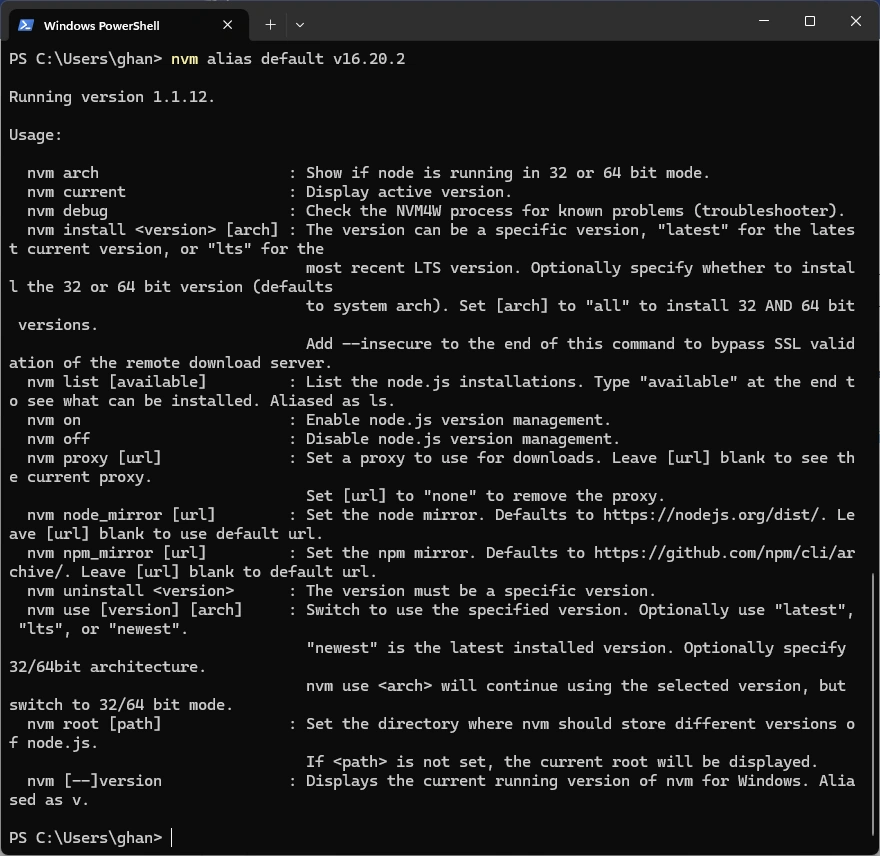
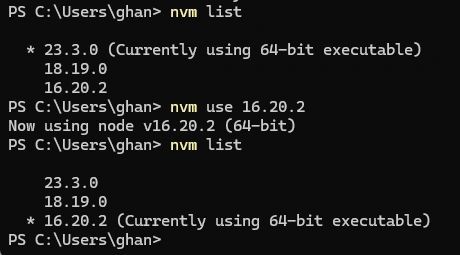
Join the conversation! Your thoughts help the community grow.