

Introduction
In this article, I'm going to explain most of the things related to Oqtane CMS. We'll cover, what is Oqtane CMS and why we need Oqtane CMS. And the most important thing is how to configure the Oqtane CMS. So let's start this article with what is Oqtane CMS.
What is Oqtane CMS?
Oqtane is developed by Mr. Shaun Walker, who is also the founder of DNN. According to the Oqtane organization, "Oqtane is an open source and cross-platform modular application framework for building single-page applications." Here we can easily understand that Oqtane is extremely helpful for single-page Application development. It has most of the necessary features that are really helpful for development. It provides support for in-build Oauth and open ID connect which are really helpful for your authentication, and you use them as per your requirement. It has multitenant support in its latest version. It also provides swagger UI support. So we can say that Oqtane is a framework that provides a lot of features for development. Next, I'm going to explain why we need Oqtane CMS.
Why do we need Oqtane CMS?
Whenever we need to develop a site, first we need to create a really good project structure to manage the files in an understandable manner. Second, we need to configure some necessary things that are required for a basic project like authentication and themes, and these all things take too much time in some cases, and it becomes very complex to configure. The solution to these all problems is to use a framework that provides these things ready to use or customizable based on our requirements. The next question is, which framework should we choose for the development and answer is it all depends on your requirements. You can use Ghost CMS or Oqtane CMS, or any other one. Here are some really awesome features that are provided by Oqtane.
Features of Oqtane
- Multi-Tenant support
- Cross Platform
- Composite UI - By using composite UI anyone who is Admin can create a page with the help of old components.
- Themes
- Modules
So if you want to use Oqtane then the first question that comes to mind is how we can use Oqtane for rapid development. So let's find out.
How to Configure Oqtane?
First, we need to install SQL server and SSMS for database connectivity.
Second, we need to install and configure IIS. After installation, we need to follow these steps to configure it for Oqtane
Step 1
Search for Turn windows features on or off you will see the following window.
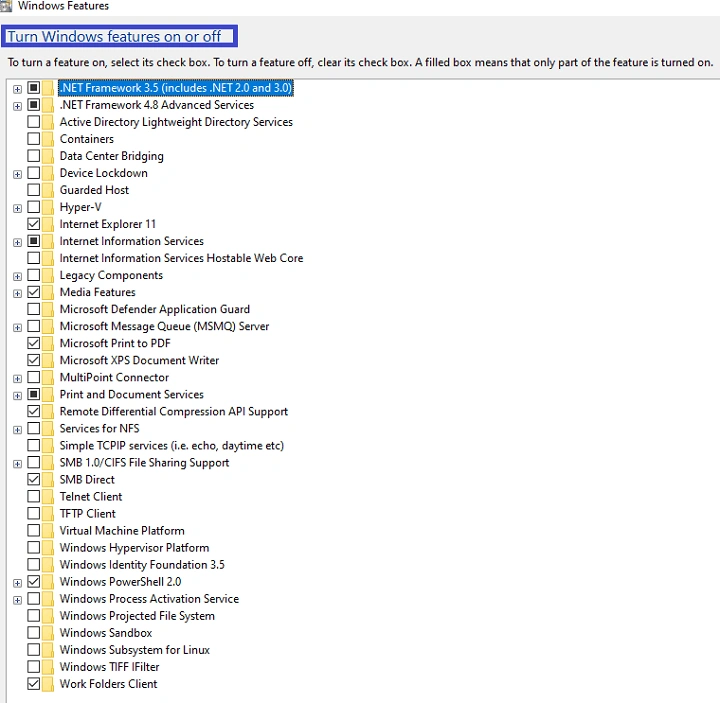
Figure-Turn windows feature on or off
Step 2
Click on Internet Information Services, then click on the web management tool and check the IIS Management Console. Then click on world wide web services, and under word wide web services click on application development features, now check the WebSocket Protocol. Next, click on the Common HTTP Features and check the following checkbox
- Default Document
- Directory Browsing
- HTTP Errors
- HTTP Redirection
- Static Content
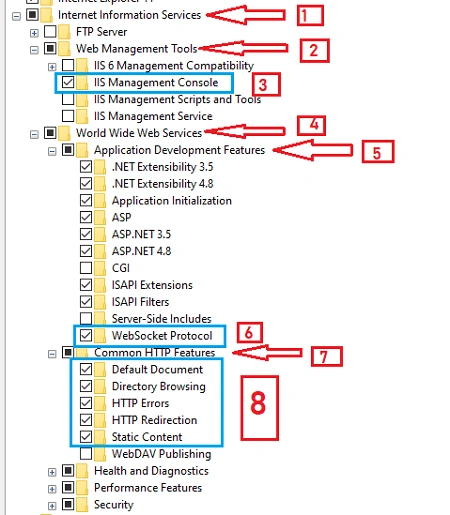
Figure -Configure IIS
And don't click on WebDAV publishing
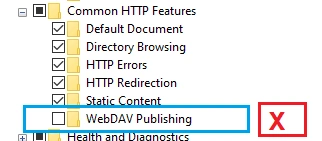
Figure-Don't check
Step 3
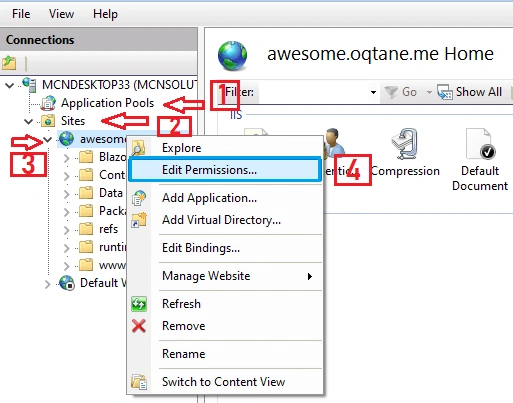
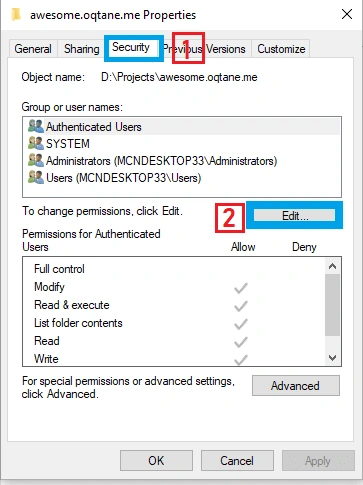
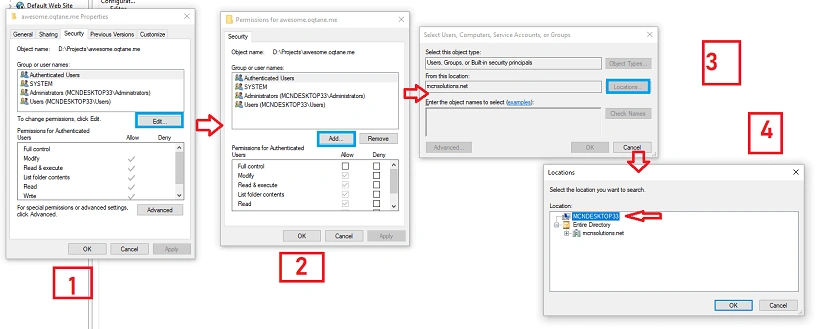
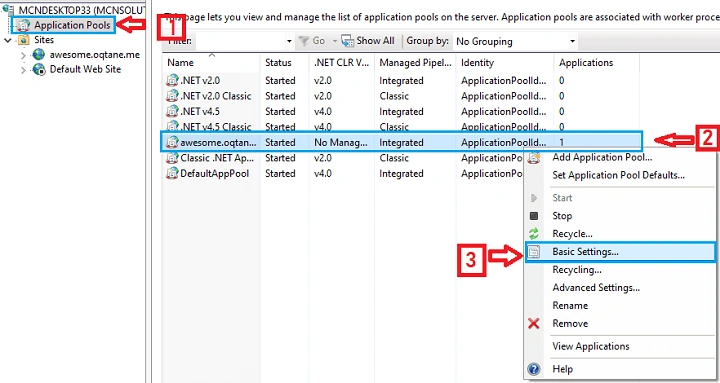
Join the conversation! Your thoughts help the community grow.