

Picker control is a view control for picking an element in a list. The visual representation of a Picker control is similar to an entry control, but a Picker control appears in place of a keyboard.
Before reading this article, please go through the article How To Create And Use XAML Content Page In Xamarin Forms Application For Android And Universal Windows Platform
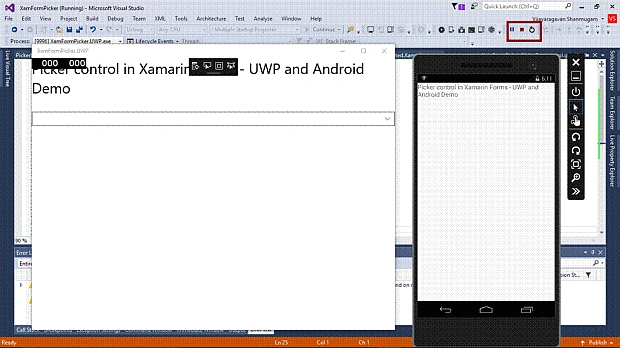
After reading this article, you will know how to add Picker Control in Xamarin.Forms Application for an Android and Universal Windows Platform with XAML and Visual C# in cross platform application development.
The important tools are given below, which are required to develop UWP.
- Windows 10 (Recommended).
- Visual Studio 2015 Community Edition (It is a free software available online).
- Using Visual studio 2015 Installer, Enable the Xamarin (Cross Platform Mobile development and C#/.NET while install/Modify Visual studio 2015.
Now, we can discuss step by step app development.
Step 1
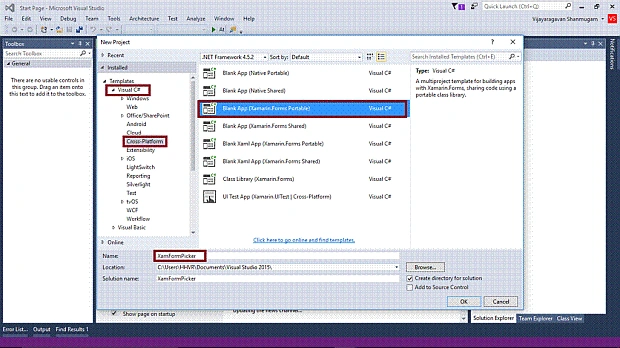
Open Visual Studio 2015 -> Start -> New Project-> select Cross-Platform (under Visual C#-> Blank App (Xamarin.Forms Portable)-> Give the suitable name for your app (XamFormPicker) -> OK.
Step 2
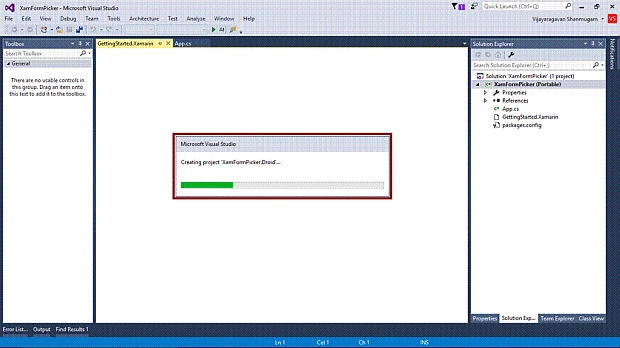
Now, create project “XamFormPicker_Droid".
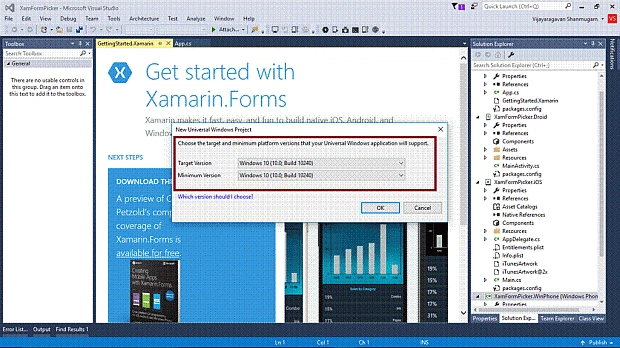
Choose the target and minimum platform version for your Universal Windows Project.
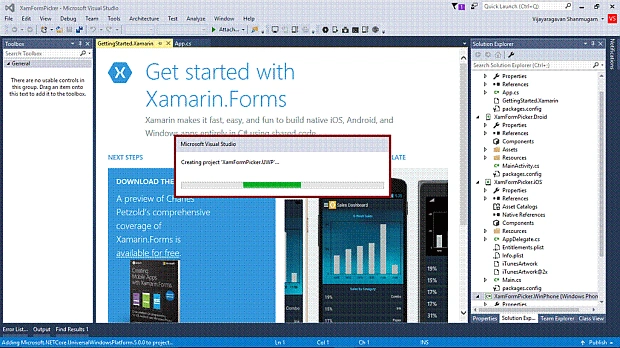
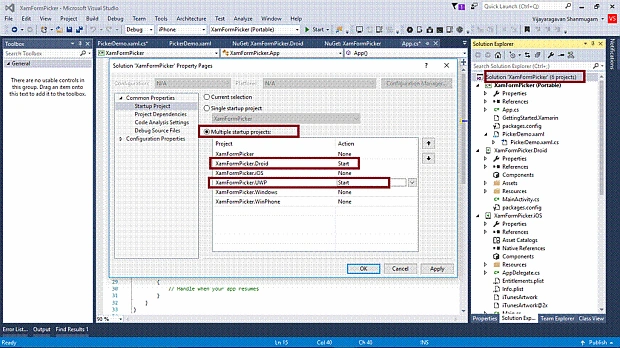
Create project “XamFormPicker_UWP” .
Step 3
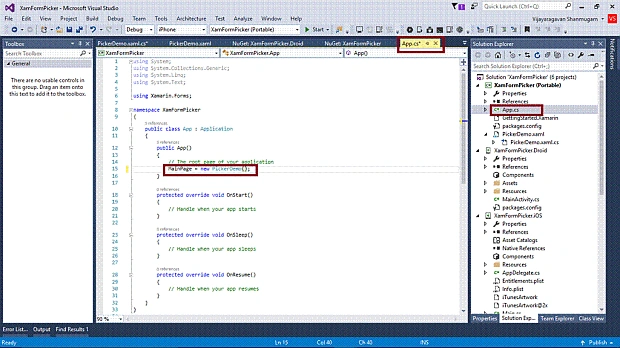
Afterwards, Visual Studio creates six projects and displays getting started with XamarinPage. Now, we have to update Xamarin.Forms Reference for the Portable Project and XamFormPicker_Droid project.
(Please refer How To Create And Use XAML Content Page In Xamarin Forms Application For Android And Universal Windows Platform)
Step 4
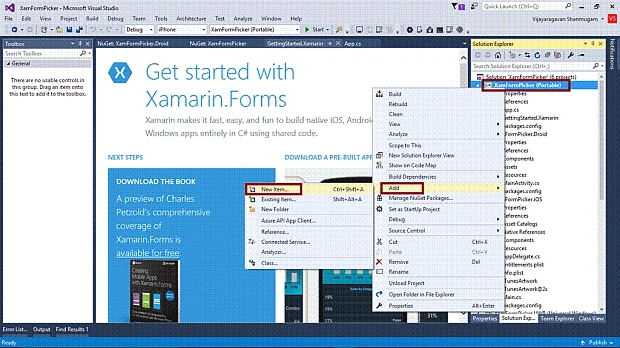
Add XAML page for Picker Control demo. Right click on XamFormPicker(Portable) project. Select ADD-> NewItem.
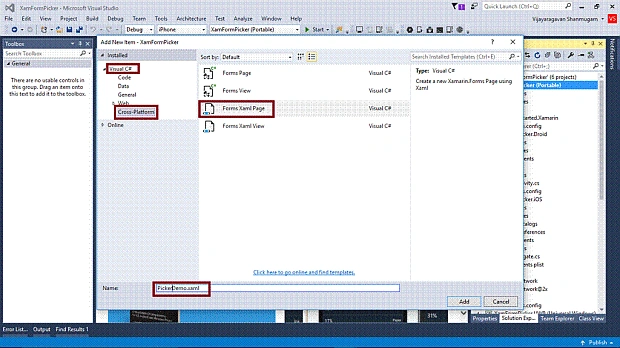
Select ->CrossPlatform-> FormXamlPage-> Give the relevant name.
Step 5
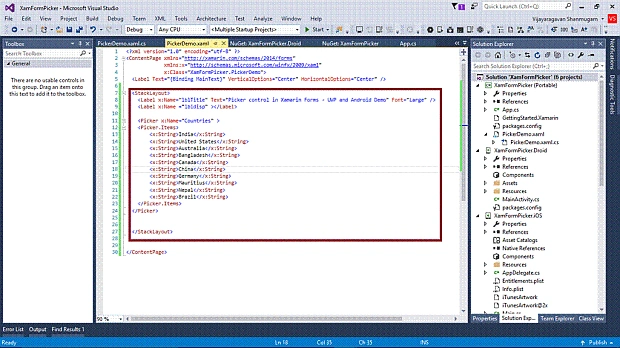
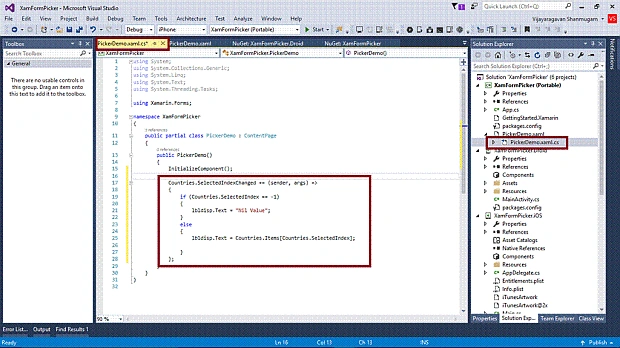
Add Picker Tag with the items and two Labels in PickerDemo.xaml.
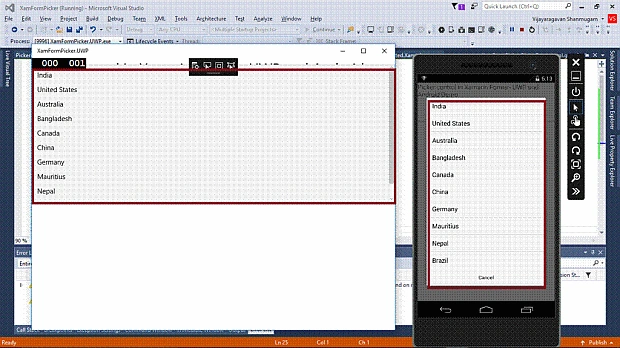
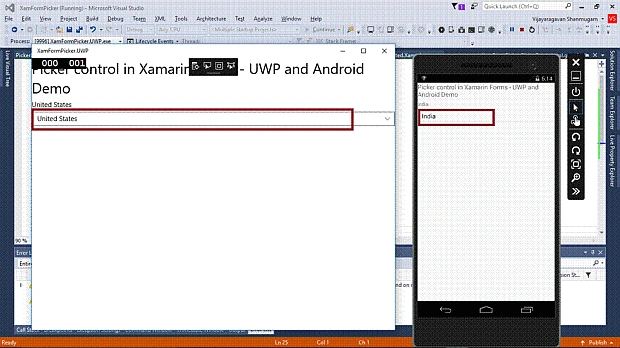
Renato DavidPosted Sep 13, 2019, 4:22 PM
I am binding observablecollection(itemssource) from viewmodel to picker, how do I set selectedIndex to 0(zero) in xaml when itemssource changed in viewmodel?
Sharvari DesaiPosted Jul 9, 2019, 5:35 AM
I am having an exception, NullReferenceException,
BalajiPosted Oct 5, 2018, 11:44 PM
Hi Vijayaragavan,Can you please tell how to add the values from Sql Server to Xamarin forms Picker Control.