

Prism Modularity: This topic shows how to create a modular WPF application using the Prism library. The samples show how to code, discover and initialize modules.
Creating modules: Modules are classes that implement the IModule interface. Declarative attributes can be used to name modules, control initialization, and define dependencies.
Registering modules: Modules can be registered in the following ways:
- Directly in code: Modules can be directly registered in the module catalog in the application code. Using this approach, you can use conditional logic to determine which module should be included in your application. Modules added in the code are referenced by the application instead of being loaded at run time.
- Using configuration: Prism can register modules with the module catalog by loading a configuration file. Declaring the modules in configuration allows the modules to be loaded and initialized independently of the application.
- Using directory inspection: A directory can be specified and inspected to load assemblies in the directory and discover modules.
- Registering module dependencies: Modules can have dependencies on other modules. Prism provides dependencies management, including cyclic dependencies and duplicate module detection.
- When available: Modules can be initialized as soon as they are available. Modules downloaded the application are initialized during startup. Modules set to download in the background are initialized immediately after downloading completes.
- On-demand: Modules can be initialized when the application code requests it. Modules downloaded in the background start downloading when the application requests the module and then they initialize immediately after downloading completes.
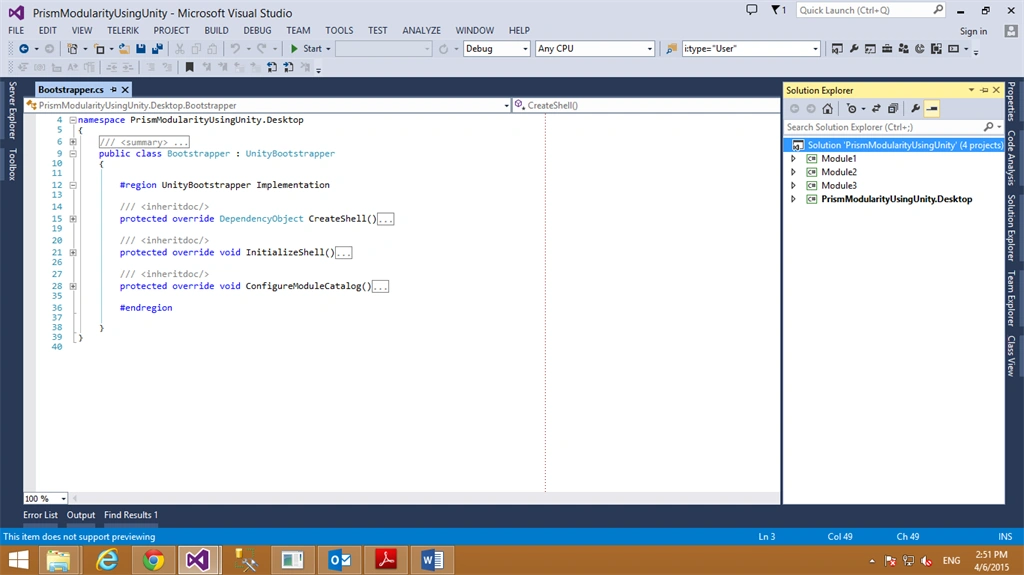
Here every class library project is implementing “IModule”. See the code below.
- using Microsoft.Practices.Prism.Modularity;
- using Microsoft.Practices.Prism.Regions;
- namespace Module1
- {
- /// <summary>
- ///
- /// </summary>
- public class Module1 : IModule
- {
- #region Constructors
- /// <summary>
- ///
- /// </summary>
- public Module1(IRegionManager iRegionManager)
- {
- this.iRegionManager = iRegionManager;
- }
- #endregion
- /// <inheritdoc/>
- #region IModule Members
- public void Initialize()
- {
- this.iRegionManager .RegisterViewWithRegion("Module1",typeof(Views.Module1Control));
- }
- #endregion
- #region Instance Fields
- /// <summary>
- ///
- /// </summary>
- private IRegionManager iRegionManager;
- #endregion
- }
- }
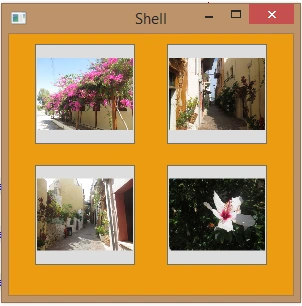
NehaPosted Jan 17, 2017, 4:59 AM
Nice...................................
Gowtham RajamanickamPosted Apr 8, 2016, 8:51 AM
good
Vithal WadjePosted Apr 9, 2015, 2:21 PM
nice
Santhakumar MunuswamyPosted Apr 9, 2015, 2:20 PM
Good