

Problem
In some computers, "py" works, but "python" doesn't, such as

Reason
We may run the where command to find the location where either py or Python is installed:
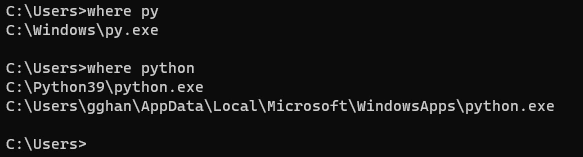
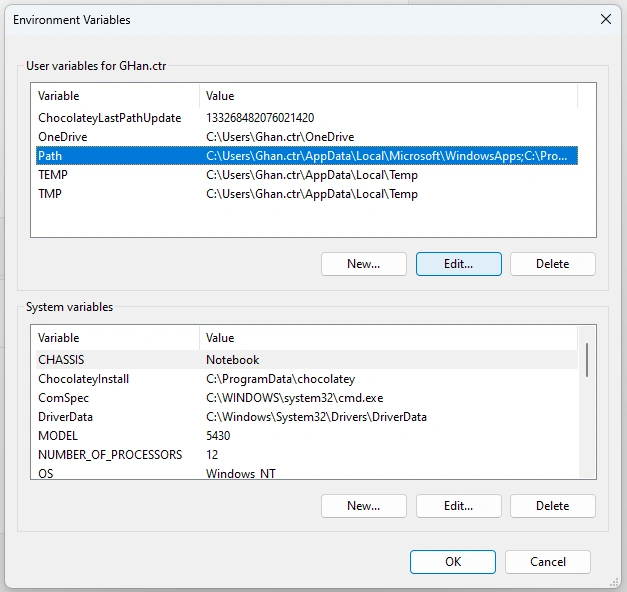
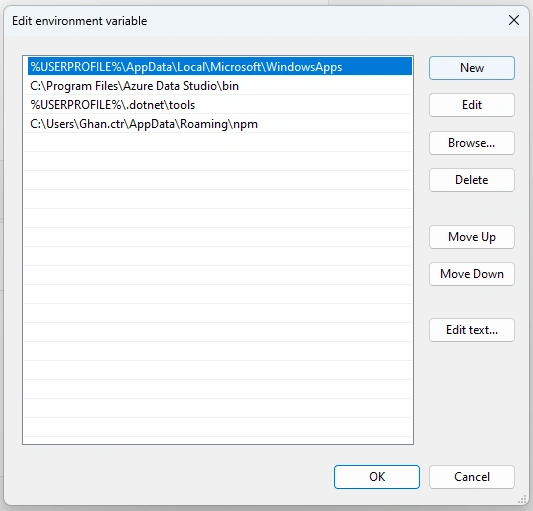
You can see that Python is installed, but when you run the command: Python you cannot reach it while you can reach py. The reason is the command python does not set up the environment PATH correctly, while py does because py is itself located in C:\Windows that is always part of the PATH, which is why you found it. On the other hand, when you installed Python; you didn't check the box to add it to your PATH, which is why it isn't there.
Let us see the detailed reason when we make the fixes.
Fix 1
This is a simple fix by reinstalling Python:
Control Panel => Program => Right Click Python => Change:
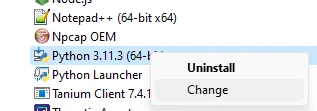
Click Modify:
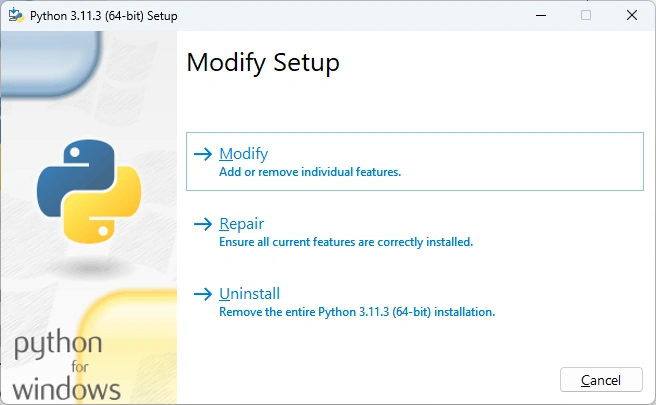
You will see: py launcher is installed by default, Click Next:
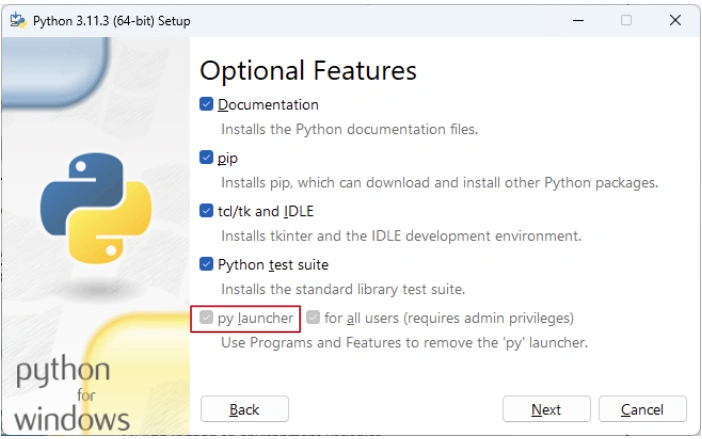
In Advanced Options, Choose Add Python to environment variables:
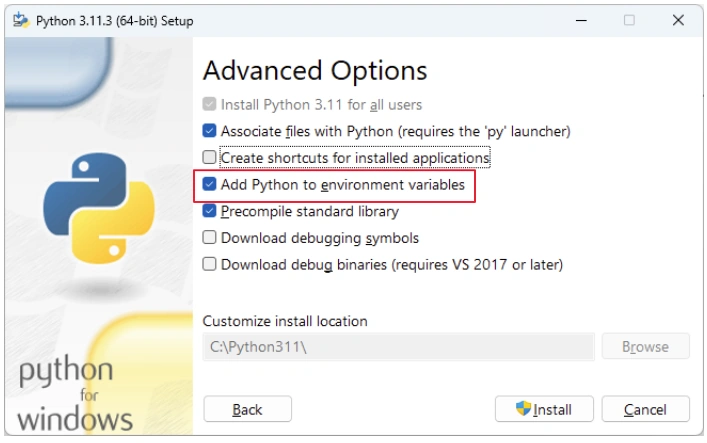
Click Install => done.
Because Add Python to environment variables is optional, so if you did not choose it, the command PATH will not be set up properly. Why we forgot to choose this option? Actually, in my experience, Python may not be installed by us on purpose but is associated with some other applications, such as Visual Studio. In the case of Visual Studio installation,
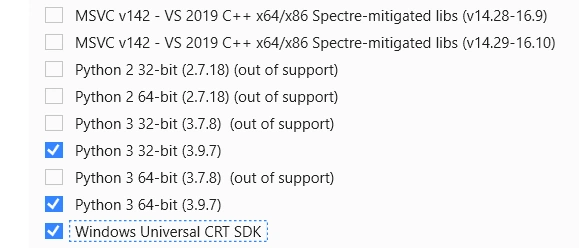
We can choose Python to be installed, but we will not have a chance to choose the detailed option, such as setting up the environment PATH.
Fix 2
Because the issue is due to the environment PATH not setup well, we can simply use the doskey command to make the Python environment PATH the same as py; we show this by phthon2 as a command:
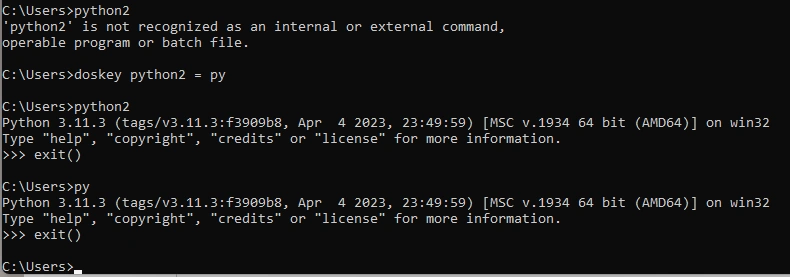
We can see both python2 and py runs the Python app.

Join the conversation! Your thoughts help the community grow.