

Overview
Power BI recently rolled out a new visual in the October 2019 update which is the Q&A visualization in Power BI. Q&A visual is the first Natural Language Generation visualization.
We can ask questions to our data model and the visual shows us the best appropriate result based on our model.
During this article, we will talk about how we can format the Q&A visualization in the Power BI.
I have divided the entire article of Q&A visualization into three different parts. If you have missed the first part of this article series, check the link from the following.
Download Code Files - GitHub URL
So, now let’s get started with an overview of the formatting of the Q&A visualization.
Step 1
Below is the Q&A visual which we have created.
When we select the visual, from the Format Pane we have the following options.
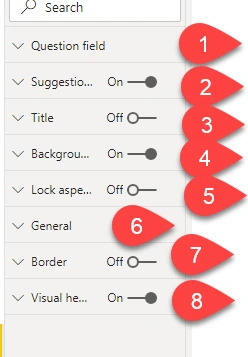
Step 2 - Question Field Formatting
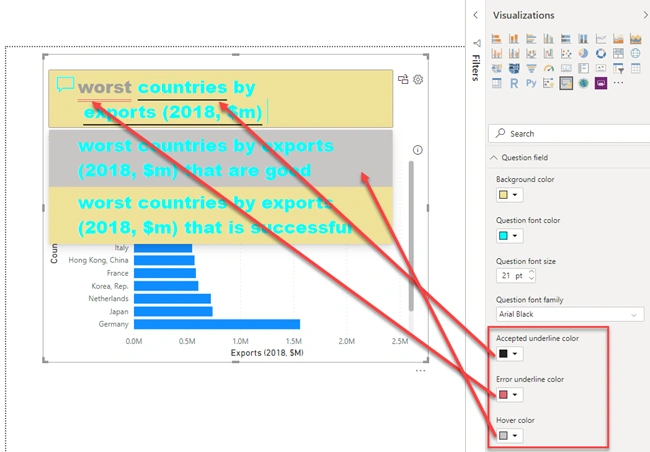
When we expand the formatting of the Question field, it shows us the following options.
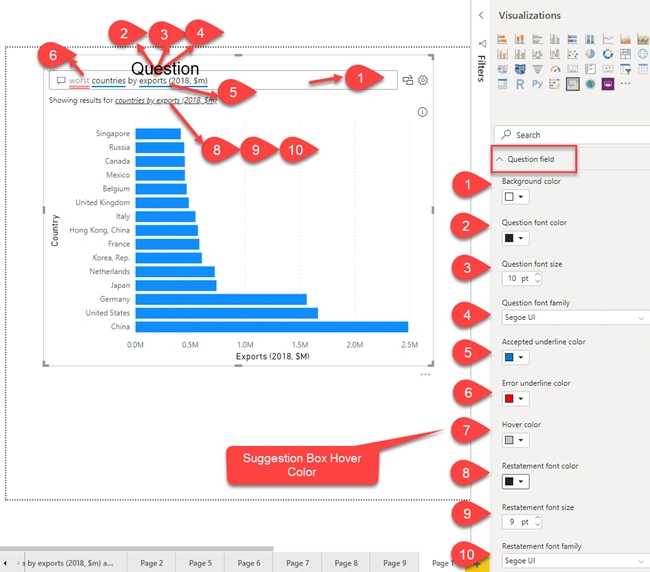
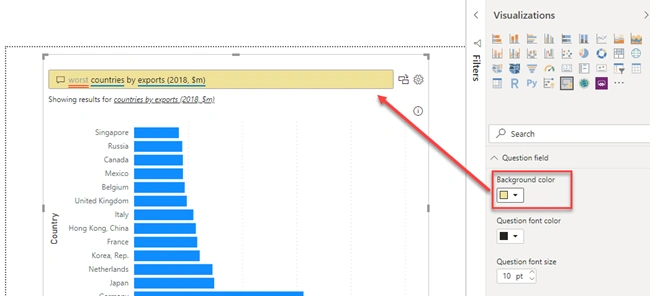
- Background color:
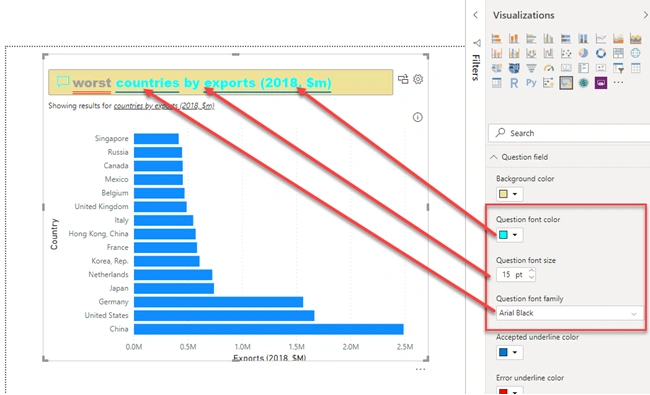
- Question font Color
- Question font size
- Question font family
- Accepted underline color
- Error underline color
- Hover color
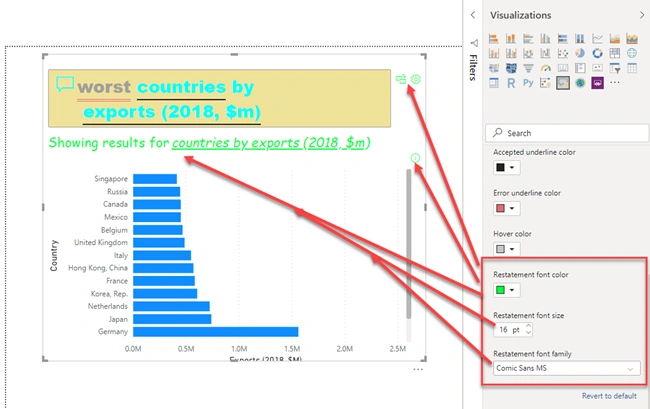
- Restatement font color
- Restatement font size
- Restatement font family
Join the conversation! Your thoughts help the community grow.