

Introduction
You can read my previous article:
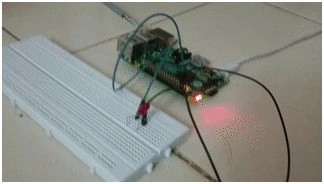
Here are the steps for flashing/blinking the LED on a breadboard using python.
Download Source code: LedBlinker_Python.rar
Required List of components
- 1 - Raspberry Pi device with a 5 V power supply.
- 1 - Bread Board
- 1 - Male to Female jumper cable
- 1 - LED
1. Firstly, connect the GPIO pin to the bread board as shown in the figure.
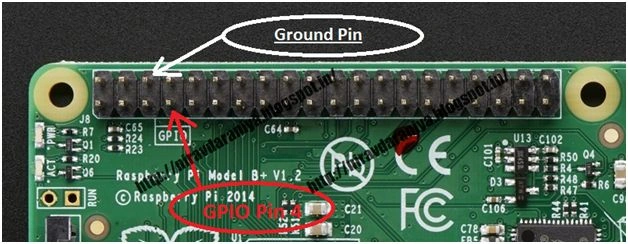
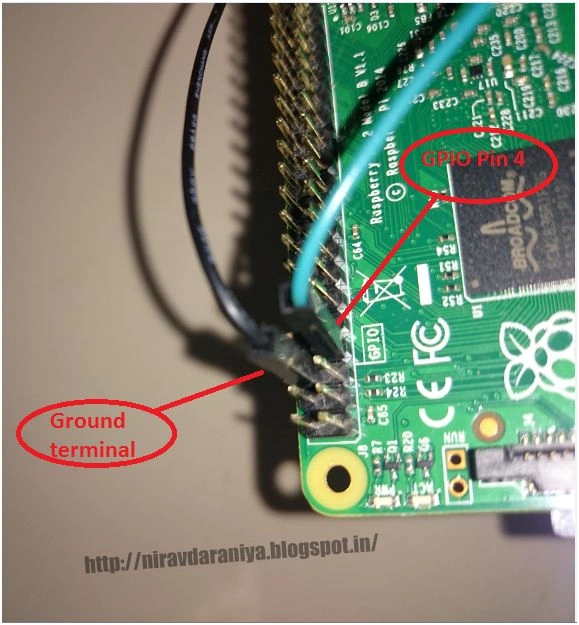
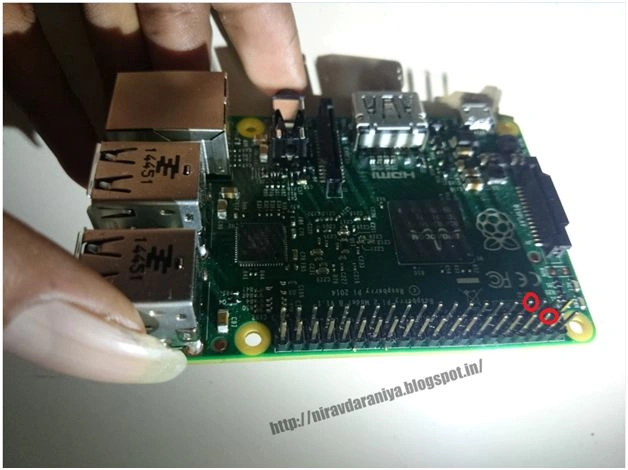
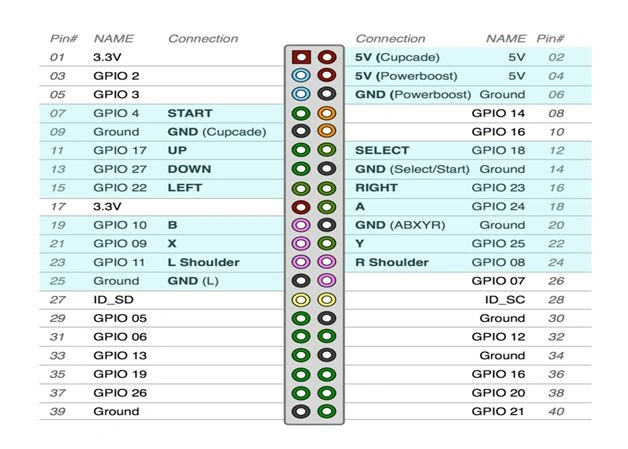 2. Here we use the PIN Number: “ 4 “ (As per number 4(pin rank 7) , third from the top – left ). For getting the output from the Raspberry PI connect eh jumper wire from Raspberry PI GPIO pin “4” to the bread board as shown in the image.
 3. Now take LED and put it on the bread board as shown in the image.
Connect the plus terminal of LED to the Jumper cable (green cable in image) coming from the GPIO Pin “4” as shown in the image.
3. Now take LED and put it on the bread board as shown in the image.
Connect the plus terminal of LED to the Jumper cable (green cable in image) coming from the GPIO Pin “4” as shown in the image.
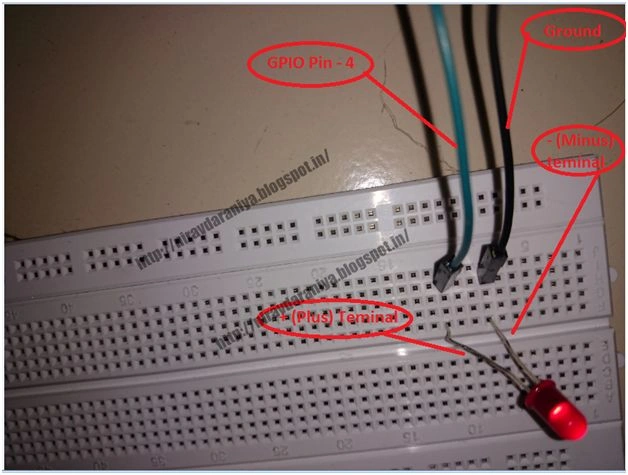 4. Now take another jumper cable (black cable in image), connect it to the GPIO pin “Ground” (As per number 3 (Pin rank 6), third from the top – right ). And another terminal of this wire to minus terminal of the LED as shown in the figure.
 5. Here for detecting the plus/minus terminal of LED, bigger (toll) terminal of LED is plus and smaller (short) terminal of LED is minus. Or you can define it by cutting, the side part of LED is Minus terminal.
 6. Now write the python program for blinking LED every 1 second.
Figure 1: Connect the GPIO pin to the bread board
Figure 2: Connect eh jumper wire from Raspberry PI GPIO pin
Figure 3: Connect the Plus terminal of LED to the Jumper cable
Figure 4: Black cable in image
Figure 5: Detecting the plus-minus terminal of the LED
Shobana JPosted Jul 7, 2016, 7:40 AM
Nice explanation
Sr KarthigaPosted Jan 23, 2016, 5:25 AM
good one
Santhakumar MunuswamyPosted Jan 23, 2016, 1:59 AM
Thanks for nice article. Keep it up
Jaco ZwartsPosted Jan 22, 2016, 11:15 AM
Thank you for sharing nice article!
Ankit BansalPosted Jan 22, 2016, 12:52 AM
keep sharing..thanks