

Introduction
In this article, I will be guiding you to make a real-time chat application, with the help of Socket.IO and Node.js.
TalkVi is a real-time chat Application with Socket.IO. This is a node.js chat application, utilizing Express framework and Socket.IO.
Prerequisites
- Node.js should be installed on your local machine.
- Knowledge of - HTML,CSS,JavaScript and Node.js.
So, now we are ready to initiate our project.
Initially, we will open the terminal and create a directory which will be dedicated for our application. Now, we will navigate into that directory and run npm init. Then, we need to enter details about our application, which will be stored in 'Package.json' file. After this, we need to run below command,
- npm install --save express nodemon socket.io
This command will install express,nodemon and socket.io modules which are the dependencies of our application.
Our terminal should look like the following,
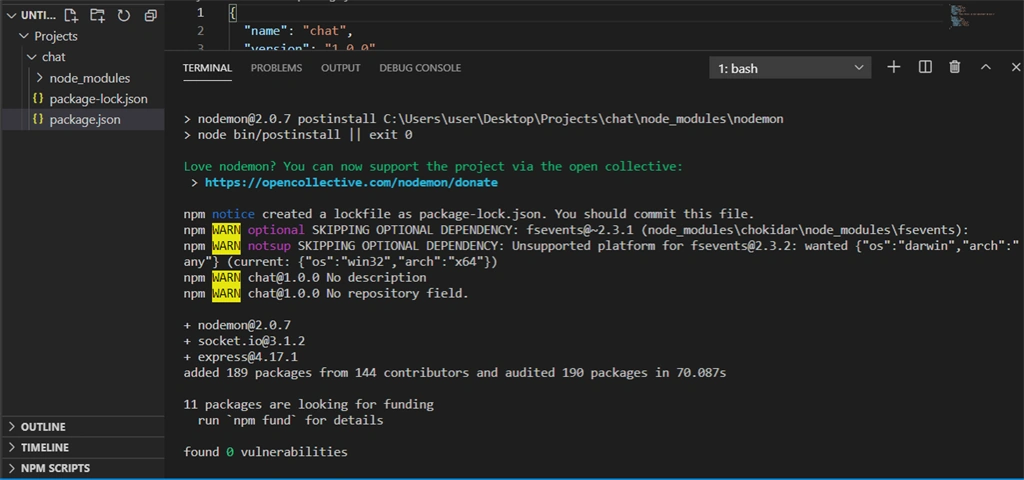
- npm install --save-dev babel-cli babel-preset-env babel-preset-stage-0
Above command will be installing babel-cli,babel-preset-env and babel-preset-stage-0 modules which are the dependencies of our project.
Then, we will open the Package.json file in the text editor and add the following value corresponding to the key 'script'
- "start": "nodemon ./app.js --exec babel-node -e js",
- {
- "name": "chat",
- "version": "1.0.0",
- "description": "",
- "main": "index.js",
- "scripts": {
- "start": "nodemon ./app.js --exec babel-node -e js",
- "test": "echo \"Error: no test specified\" && exit 1"
- },
Then, we will be navigating to our project directory and we'll be creating a file named as .babelrc which will be opened in a text editor and the following text will be entered,
- {
- "presets": [
- "env",
- "stage-0"
- ]
- }
So, in this step, we have created the environment of our application.
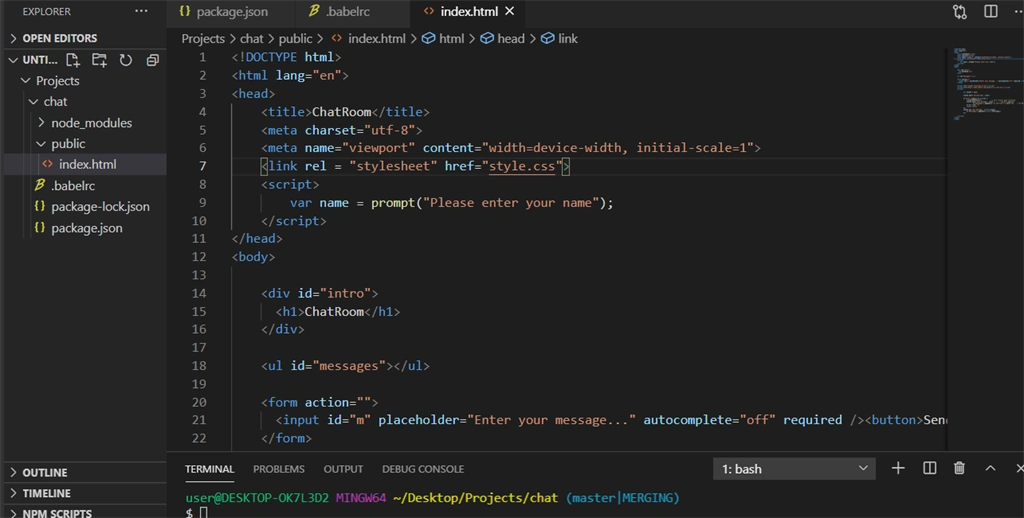
Now, we will be creating a directory named public in our project directory. Inside this directory, there will be two files, namely 'index.html' and 'style.css'.
Our 'index.html' file will contain the following code,
- <!DOCTYPE html>
- <html lang="en">
- <head>
- <title>ChatRoom</title>
- <meta charset="utf-8">
- <meta name="viewport" content="width=device-width, initial-scale=1">
- <link rel="stylesheet" href="style.css">
- <script>
- var name = prompt("Please enter your name");
- </script>
- </head>
- <body>
- <div id="intro">
- <h1>ChatRoom</h1>
- </div>
- <ul id="messages"></ul>
- <form action="">
- <input id="m" placeholder="Enter your message..." autocomplete="off" required /><button>Send</button>
- </form>
- <script src="/socket.io/socket.io.js"></script>
- <script src="https://code.jquery.com/jquery-3.4.1.min.js"></script>
- <script>
- var socket = io();
- socket.emit('joining msg', name);
- $('form').submit(function (e) {
- e.preventDefault(); // will prevent page reloading
- socket.emit('chat message', (name + ': ' + $('#m').val()));
- $('#messages').append($('<li id="list">').text('You: ' + $('#m').val()));
- $('#m').val('');
- return false;
- });
- socket.on('chat message', function (msg) {
- $('#messages').append($('<li>').text(msg));
- });
- </script>
- </body>
- </html>
In the above code,
- <meta name="viewport" content="width=device-width, initial scale =1">
This gives the browser instructions on how to control the page's dimensions and scaling of the project.
- var name = prompt("Please enter your name");
The above code will prompt the user to enter their name which will be stored in name variable.
- var socket = io();
The above line in the code will try to connect to the host that serves the stage. Each socket also fires a special disconnect event when the user closes the page or refreshes it.This event will also be listened by the server.
When the user is connected to the server, socket.emit('joining msg',name); will be emitting a joining msg event along with the name of the user, which will be handled by the server.
- <form action=””>
- <input id=”m” placeholder=”Enter your message…” autocomplete=”off” required /><button>Send</button>
- </form>
Join the conversation! Your thoughts help the community grow.