

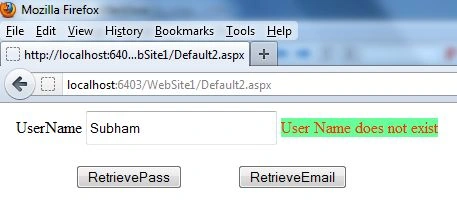
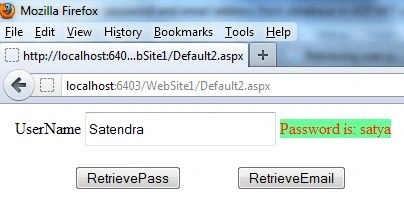
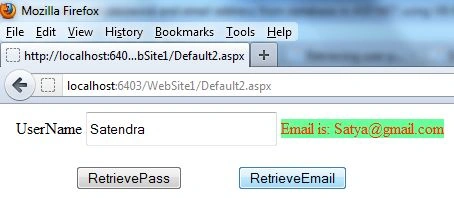
Today, I have provided an article showing you how to retrieve a user's password and email address from a database in ASP.NET. In this article, we will use a TextBox control, two Buttons named Retrievepass and RetrieveEmail and a Label control. When a user enters their username into a TextBox and clicks on the RetrievePass Button, the Label control will display the password according to the username. If a user enters thier username into a TextBox and clicks on the RetrieveEmail Button, the Label control will display the email according to the username. To perform this task we will create a table and stored procedure in a SQL database. All you have to do is implement and hook it up to your website. First, start Visual Studio .NET and make a new ASP.NET web site using Visual Studio 2010.
Create Table
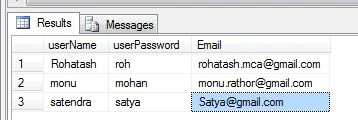
Now create a table in a SQL Server database with user name, user password and email fields. The table looks like this.
create table UserDetails
(
userName varchar(20) not null,
userPassword varchar(20),
Email varchar(100)
)
Now enter some values in the table and use the select command to select the values from the table.
select * from UserDetails;
OUTPUT
Step 2: Create stored procedure
Now create a stored procedure for the UserDetails table. That means the user password and email will be retrieved from the table using the stored procedure. The stored procedure looks like:
create procedure RetrieveEmailPass
@userName varchar(20)
as
begin
select userPassword,Email from UserDetails where userName=@userName
end
Now you have to create a web site.
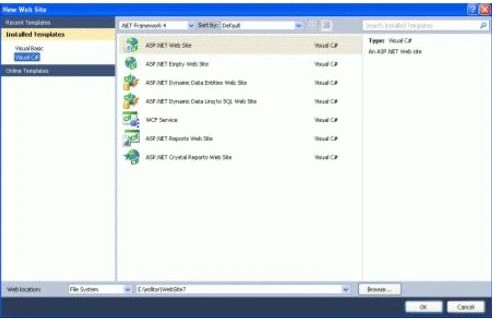
- Go to Visual Studio 2010
- New-> Select a website application
- Click OK
Now add a new page to the website.
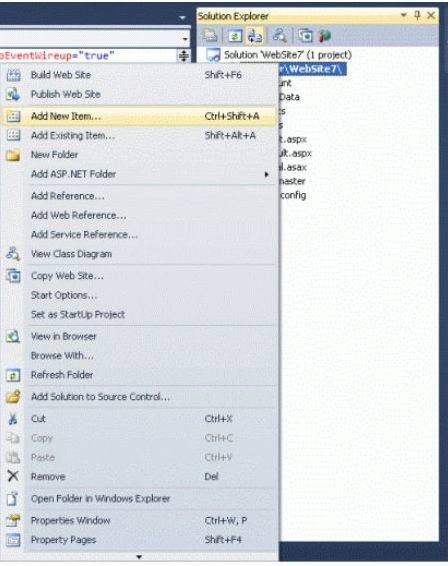
- Go to the Solution Explorer
- Right-click on the Project name
- Select add new item
- Add new web page and give it a name
- Click OK
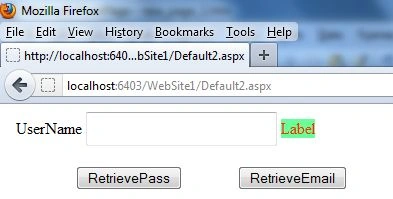
Design the page and place the required controls in it. Now drag and drop one TextBox, two Buttons and a Label control onto the form. When a user enters the username into a TextBox and clicks on the RetrievePass Button, the Label control will display the password according to the username. After that, a user enters the username into a TextBox and clicks on the RetrieveEmail Button. The Label control will display the email corresponding to the username. Let's take a look at a practical example.
.aspx Code
<%@ Page Language="C#" AutoEventWireup="true" CodeFile="Default2.aspx.cs" Inherits="Default2" %>
<!DOCTYPE html PUBLIC "-//W3C//DTD XHTML 1.0 Transitional//EN" "http://www.w3.org/TR/xhtml1/DTD/xhtml1-transitional.dtd">
<html xmlns="http://www.w3.org/1999/xhtml">
<head runat="server">
<title></title>
</head>
<body>
<form id="form1" runat="server">
<div>
UserName
<asp:TextBox ID="TextBox1" runat="server" Height="28px" Width="185px"></asp:TextBox>
<asp:Label ID="Label1" runat="server" BackColor="#66FF99" ForeColor="#FF3300" Text="Label"></asp:Label>
<br />
<br />
MOHAMED ASARUDEENPosted Dec 12, 2013, 4:21 AM
superb