

Calculator App will look like the following:
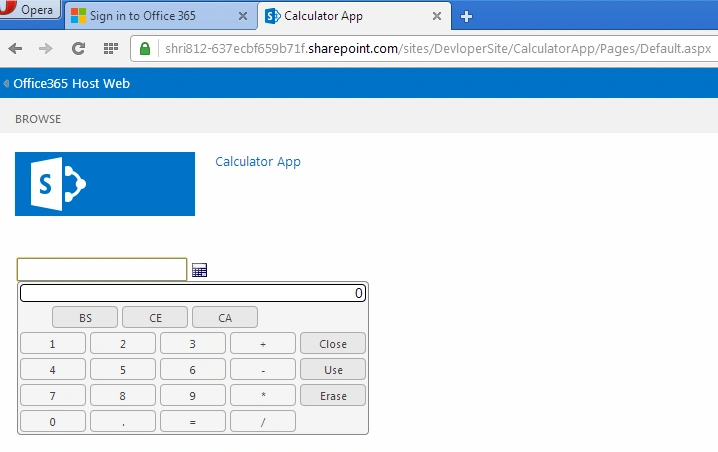
Step 1: Create A new SHA project using Office 365 account credentials.
Step 2: SHA project structure as in the following,
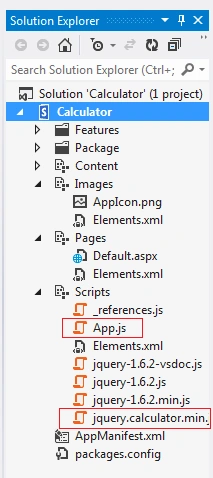
Step 3: In this project we are going to import JQuery Plugins and CSS file for calculator.
- <script type="text/javascript" src="../Scripts/jquery.calculator.min.js"></script>
- <style type="text/css">
- @import "../content/jquery.calculator.css";
- </style>
Step 4: Default.aspx page contain code for calculator creation as follows.
- <%@ Page Inherits="Microsoft.SharePoint.WebPartPages.WebPartPage, Microsoft.SharePoint, Version=15.0.0.0, Culture=neutral, PublicKeyToken=71e9bce111e9429c" MasterPageFile="~masterurl/default.master" language="C#" %>
- <%@ Register Tagprefix="SharePoint" Namespace="Microsoft.SharePoint.WebControls" Assembly="Microsoft.SharePoint, Version=15.0.0.0, Culture=neutral, PublicKeyToken=71e9bce111e9429c" %>
- <%@ Register Tagprefix="Utilities" Namespace="Microsoft.SharePoint.Utilities" Assembly="Microsoft.SharePoint, Version=15.0.0.0, Culture=neutral, PublicKeyToken=71e9bce111e9429c" %>
- <%@ Register Tagprefix="WebPartPages" Namespace="Microsoft.SharePoint.WebPartPages" Assembly="Microsoft.SharePoint, Version=15.0.0.0, Culture=neutral, PublicKeyToken=71e9bce111e9429c" %>
- <asp:Content ContentPlaceHolderId="PlaceHolderAdditionalPageHead" runat="server">
- <script type="text/javascript" src="../Scripts/jquery-1.6.2.min.js"></script>
- <script type="text/javascript" src="../Scripts/jquery.calculator.min.js"></script>
- <style type="text/css">
- @import "../content/jquery.calculator.css";
- </style>
- <script type="text/javascript" src="../Scripts/App.js"></script>
- <script type="text/javascript">
- $(function()
- {
- $('#basicCalculator').calculator({
- showOn: 'both',
- buttonImageOnly: true,
- buttonImage: '../content/calculator.png'
- });
- });
- </script>
- </asp:Content>
- <asp:Content ContentPlaceHolderId="PlaceHolderMain" runat="server">
- <p>
- <input type="text" id="basicCalculator" />
- </p>
- </asp:Content>
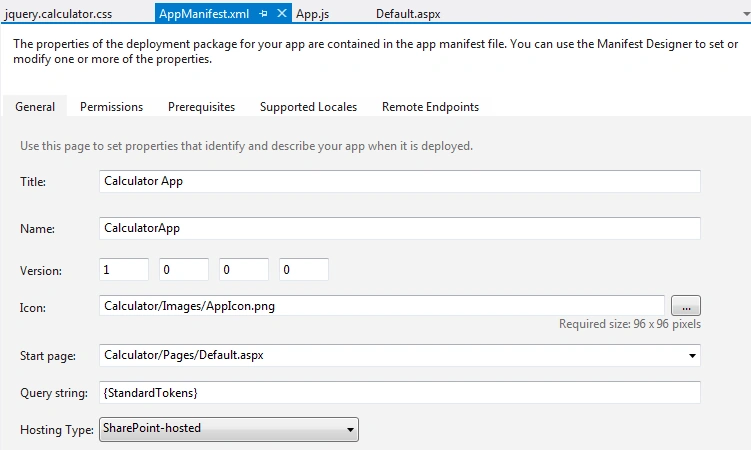
Step 5: Manifest.xml file,
No need to set any permission for this app, as we are going to use JQuery plugins only.
Step6: App.JS file,
- "use strict";
- var context;
- var web;
- var user;
- function sharePointReady()
- {
- context = new SP.ClientContext.get_current();
- web = context.get_web();
- getUserName();
- }
- function getUserName()
- {
- user = web.get_currentUser();
- context.load(user);
- context.executeQueryAsync(onGetUserNameSuccess, onGetUserNameFail);
- }
- function onGetUserNameSuccess()
- {
- $('#message').text('Hello ' + user.get_title());
- }
- function onGetUserNameFail(sender, args)
- {
- alert('Failed to get user name. Error:' + args.get_message());
- }
Step 7: Jquery.calculator.css file contains code for calculator look and feel.
Gowtham RajamanickamPosted Dec 28, 2015, 5:15 AM
Good One
Santhakumar MunuswamyPosted Dec 27, 2015, 8:50 AM
Thanks for nice article