

Introduction
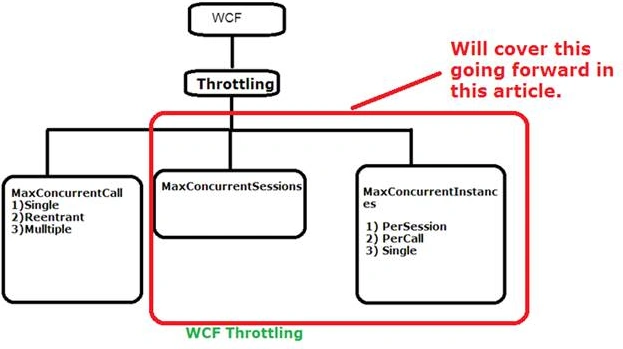
In this article, we will concentrate on the concurrent call and concurrent session. I have already covered concurrent call in my previous article. Please refer to the link, given below, regarding the same:
Pre-requisites
Note: Once again, I will request my readers to have brief knowledge of WCF before reading this article for better and accurate understanding.
Concurrent Instance
WCF concurrent Instance helps us to configure how WCF Service instance will serve multiple requests at the same time. As we are aware, when we host our Service, it can get “n” number of calls.
We have three ways of WCF instancing.
Per Call
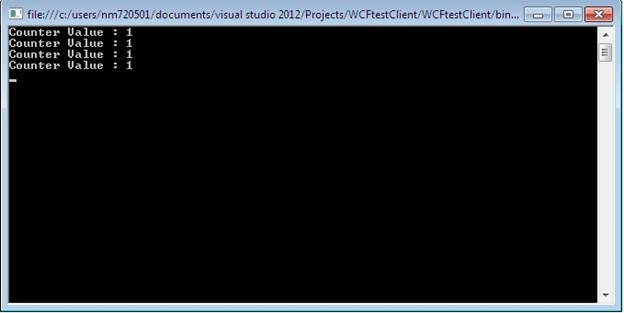
Every client request will get the new instance. It’s a default mode. This instance will be disposed of after the response is sent back to the client.
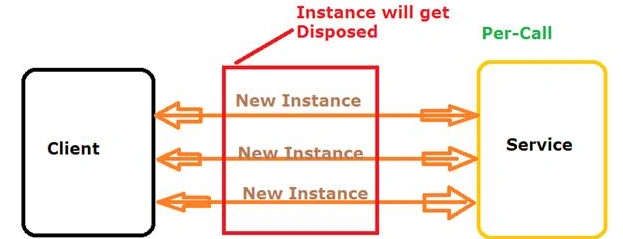
Now, I am showing you, how to implement this instance.
Step 1: My Service Contract
In my service contract, I have defined one method, which will return the instance count.
- namespace ConcurrentInstance
- {
- // NOTE: You can use the "Rename" command on the "Refactor" menu to change the interface name "IService1" in both code and config file together.
- [ServiceContract]
- public interface IMyInterface
- {
- [OperationContract]
- int GetUpdatedObjectCount();
- }
- [ServiceBehavior (InstanceContextMode=InstanceContextMode.PerCall)]
- public class MyService : IMyInterface
- {
- public int counter = 0;
- public int GetUpdatedObjectCount()
- {
- counter++;
- return counter;
- }
- }
- ServiceReference1.MyInterfaceClient objClient = new ServiceReference1.MyInterfaceClient();
- //ConcerentMode.MyInterfaceClient objClient1 = new ConcerentMode.MyInterfaceClient();
- //ConcerentMode.MyInterfaceClient objClient2 = new ConcerentMode.MyInterfaceClient();
- //ConcerentMode.MyInterfaceClient objClient3 = new ConcerentMode.MyInterfaceClient();
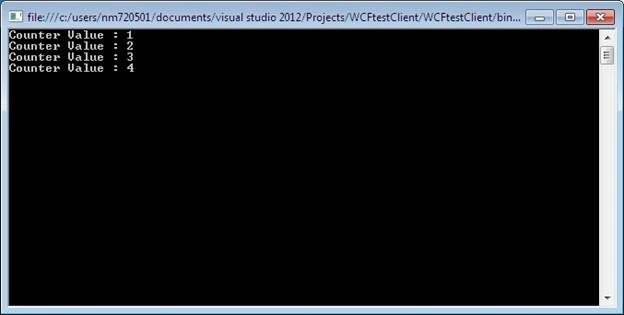
- Console.WriteLine("Counter Value : " + objClient.GetUpdatedObjectCount());
- Console.WriteLine("Counter Value : " + objClient.GetUpdatedObjectCount());
- Console.WriteLine("Counter Value : " + objClient.GetUpdatedObjectCount());
- Console.WriteLine("Counter Value : " + objClient.GetUpdatedObjectCount());
- Console.ReadLine();
Per Session
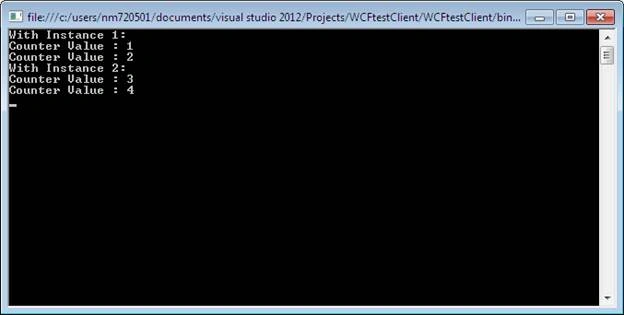
In this mode, a session gets created b/w Client and Server. Thus, for the same instance (Object), we will get an updated counter value. I am referring to the same example.
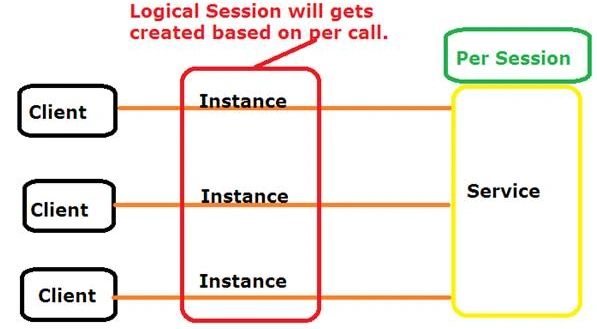
Now, I am showing you how to implement this instance.
Step 1: My Service Contract
In my service contract, I have defined one method, which will return the instance count.
- namespace ConcurrentInstance
- {
- // NOTE: You can use the "Rename" command on the "Refactor" menu to change the interface name "IService1" in both code and config file together.
- [ServiceContract]
- public interface IMyInterface
- {
- [OperationContract]
- int GetUpdatedObjectCount();
- }
- [ServiceBehavior (InstanceContextMode=InstanceContextMode.PerSession)]
- public class MyService : IMyInterface
- {
- public int counter;
- public int GetUpdatedObjectCount()
- {
- counter++;
- return counter;
- }
- }
- class Program
- {
- static void Main(string[] args)
- {
- ServiceReference1.MyInterfaceClient objClient = new ServiceReference1.MyInterfaceClient();
- ServiceReference1.MyInterfaceClient objClient1 = new ServiceReference1.MyInterfaceClient();
- //ConcerentMode.MyInterfaceClient objClient1 = new ConcerentMode.MyInterfaceClient();
- //ConcerentMode.MyInterfaceClient objClient2 = new ConcerentMode.MyInterfaceClient();
- //ConcerentMode.MyInterfaceClient objClient3 = new ConcerentMode.MyInterfaceClient();
- Console.WriteLine("Counter Value : " + objClient.GetUpdatedObjectCount().ToString());
- Console.WriteLine("Counter Value : " + objClient.GetUpdatedObjectCount().ToString());
- Console.WriteLine("Counter Value : " + objClient1.GetUpdatedObjectCount().ToString());
- Console.WriteLine("Counter Value : " + objClient1.GetUpdatedObjectCount().ToString());
- Console.ReadLine();
- }
- }
Vignesh ManiPosted Jul 21, 2016, 4:45 PM
Nice
kalu singh raoPosted Jul 21, 2016, 1:52 AM
Nice Share