

Introduction
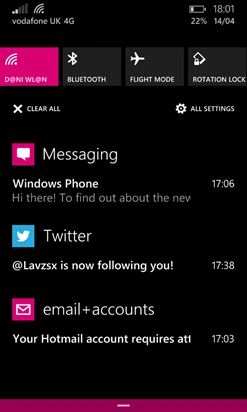
Procedures
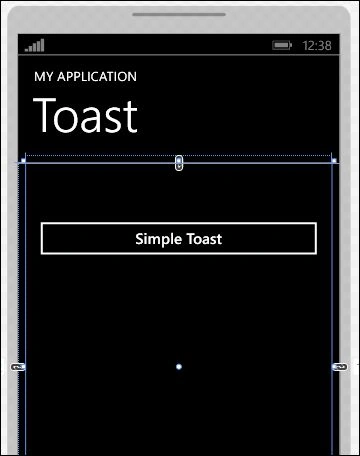
- <code>
- private void simpleToast_Click(object sender, RoutedEventArgs e)
- {
- ToastTemplateType toastType = ToastTemplateType.ToastText02;
- XmlDocument toastXml = ToastNotificationManager.GetTemplateContent(toastType);
- XmlNodeList toastTextElement = toastXml.GetElementsByTagName("text");
- toastTextElement[0].AppendChild(toastXml.CreateTextNode("Hello C# Corner"));
- toastTextElement[1].AppendChild(toastXml.CreateTextNode("I am poping you from a Winmdows Phone App"));
- IXmlNode toastNode= toastXml.SelectSingleNode("/toast");
- ((XmlElement)toastNode).SetAttribute("duration","long");
- ToastNotification toast = new ToastNotification(toastXml);
- ToastNotificationManager.CreateToastNotifier().Show(toast);
- }
- </code>
Before you start, ensure you have the following namespace in your project.
- using Windows.UI.Notifications;
- using Windows.Data.Xml.Dom;
Output
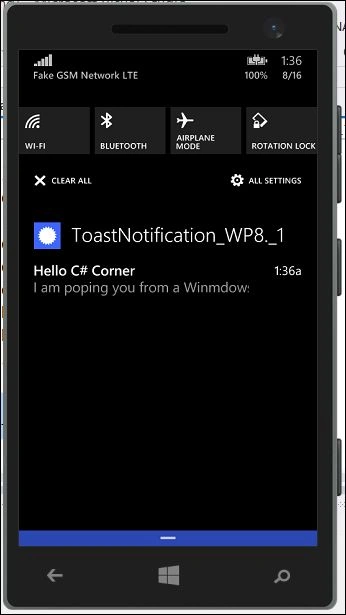 It's a small demonstration of Toast Notification that we have implemented with the help of the Windows Phone 8.1 API.
Note
You must have Visual Studio 2013 Update 2 at least with the Windows Phone 8.1 Emulator or any supported device to run this demo app.
Eslam MahmoudPosted Dec 6, 2016, 6:28 AM
How i can make Auto Notifications show every 5 hour ?
Mohammad TuahaPosted Oct 25, 2015, 11:22 AM
using Windows.UI.Notifications; using Windows.Data.Xml.Dom; those name space are not in reference . please help me
Mohammad TuahaPosted Oct 20, 2015, 2:27 PM
Can any one tell is it support windows phone 8.0. It's not supporting on VS 2013.
Bridin McDermottPosted Apr 2, 2015, 8:58 PM
Have you a tutorial on windows phone 8.1 connecting to a Web API?
Abhishek Kumar RaviPosted Jan 20, 2015, 12:06 PM
You can refer to this : http://msdn.microsoft.com/en-us/library/windows/apps/xaml/hh868254.aspx
Abhishek JainPosted Jan 20, 2015, 6:24 AM
How do I do it in WinRT non silverlight app for WP8.1?
Viraj ShahPosted Nov 17, 2014, 12:50 AM
nice one,good job!!