

Introduction
UPDATE statement in SQL is used to change data in tables and views, and UPDATE with JOIN is used to update multiple tables. This article teaches how to update data in a SQL Server table or view using the SQL UPDATE with JOIN statement.
First of all, we are going to create a new database in SQL Server. You can still do this step if you already have an existing database.
Create a new Database
The following SQL query creates a new database and a few tables. Copy this query and execute it in Query Explorer or the command line.
CREATE DATABASE OnkarSharma_UPDATE_JOIN
PRINT 'New Database ''OnkarSharma_UPDATE_JOIN'' Created'
GO

USE [OnkarSharma_UPDATE_JOIN]
GO

CREATE TABLE [dbo].[Employee] (
	EmployeeID INT IDENTITY (31100,1),
	EmployerID BIGINT NOT NULL DEFAULT 228866,
	FirstName VARCHAR(50) NOT NULL,
	LastName VARCHAR(50) NOT NULL,
	Email VARCHAR(255) NOT NULL,
	DepartmentID VARCHAR(100) NOT NULL,
	Age INT  NOT NULL,
	GrossSalary BIGINT NOT NULL,
	PerformanceBonus BIGINT,
	ContactNo VARCHAR(25),
	PRIMARY KEY (EmployeeID)
);

CREATE TABLE [dbo].[Restaurant](
	RestaurantId INT IDENTITY (51, 1),
	RestaurantName VARCHAR(MAX) NOT NULL,
	Email VARCHAR(100),
	City VARCHAR(100),
	Zipcode VARCHAR(6) NOT NULL,
	State VARCHAR(100) NOT NULL,
	Country VARCHAR(100) NOT NULL,
	PRIMARY KEY(RestaurantId)
);

CREATE TABLE [dbo].[tbl_Orders] (
	OrderId INT IDENTITY (108, 1) PRIMARY KEY,
	FoodieID INT,
	OrderStatus TINYINT NOT NULL, -- ==>> OrderStatus: 4: Cancelled; 3: Pending; 2: Processing; 1: Completed
	OrderDate DATETIME NOT NULL,
	ShippedDate DATETIME,
	RestaurantId INT NOT NULL,
);

CREATE TABLE [dbo].[tbl_OrderItems](
	OrderId INT NOT NULL,
	ItemId INT,
	MenuId INT NOT NULL,
	Quantity INT NOT NULL,
	Price DECIMAL(6, 2) NOT NULL,
	BillAmount DECIMAL(5, 2) NULL,
	PRIMARY KEY (ItemId)
);

CREATE TABLE [dbo].[tbl_Menu] (
	MenuId INT IDENTITY (81, 1) PRIMARY KEY,
	FoodCategoryID INT NOT NULL,
	FoodName VARCHAR (255) NOT NULL,
	TypeofFood VARCHAR (100) NOT NULL,
	Price DECIMAL(6, 2) NOT NULL,
	Discount DECIMAL(5, 2) NOT NULL DEFAULT 0,
);
Next, you can insert data to these tables using the SQL INSERT statement or by adding data direct to the tables in SSMS.
Let's check our following tables by using the following queries.
1) To get the data from the "Employee" table, use the following query.
SELECT * FROM OnkarSharma_UPDATE_JOIN..Employee
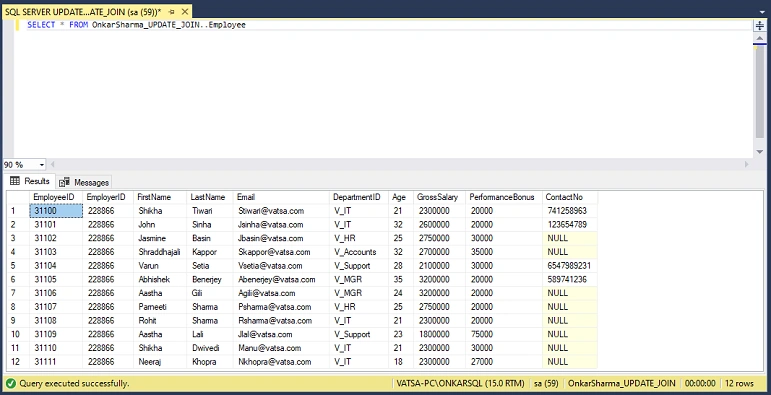
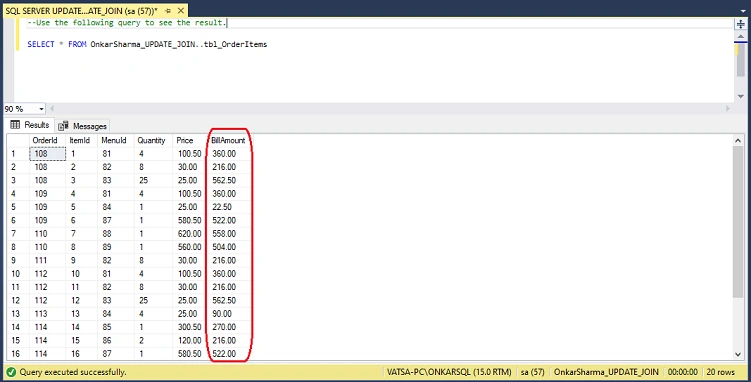
2) To get the data from the "tbl_OrderItems" table, use the following query.
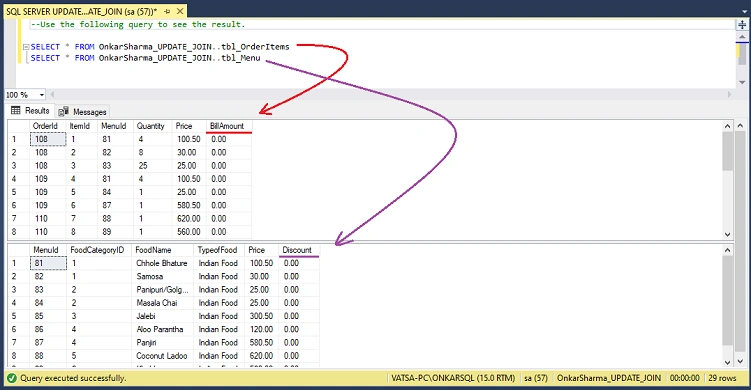
SELECT * FROM OnkarSharma_UPDATE_JOIN..tbl_OrderItems
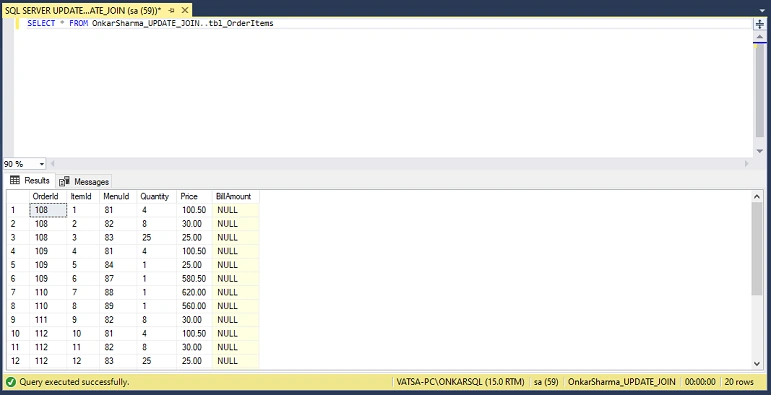
3) To get the data from the "tbl_Menu" table, use the following query.
SELECT * FROM OnkarSharma_UPDATE_JOIN..tbl_Menu
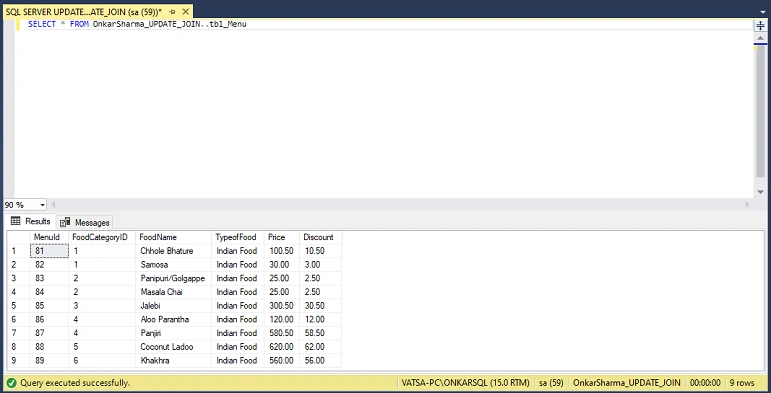
SQL Server UPDATE JOIN
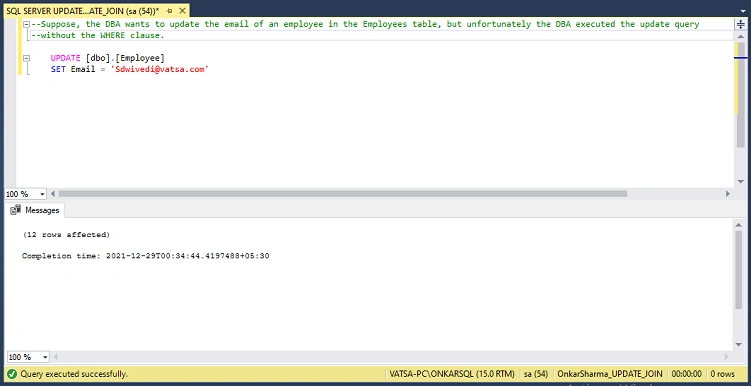
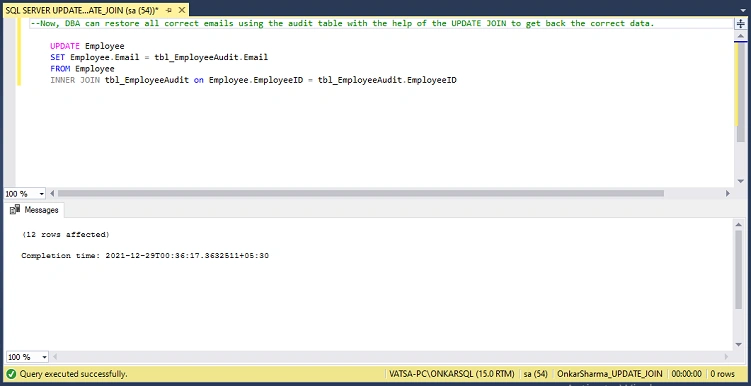
DBAs use update queries in SQL Server to update an existing row in a table. A DBA may update all or some records based on the condition specified in the WHERE clause. With the help of UPDATE JOIN (Cross-Table Update), a DBA can perform various tasks such as updating the main table using an audit table (another table) in case of any mismatch, updating records in the main table based on multiple tables, etc.
Using SQL Server UPDATE JOIN, you can Update a table by joining two or more tables together.
Key Points
- SQL Server UPDATE JOIN is also known as a "cross-table" update.
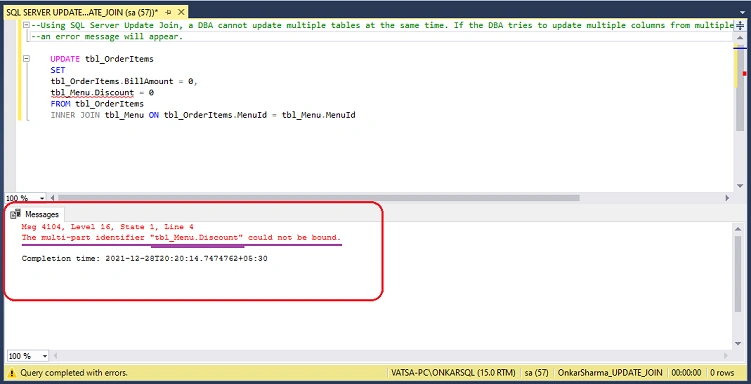
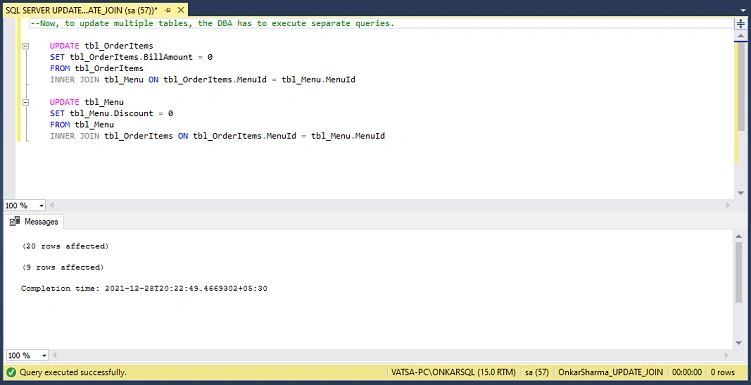
- DBAs cannot update multiple tables simultaneously using SQL Server UPDATE JOIN.
- A single update statement cannot be used to update multiple columns from different tables.
Syntax
UPDATE <table_name>
SET <table_name>.<column_name> = <table_name1>.<column_name>, ...
FROM <table_name>
[ INNER | LEFT ] JOIN <table_name1> ON <join_predicate>
[ WHERE Condition(s) ]
In this syntax
- UPDATE: First, specify the table name <table_name> that you want to update. (Users can also use the SQL alias instead of the table name).
- SET: Next, specify the new value for the column of the updated table.
- FROM: In the FROM clause, re-specify the table you want to update. (And, use INNER or LEFT JOIN to join with other table using JOIN predicate).
- WHERE: Finally, specify the WHERE clause to update only specific rows. this is an optional argument.
Syntax (with table alias)
Bohdan StupakPosted Jan 2, 2022, 5:14 PM
Nice one, thank you