
Prerequisite
The Napa Development tool app is already installed on SharePoint site.
Hands-on with SharePoint hosted app.
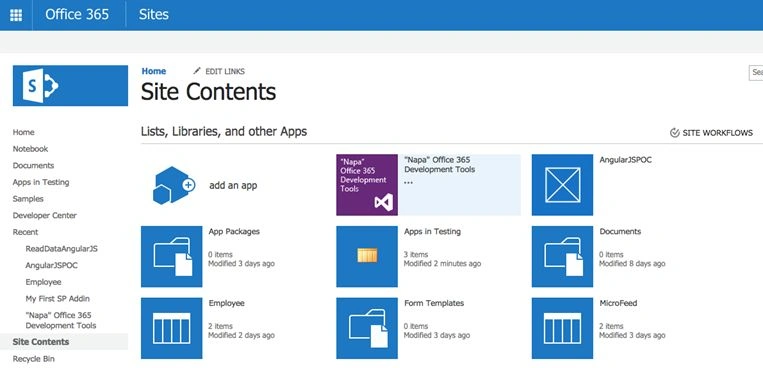
1. Open Office 365 SharePoint site. Go to site contents section. Click on “Napa” Office 365 Development Tools as shown below.
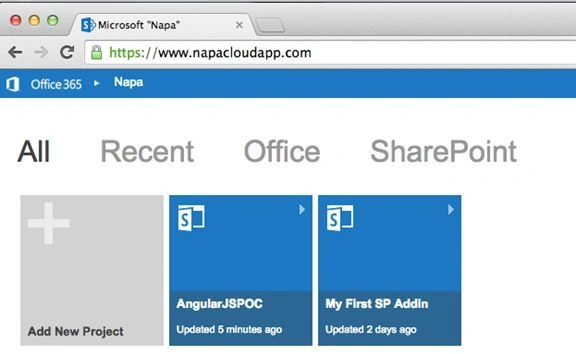
2. Add a new project using Add New Project button.
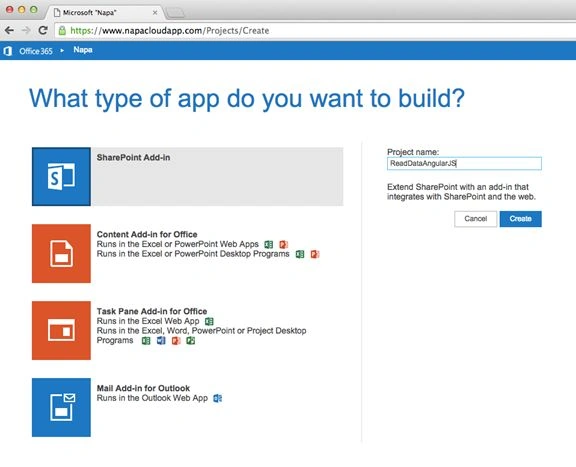
3. Below screen will be displayed with options of what type of app you want to build. Choose SharePoint Add-in option and enter a project name in the text box provided. Click on Create.
4. Below screen with the explorer window will be opened.
By default you will see the default.aspx page will open up.
We will be adding a reference to Angular.js file, html code to default.aspx file for displaying the data from host web (which is the SharePoint site where SharePoint add-in is added). Set permissions to the app and then code to app.js file for adding csom and code to bind data.
- Add reference to the Angular.min.js file
Download the angular.min.js file from https://angularjs.org
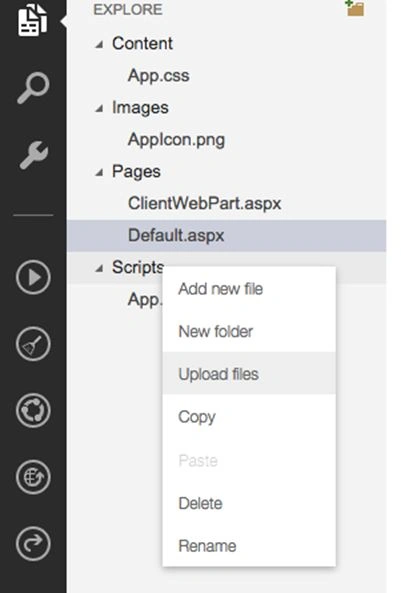
By default the project solution will have the below files.
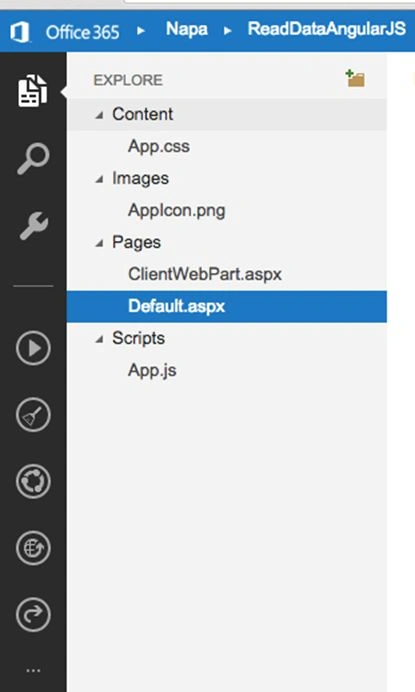
Right click on scripts file and choose option “Upload files" to add angular.min.js file from your computer.
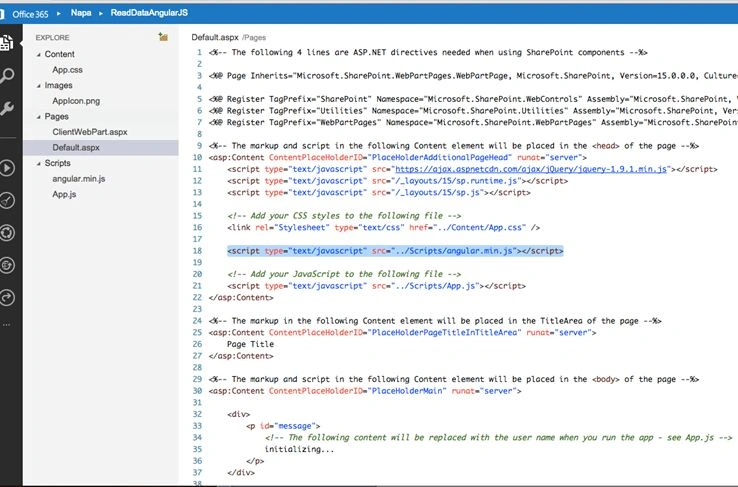
Now add script reference in the default.aspx page using the below code.
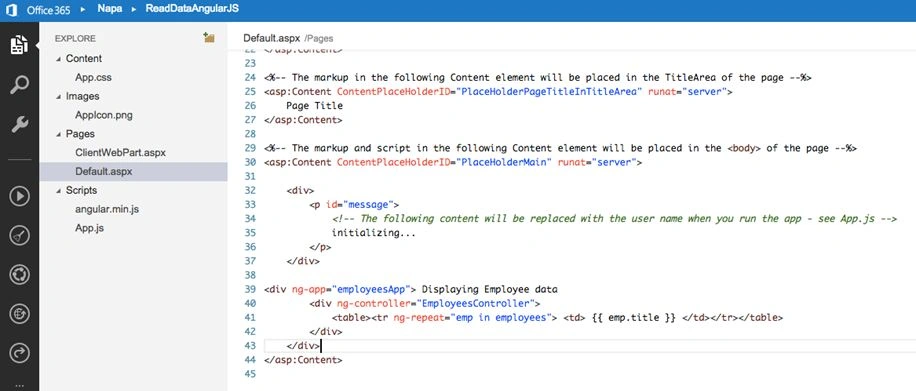
- Html code to default.aspx page,
In theabove code we are adding an application “employeesApp" directive followed by a controller named “EmployeesController”.- <div ng-app="employeesApp"> Displaying Employee data
- <div ng-controller="EmployeesController">
- <table><tr ng-repeat="emp in employees"> <td> {{ emp.title }} </td></tr></table>
- </div>
- </div>
Using ‘ng-repeat’ directive we are iterating through list of employers and displaying the names of employers.
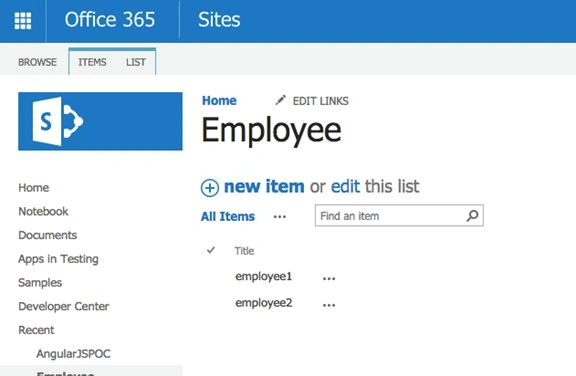
- In the host web. Create a list, name employee, and add some data in the list.
- Now go to SharePoint add-in the properties section as shown in the following screen and click on Permissions.
- Select full control for web as we are reading data from Employee list, which is hosted on the host web. Our app will need permissions to read data.
Web
Set this property if the add-in needs to request permission to access resources in the host web, such as lists and document libraries.
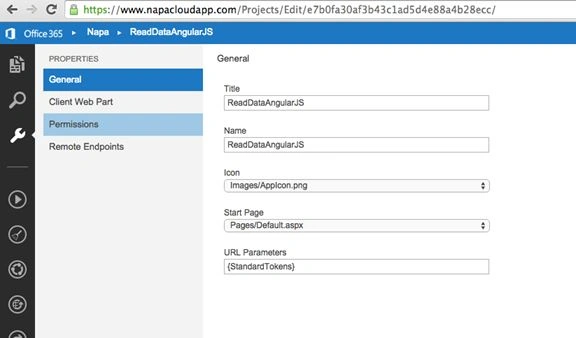
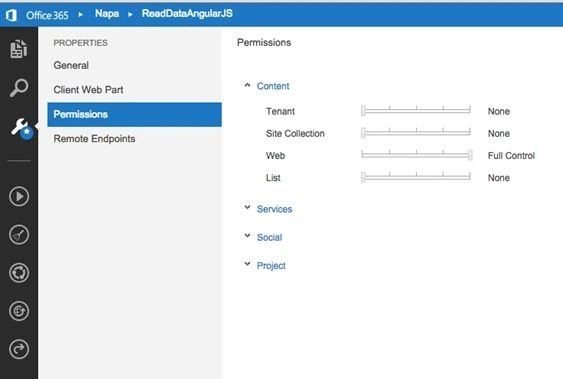
- Now go to app.js file and add the following code. This code is to read data form SharePoint and bind data to AngularJS controller.
- 'use strict';
- var hostweburl;
- var appweburl;
- var employeesApp = angular.module('employeesApp', []);
- employeesApp.controller('EmployeesController',
- function($scope, $http) {
- hostweburl = decodeURIComponent($.getUrlVar("SPHostUrl"));
- appweburl = decodeURIComponent($.getUrlVar("SPAppWebUrl"));
- $scope.employees = [];
- var scriptbase = hostweburl + "/_layouts/15/";
- $.getScript(scriptbase + "SP.Runtime.js",
- function() {
- $.getScript(scriptbase + "SP.js",
- function() {
- $.getScript(scriptbase + "SP.RequestExecutor.js", function() {
- var context = new SP.ClientContext(appweburl);
- var factory = new SP.ProxyWebRequestExecutorFactory(appweburl);
- context.set_webRequestExecutorFactory(factory);
- var appContextSite = new SP.AppContextSite(context, hostweburl);
- var web = appContextSite.get_web();
- context.load(web);
- var list = web.get_lists().getByTitle("Employee");
- var camlQuery = SP.CamlQuery.createAllItemsQuery();
- this.listItems = list.getItems(camlQuery);
- context.load(this.listItems);
- context.executeQueryAsync(
- Function.createDelegate(this, function() {
- var ListEnumerator = this.listItems.getEnumerator();
- while (ListEnumerator.moveNext()) {
- var currentItem = ListEnumerator.get_current();
- $scope.employees.push({
- title: currentItem.get_item('Title')
- });
- $scope.$apply();
- }
- }),
- Function.createDelegate(this, function(sender, args) {
- alert('exception occured');
- })
- );
- });
- }
- );
- }
- );
- }
- );
- jQuery.extend({
- getUrlVars: function() {
- var vars = [],
- hash;
- var hashes = window.location.href.slice(window.location.href.indexOf('?') + 1).split('&');
- for (var i = 0; i < hashes.length; i++) {
- hash = hashes[i].split('=');
- vars.push(hash[0]);
- vars[hash[0]] = hash[1];
- }
- return vars;
- },
- getUrlVar: function(name) {
- return jQuery.getUrlVars()[name];
- }
- });
- We use csom code to read SharePoint list data (Employee) and iterating through list data and binding it using $scope and Employee array.
- $scope apply method is used for forcing the Scope to update the data while looping.
- Next step is to package the project and deploy to SharePoint.
- Click on fourth button in the left navigation and the following screen will appear.
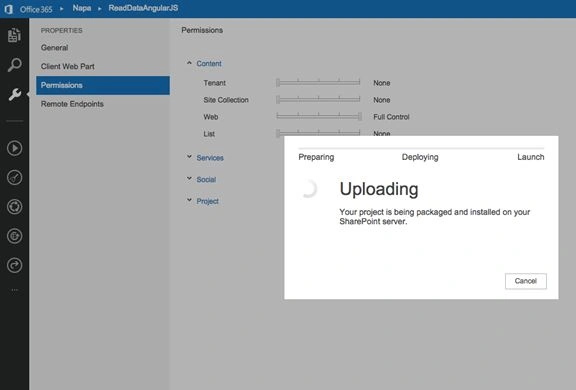
- Once successfully packaged you will see the following screen.
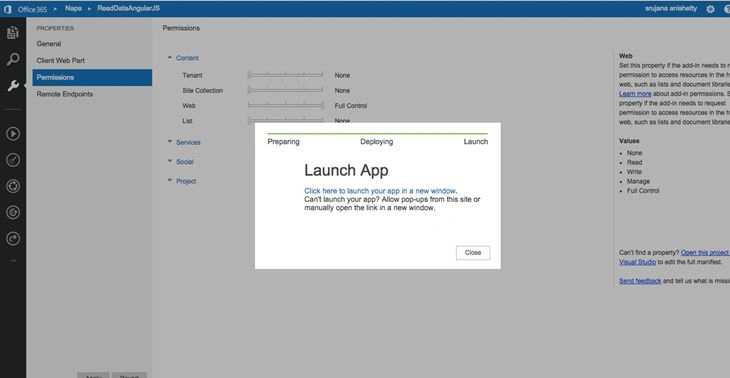
- We can navigate to the next screen either by opening the link in a new tab or by navigating to the site contents page and clicking on the app directly.
*app directly
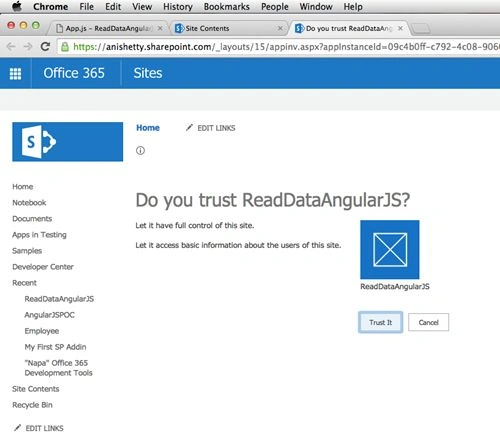
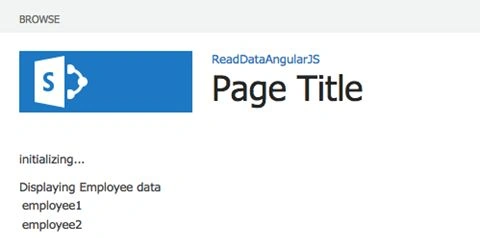
- Click on “Trust it" button and you will see the app page with the Employee list data displayed.
Hope you enjoyed reading this article.
Sibeesh VenuPosted Mar 17, 2016, 11:18 AM
Nice Share
Vignesh ManiPosted Mar 16, 2016, 6:00 PM
good
Rupali ShindePosted Mar 16, 2016, 3:56 AM
nice
Debasis SahaPosted Mar 15, 2016, 1:48 PM
Good One..
Mohammed IbrahimPosted Mar 15, 2016, 5:47 AM
nice
Ammar ShaukatPosted Mar 15, 2016, 2:59 AM
Good
Humayun Kabir MamunPosted Mar 15, 2016, 2:30 AM
Nice...