

Introduction
In this article, we learn how to validate a RadioButtonList and a DropDownList using JavaScript in ASP.NET. JavaScript provides a way to validate a form's data on the client's computer before sending it to the webserver. If we try to perform all the validation on the server-side then naturally the server is will take time to process the details and finally, it will give a response to the client.
In some cases, some of the data that had been entered by the client was in the wrong form or was simply missing. The server would then need to send all the data back to the client and request that the form be resubmitted with the correct information. So this is not an efficient way to do the validation. So we use JavaScript that validates at the client-side.
To validate RadioButtonList in JavaScript
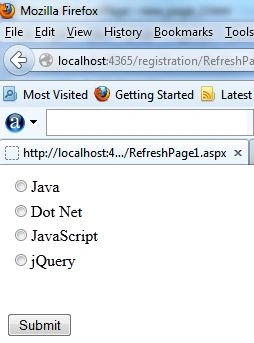
 The following is the source code for the design of our ".ASPX" page:
- function getCheckedRadioButton() {
- var radio = document.getElementsByName("RadioButtonList1"); //Client ID of the RadioButtonList1
- for (var i = 0; i < radio.length; i++) {
- if (radio[i].checked) { // Checked property to check radio Button check or not
- alert("Radio button having value " + radio[i].value + " was checked."); // Show the checked value
- return true;
- }
- }
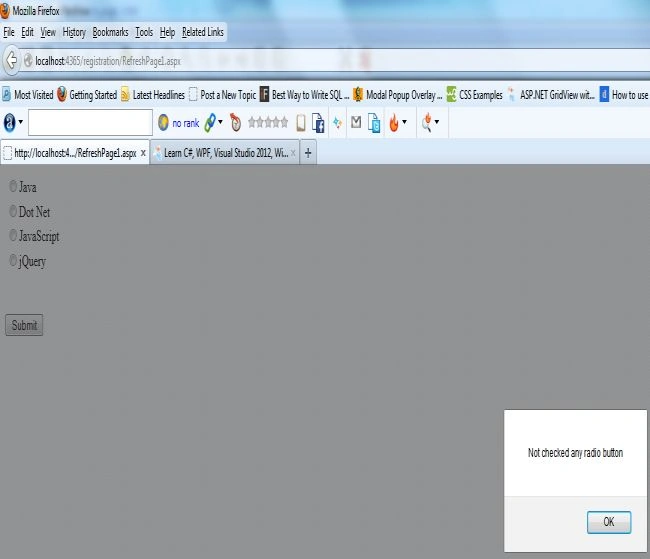
- alert("Not checked any radio button"); // if not checked any RadioButton from the RadioButtonList
- }
The following is the source code for the design of our "Default.ASPX" page:
- <asp:RadioButtonList ID="RadioButtonList1" runat="server">
- <asp:ListItem Value="Java">Java</asp:ListItem>
- <asp:ListItem Value="Dot Net">Dot Net</asp:ListItem>
- <asp:ListItem Value="JavaScript">JavaScript</asp:ListItem>
- <asp:ListItem Value="jQuery">jQuery</asp:ListItem>
- </asp:RadioButtonList>
- <br />
- <br />
- <asp:Button ID="submitForm" runat="server" OnClientClick="getCheckedRadioButton()"
- Text="Submit" />
Now to see the output press F5 to execute.
Output
Now click on the Button control without checking a radio button.
Now select a radio button and click on the button.
To validate DropDownList in JavaScript
- function validateDropList() {
- if (document.getElementById("<%=DropDownList1.ClientID%>").value == "") //Client ID of the DropDownList
- {
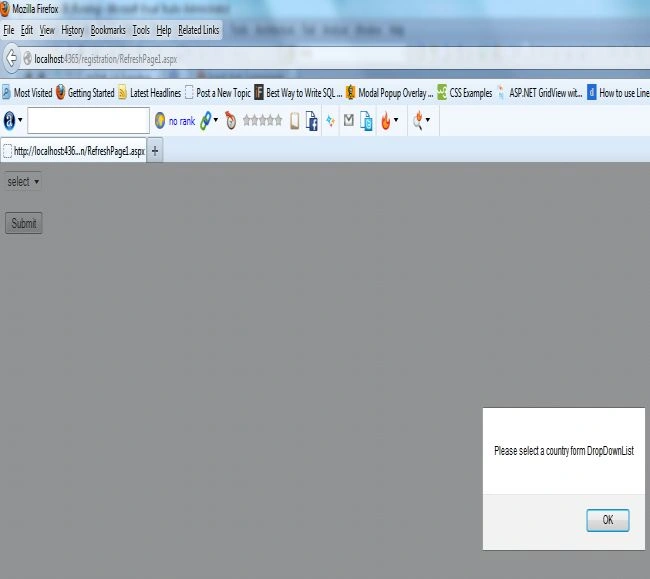
- alert("Please select a country form DropDownList");
- return false;
- }
- else
- return true;
- }
- <div>
- <asp:DropDownList ID="DropDownList1" runat="server">
- <asp:ListItem Value="">select</asp:ListItem>
- <asp:ListItem Value="ind">India</asp:ListItem>
- <asp:ListItem Value="pak">PAK</asp:ListItem>
- <asp:ListItem Value="usa">US</asp:ListItem>
- <asp:ListItem Value="uae">UAE</asp:ListItem>
- </asp:DropDownList>
- <br />
- <br />
- <asp:Button ID="submitForm" runat="server" OnClientClick="validateDropList()" Text="Submit" />
- </div>
Now press F5 to execute it.
Output
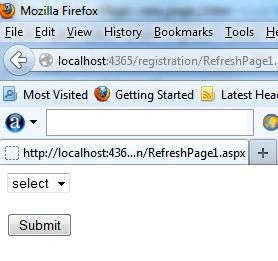
Now click on the Button control without selecting a country from the DropDownList.
Lalit RaghuvanshiPosted Jun 14, 2014, 1:43 PM
Some more useful links: Validate CheckBoxList using JavaScripthttp://www.webcodeexpert.com/2013/05/how-to-validate-checkboxlist-using.html Example to validate asp.net RadioButtonList using jQuery http://www.webcodeexpert.com/2014/06/example-to-validate-aspnet.html Example to Validate DropDownList using jQuery in asp.net http://www.webcodeexpert.com/2013/07/example-to-validate-dropdownlist-using.html