

Here, we will see use of Object Explorer to identify dependencies before changing or deleting an object. One object may be depend on another; in such type of a situation, you often face a problem whenever you change or delete an object, it shows an error. There are several methods of getting the dependencies of an object in SQL Server. So let's take a look at a practical example of how to identify the dependencies in SQL Server 2012 using the Management Studio.
Creating two table in SQL Server
First we create two tables in SQL. One contains the primary key and another table contains the reference key. For example a view or stored procedure relies upon an underlying table to provide the data.
Table: MajorCategory
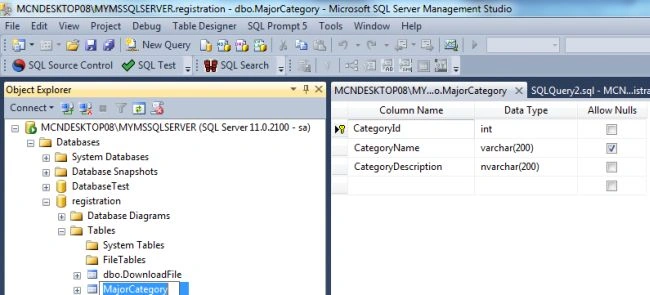
Table: MinorCategory

View the Dependencies in SQL Server (Visually)
Now Press F8 to open the Object Browser in SQL Server Management Studio and expand it.
Database ->Table -> right-click -> select View Dependencies.

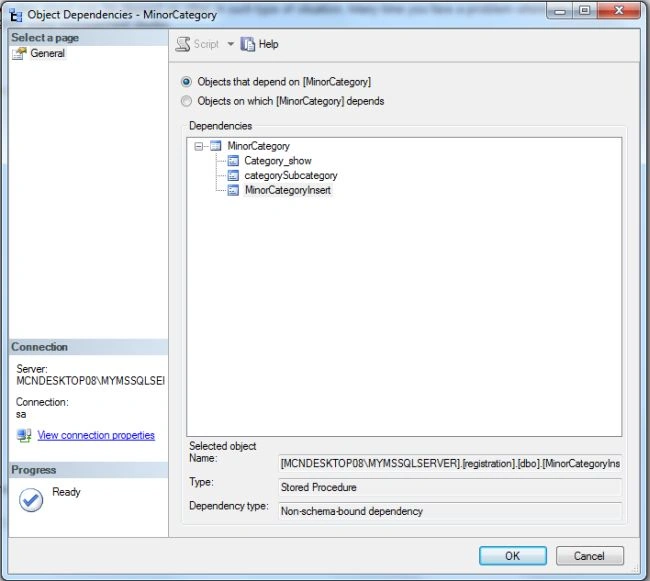
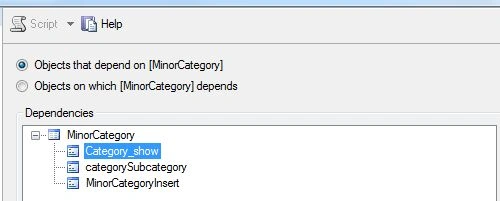
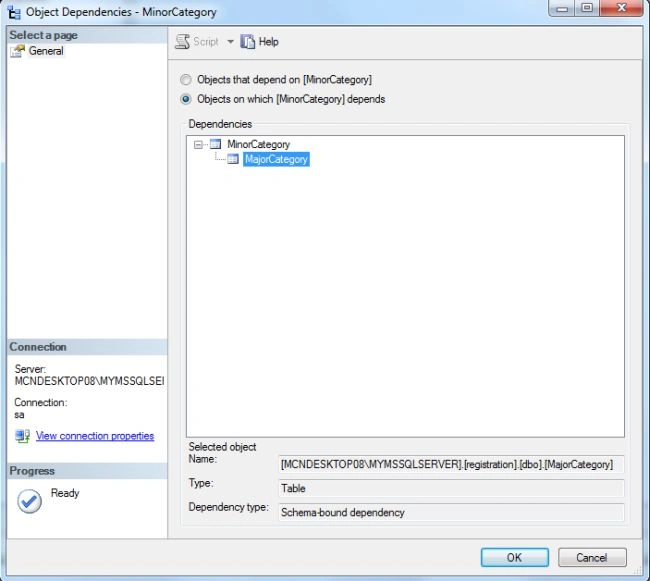
Now click on the View Dependencies. The Object Dependency window will be opened.
Rohatash KumarPosted Aug 30, 2013, 12:04 AM
Thanks Kevin.
Kevin NPosted Aug 29, 2013, 1:45 AM
Great article, but it is important to understand that when working on large databases that it will take a large amount of time to determine all dependencies. There are some great products out there including a new product called SQL Negotiator Pro available at www.aphilen.com this will graphically generate the dependencies of any table and stored procedure