

This is the Day 5 article. If you have not read the previous articles, then please go through the following articles:
- Day 1 - WCF Introduction and Contracts
- Day 2 - WCF Fault Contracts
- Day 3 - WCF Message Exchange Patterns
- Day 4 - WCF DataContract
Introduction
This article explains the difference between a Service Application and a Service Library. It also explains where we should use Service Applications and where to use a Service Library.
When you try to create a WCF service using Visual Studio IDE, you will have a choice of two types of WCF services, WCF Service Application and WCF Service Library. Now let us see the differences between them. We will do this by generating each of them and comparing the results.
Differences between Service Application and Server Library
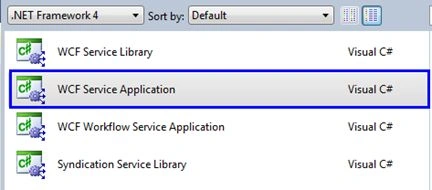
- The very basic point is that you need to select a "WCF Service Application" template under the WCF project type at the time of project creation. In other words when you create the project from File >> New >> Project, select the WCF as project type from the left side of the screen and select "WCF Service Application" from the template. Select your desired location and provide an appropriate name for your project and press the "OK" button.
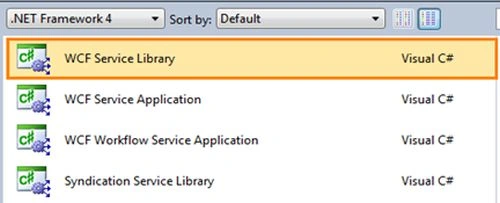
For a WCF Service Library you need to select "WCF Service Library" template at the time of project creation.
- After creating the projects, compare the files created by Visual Studio IDE.
In the Service Application we have a service contract i.e. IService1 for the service implementation and Service1 as a Web.config file.
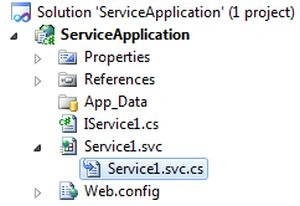
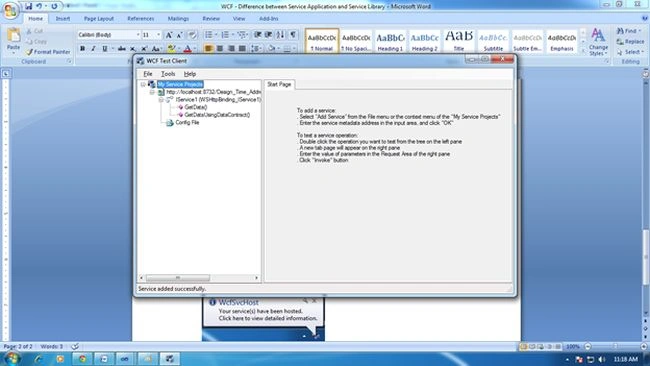
In the Service Library we also have a service contract i.e. IService1 for the service implementation and Service1 as an App.config file for the configuration (instead of web.config as in the Service Application).

The major difference is that the WCF Service Application has a .svc file, whereas the Service Library does not have a .svc file. Suppose we want to host this service application in IIS, then you need to specify for IIS the execution runtime environment requirements.
In a web application we set an .aspx, similarly for a Service Application we need to set a .svc.
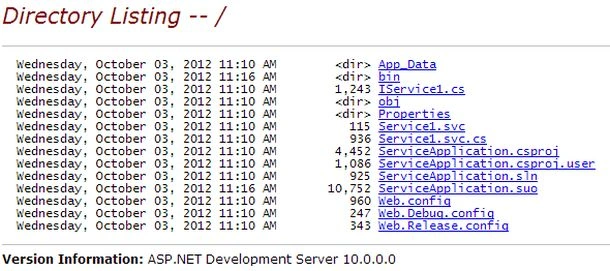
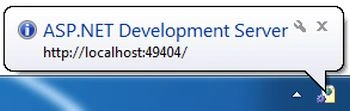
- Run the WCF Service Application and it will show a directory listing, as in:

Pax ObiPosted Feb 20, 2018, 12:01 AM
Thank you sooo much :-)
Roshan PawarPosted Jan 12, 2017, 2:47 PM
Thank you.good expaination
Omid NasriPosted May 8, 2016, 1:19 PM
Good one ...
Karcki RamaniPosted Jun 5, 2015, 6:11 AM
awesome one
Shobhit KaushikPosted Apr 19, 2015, 4:36 AM
It is verry good
HemlataPosted Jun 21, 2013, 12:04 AM
Thank its was really gud Explanation
jawahar rajPosted Oct 10, 2012, 8:09 AM
nice one. thanks
Akhilesh PrajapatieditedPosted Oct 4, 2012, 6:39 AMEdited Oct 4, 2012, 6:40 AM
Thanks Sir before I don't know what is WCF but every day I read your article thks
Rajesh PatelPosted Oct 4, 2012, 2:30 AM
Good one Akki...
Kamal RawatPosted Oct 4, 2012, 1:21 AM
Good Article Akki..!
Kamal RawatPosted Oct 4, 2012, 1:21 AM
@Gaurav: A service application includes a website hosted already for you whereas service library is a library of services that a host can reference and startup.
Gaurav GuptaPosted Oct 3, 2012, 11:25 PM
Nice Explanation. Before I don't Know about this thanks.. But except hosting point view Is there any other difference between these?
Sam HobbsPosted Oct 3, 2012, 4:42 PM
Wonderful, Akshay; I knew you could do this. I think it really helps to have this explained and this should help many developers.