

This is the Day 12 article. If you have not read the previous articles, please go through the following articles:
- Day 1 - WCF Introduction and Contracts
- Day 2 - WCF Fault Contracts
- Day 3 - WCF Message Exchange Patterns
- Day 4 - WCF DataContract
- Day 5 - WCF Difference between service application and service library
- Day 6 - WCF Serialization Part 1
- Day 7 - WCF Serialization Part 2
- Day 8 - WCF Opt-In VS Opt-Out
- Day 9 - WCF Message Contract
- Day 10 - WCF Address Binding & Contract
- Day 11 - WCF Service Configuration Using Web.Config
Introduction
Let us configure a WCF Service using the WCF Service Configuration Editor.
Open the Visual Studio editor and select "File" -> "New" -> "Project...". Select the WCF Service Library from the template and provide an appropriate name for it.
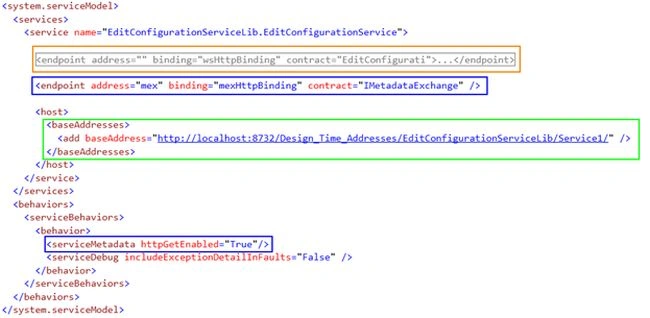
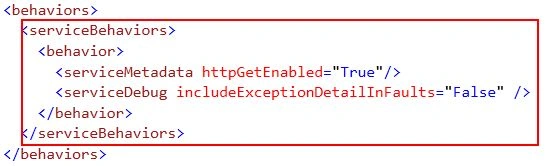
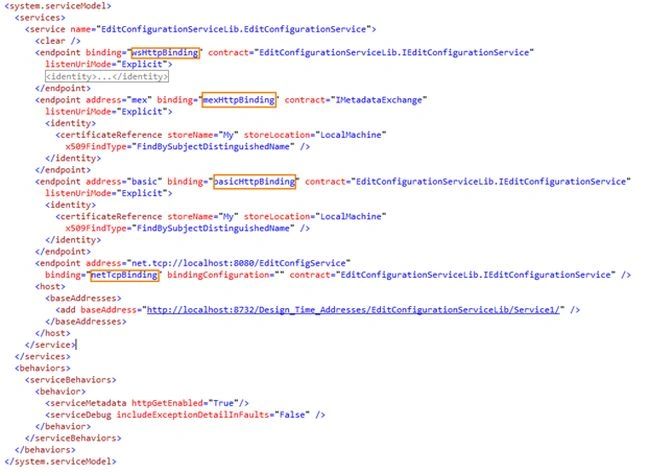
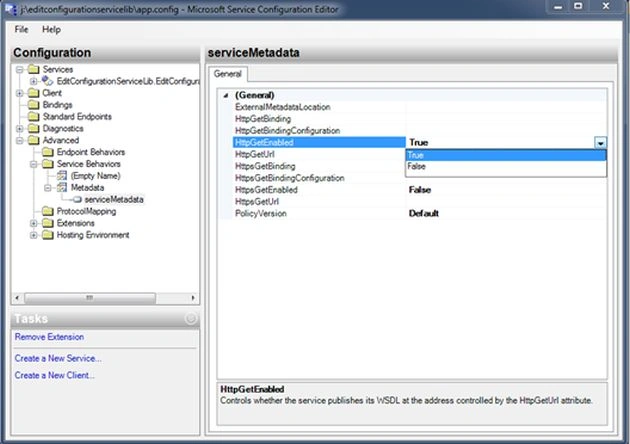
In the web.config file you can see under the system.serviceModel element, there are two endpoints specified. One is for wsHttpBinding and another is to expose metadata using the IMetadataExchange interface. The base address is also specified under the host element. In service behavior with the serviceMetadata element set httpGetEnabled attribute to true. This is the default configuration in the WCF Service Library.
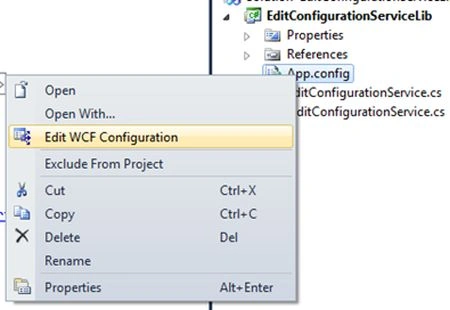
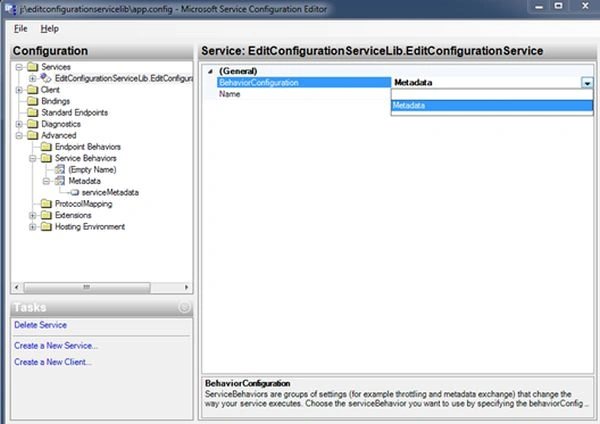
Right-click on App.config and select Edit WCF Configuration to open the WCF Configuration Editor.
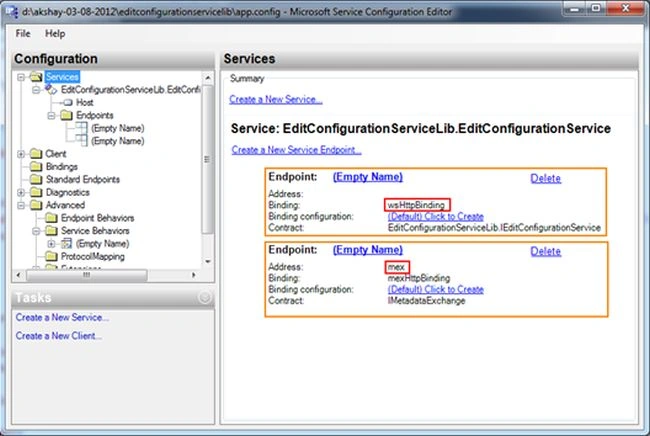
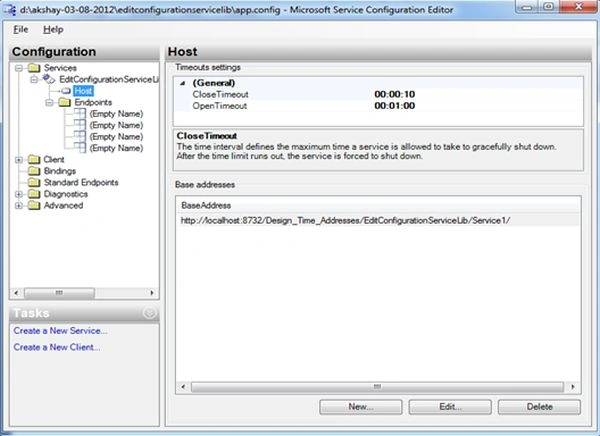
The WCF Service configuration information is contained under the system.servicemodel element. So now check how this configuration is shown in the configuration editor.
Endpoints
App.config

Configuration Editor
Base Address
App.config

Configuration Editor

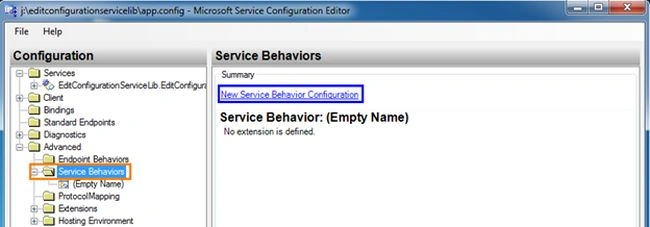
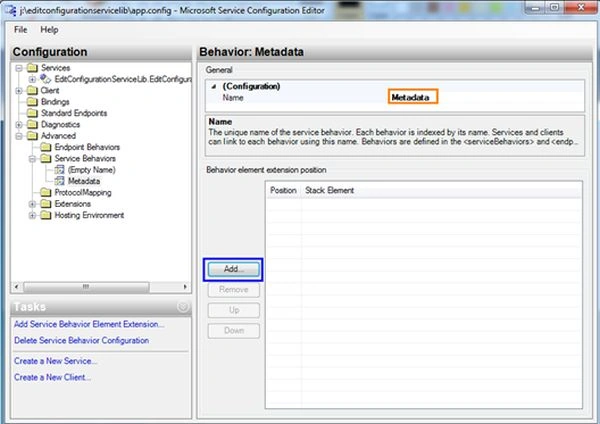
Service Behavior
App.config
Configuration Editor
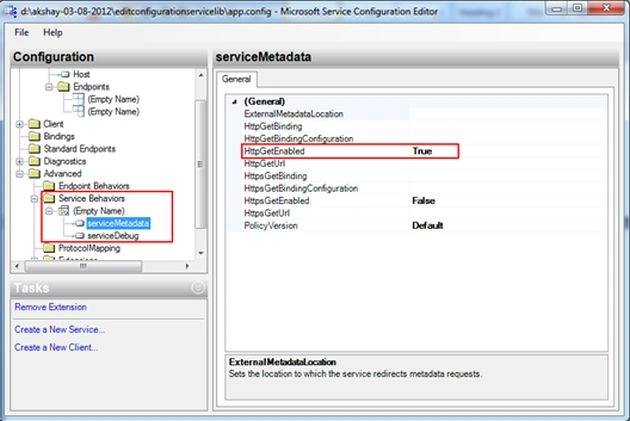
How to add new endpoint?
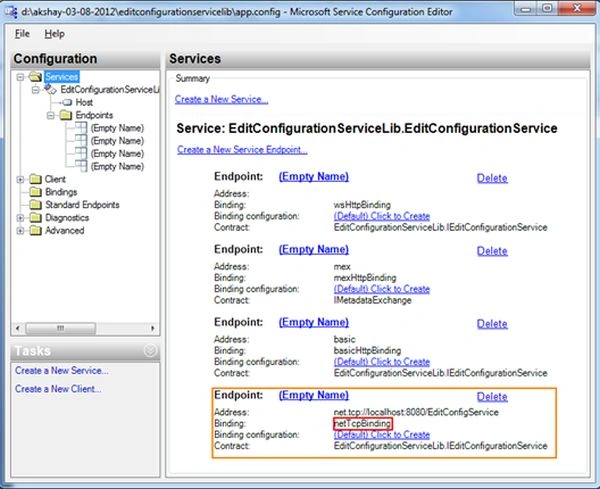
There are two approaches to add a new endpoint using this configuration editor. Use the following to create a new endpoint.
Approach 1
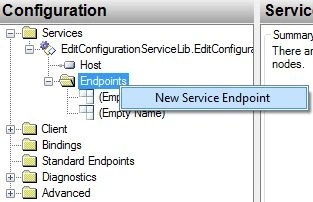
Right-click on the Endpoints folder, select "New Service Endpoint".
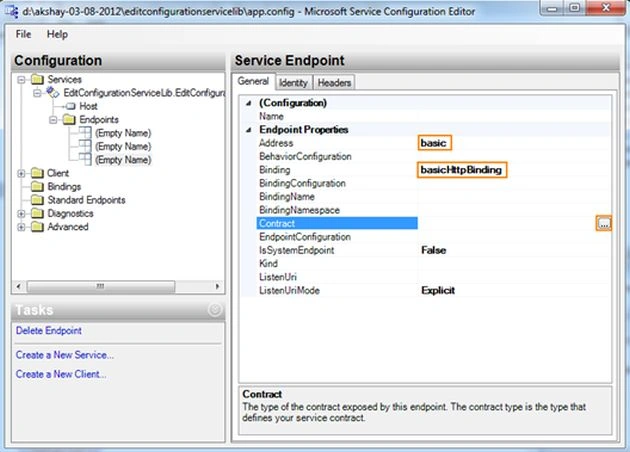
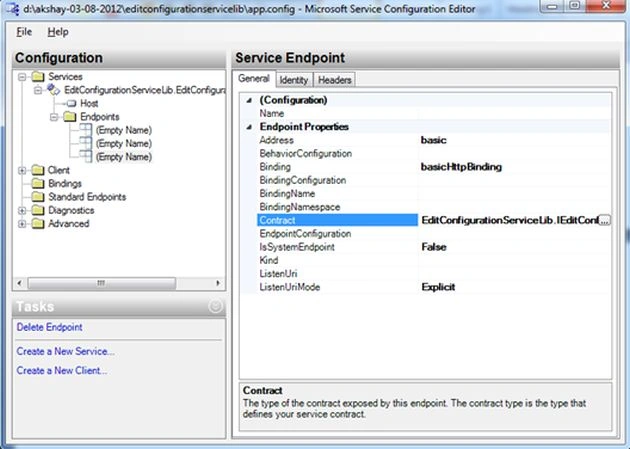
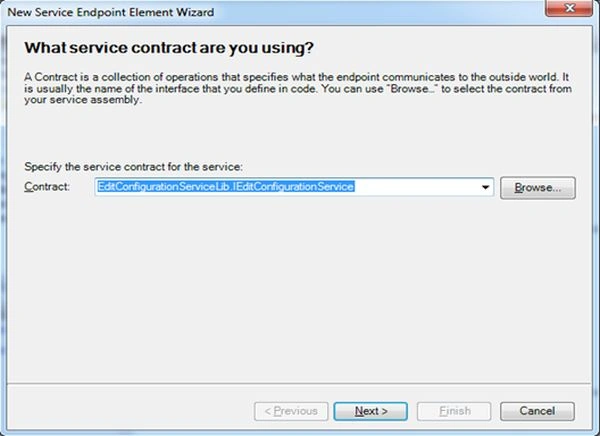
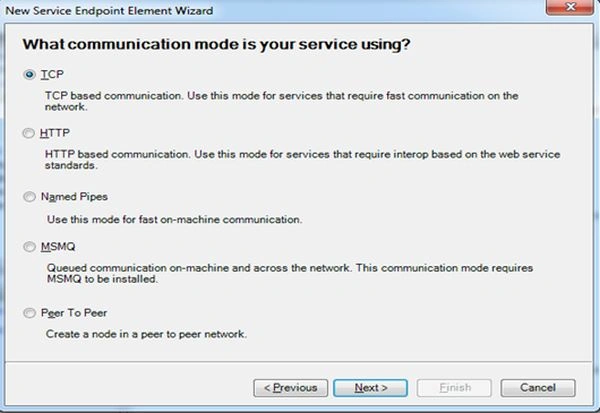
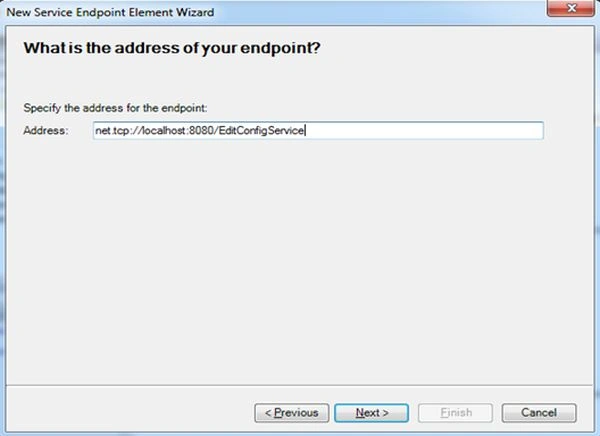
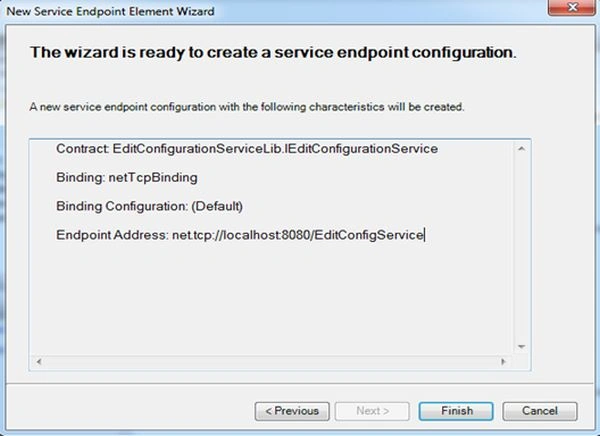
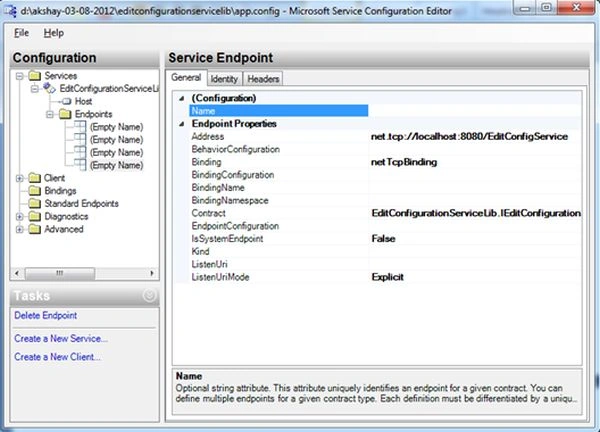
In the general tab, insert the address as "basic" and select "basicHttpBinding" for the binding. For contract click on the button which is available on the right side.

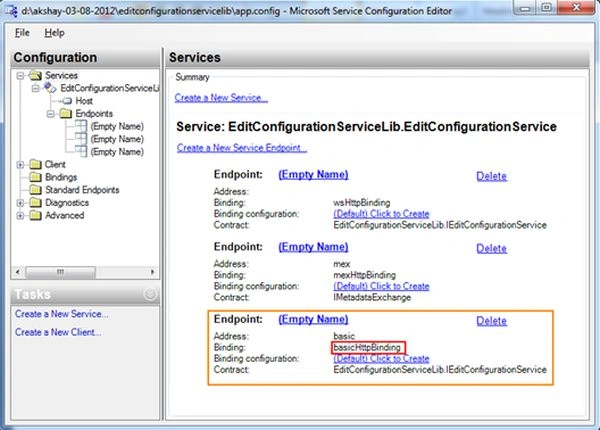

Chandra PathakPosted Mar 19, 2022, 7:54 AM
EXception: Failed to add a service. Service metadata may not be accessible. Make sure your service is running and exposing metadata. :(
Lalit RaghavPosted Jun 19, 2015, 1:19 PM
very helpfull
farhin pathanPosted Feb 6, 2013, 4:19 AM
nice......
Rohatash KumarPosted Oct 31, 2012, 3:53 AM
Looking forward to Day 13. Akshay
aditya rastogiPosted Oct 31, 2012, 12:13 AM
Nice article...anyone can learn WCF from here only..Thanx..
Anil SaxenaPosted Oct 30, 2012, 11:41 PM
From my side Configuration in Web.Confing is much easier than this...
Gaurav GuptaPosted Oct 30, 2012, 11:34 PM
So, we have two ways to configure our WCF service. Nice Thanks for sharing...
dipali goelPosted Oct 30, 2012, 11:25 PM
Really it is knowledgeable article.I was searching for it