

This is the "Web-API with AJAX" article series. The previous article explained the POST method, you can read it at:
This article explains the GET method. If you read the previous article then you know how a HTTP verb can be mapped with a CRUD operation. We have learned that the POST verb maps with a Create operation. In the same way a GET verb maps with Read operations. So, when we want to read something or get something from the Web-API then we can use a GET HTTP request. Now, the phase "can be" is purposefully used. We are not saying "must be". This means that to get data from a server we can also use a POST verb. But in a general scenario it's always recommended to use a GET request when we are trying to read data from the server.
So, that are the fundamentals of GET requests. Now, let's understand with an example. Since this example is a service application we need to configure the both client and the server.
Create client application to consume service
This is the client configuration where we will configure the ajax() function of the jQuery library. Have a look at the following example.
<%@ Page Language="C#" AutoEventWireup="true" CodeBehind="APICall.aspx.cs" Inherits="WebApplication1.APICall" %>
<head runat="server">
    <script src="jquery-1.7.1.js" type="text/javascript"></script>
     <script>
         $(document).ready(function () {
             $("#Save").click(function () {
                 $.ajax({
                     url: 'http://localhost:3413/api/person',
                     type: 'GET',
                     dataType: 'json',
                     success: function (data, textStatus, xhr) {
                         console.log(data);
                     },
                     error: function (xhr, textStatus, errorThrown) {
                         console.log('Error in Operation');
                     }
                 });
             });
         });
    </script>
</head>
<body>
</body>
</html>
Now, please observe that we have specified that the request type is GET and the data type is JSON. So, this is the configuration of the client code.
Create Web API to serve client
Here we will define the Get() method within the "person" controller to serve the HTTP GET request. Here is the code to implement that.
using System;
using System.Collections.Generic;
using System.Linq;
using System.Net;
using System.Net.Http;
using System.Web.Http;
namespace WebApplication1.WebAPI
{
    public class personController : ApiController
    {
        [HttpGet]
        public List<string> Get()
        {
            List<string> List = new List<string>();
            List.Add("sourav kayal");
            List.Add("Ajay Joshi");
            List.Add("Nontey Banerjee");
            return List;
        }
    }
}
This is the output of the code above.
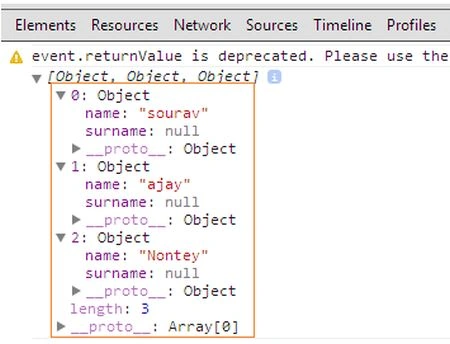
We are seeing that it's returning JSON data to the client.
Get complex object using GET request
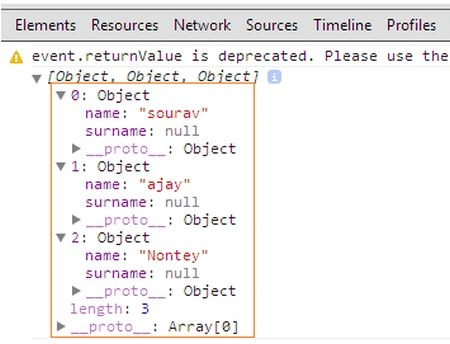
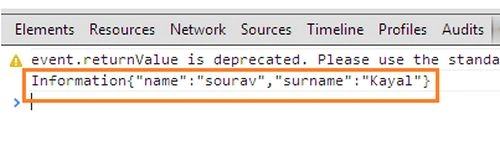
In this example we will return complex data (read class object) from the Web-API; have a look at this example. This is the code for the client-side implementation.
Naresh SinghalPosted Feb 22, 2018, 6:57 AM
Very Good Sir, Very useful.......Thanks