

First we need to understand what a Web Grid in MVC is.
A WebGrid is used to display data on a web page. The main properties of a WebGrid are:
- Source: Where your data comes from. Usually the model passed by the controller action.
- DefaultSort: Here you can define how the data will be sorted. Just provide the column name here.
- RowsPerPage: Number of records that will be shown in the table.
- CanPage: Allows paging.
- CanSort: Allows sorting by clicking on column title.
- SelectedFieldName: Gets the full name of the query-string field that specifies the selected row of the WebGrid instance.
I will create a new application as in the following: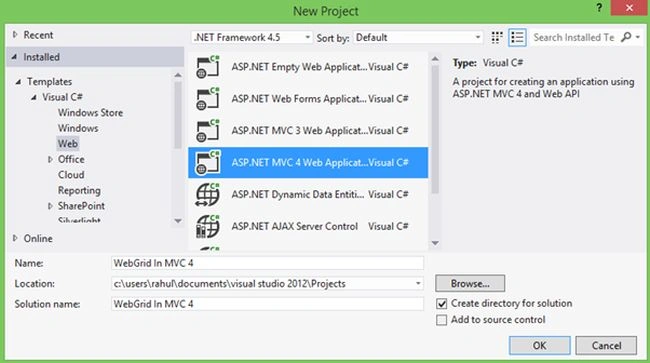
Image 1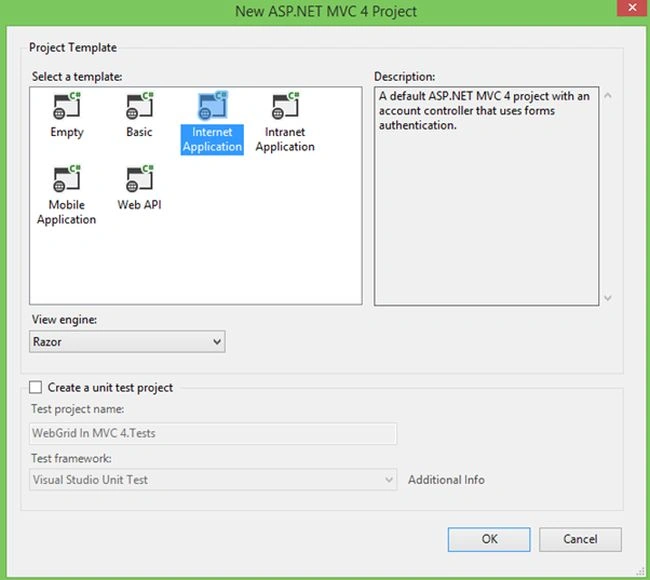
Image 2
Now right-click on Solution Explorer then select Add New Item.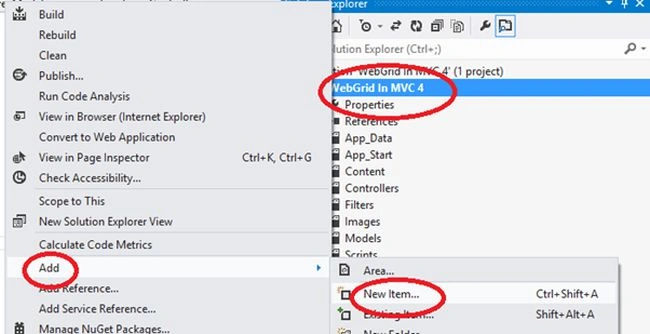
Image 3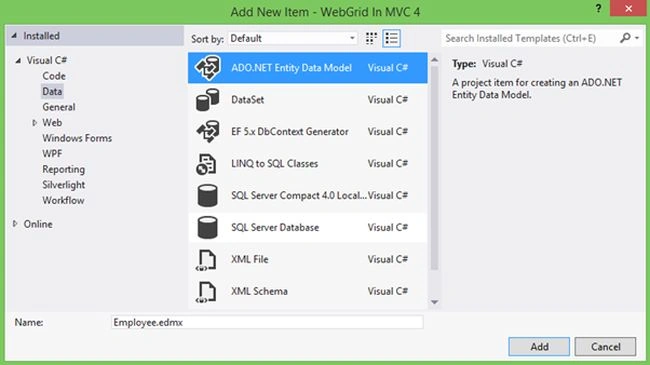
Image 4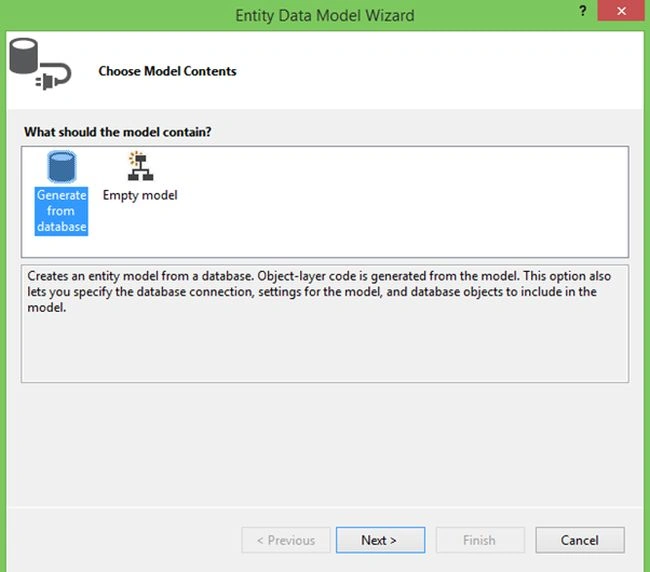
Image 5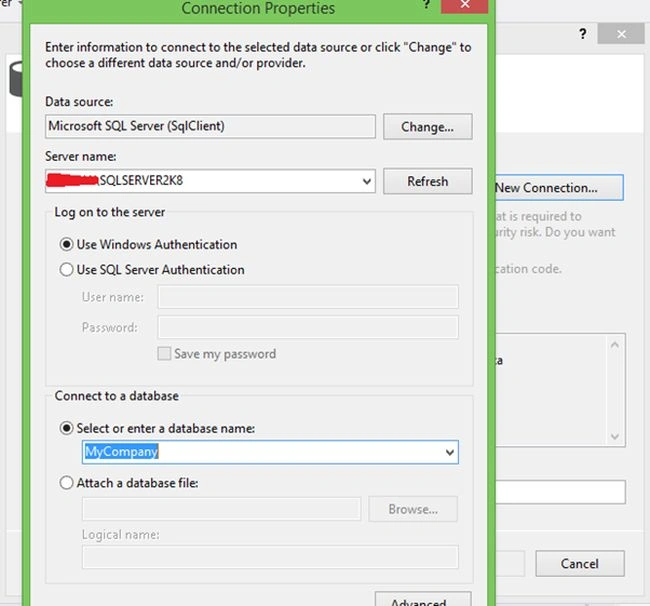
Image 6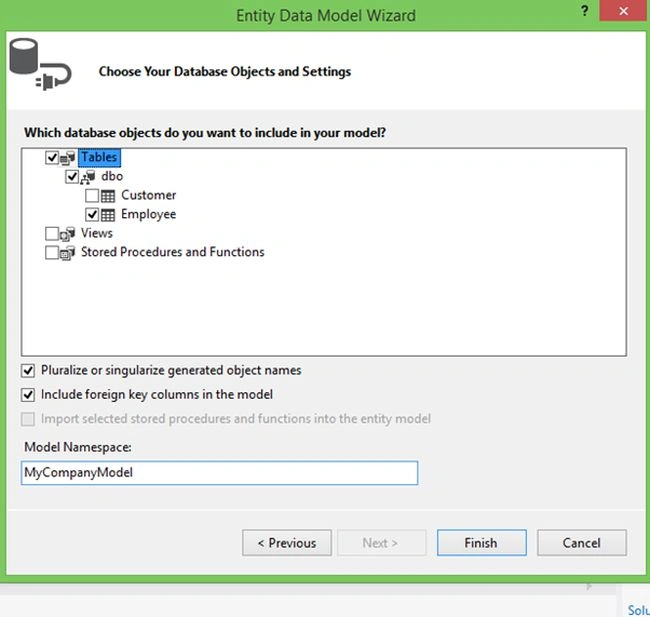
Image 7
After clicking Finish right-click on the Model folder then select Add New Item.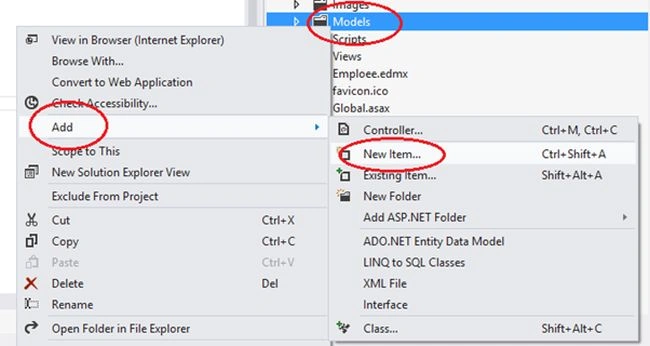
Image 8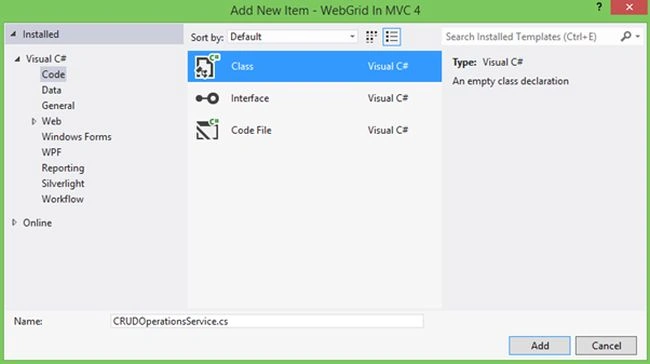
Image 9
The code inside CRUDOperationsService.cs will look like the following:
Image 10
Now right-click on the Controller Folder in Solution Explorer then select Add New Controller -> Employee
Add a new Action here like in the following image: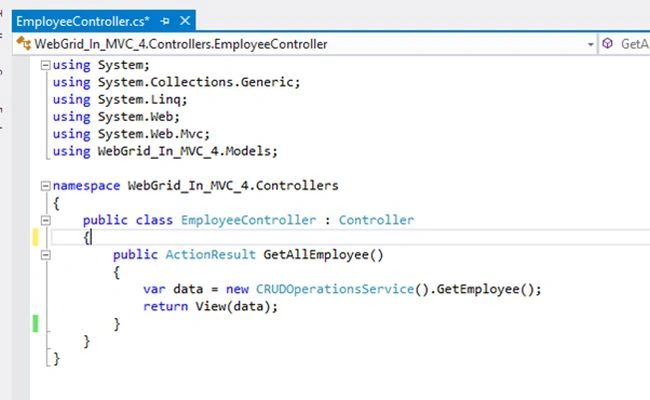
Image 11
Now right-click on GetAllEmployee then select Add New View.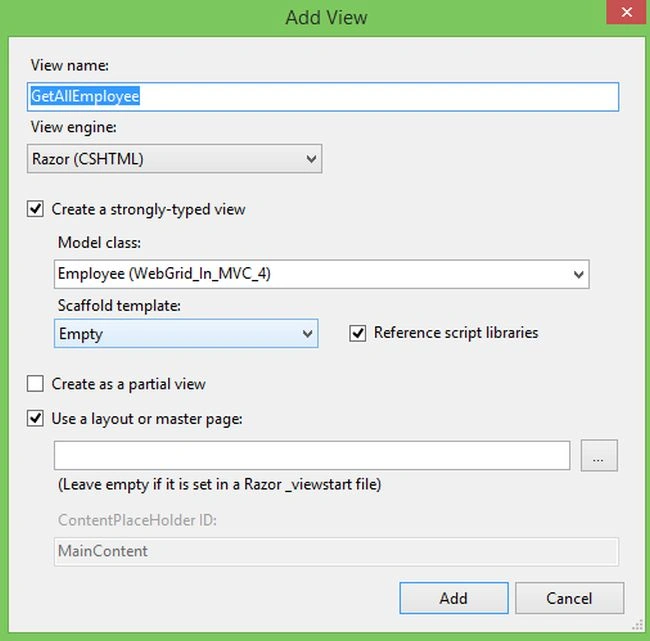
Image 12
Here we can use a WebGrid as below: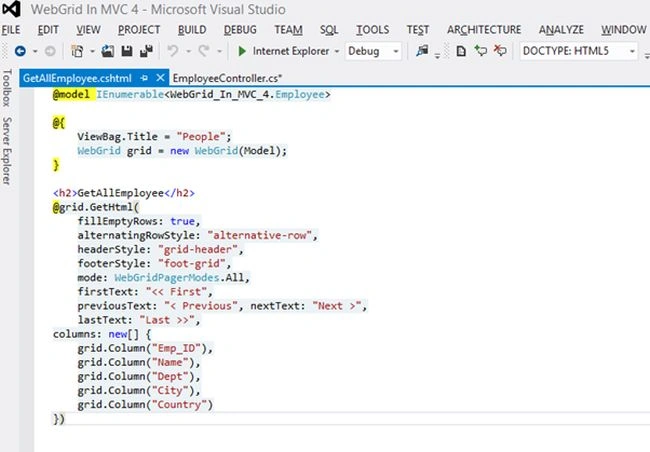
Image 13
Here we can customize our WebGrid by:
- Formatting: Column property.
- Sorting and Paging: rowsPerPage, canPage.
- Styling: alternatingRowStyle,headerStyle or tableStyle attributes
and so on..
Now run your application: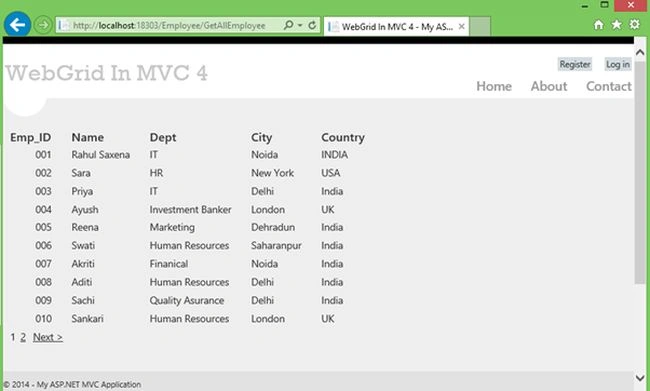
Image 14
Join the conversation! Your thoughts help the community grow.